
lclcc - Minecraft Skins & Skin History
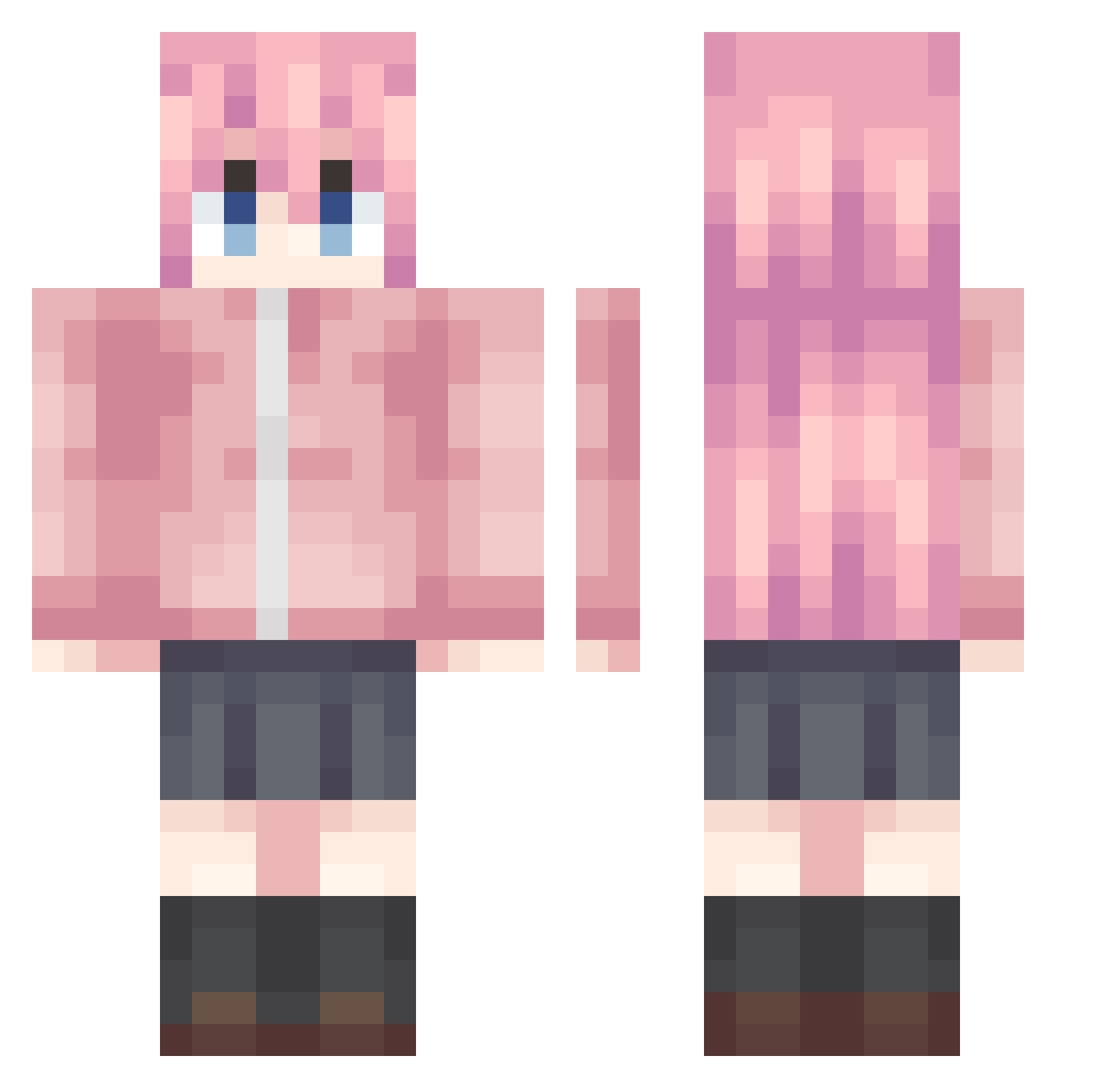
Current Minecraft skin of the player lclcc, loaded from the official Mojang API. Rotate the 3D model with your mouse or finger, then download the skin as a PNG file and use it in Minecraft: Bedrock Edition or Java Edition for free. When lclcc changes their skin, this page updates automatically and the old skin stays in the history below.
Other players with this skin (986)
lclcc was the 66th player we have seen with this skin, first spotted on 29.07.2026. The same skin was seen on these players. Open a nickname to see their current skin and skin history.
 Ad0o0 Lingzhi_Meng cmdqhro ggozile mumumu2 wensx Akina02 SleeZZZp Nerd_y_ CHARLIE202009 KASI00 lCHISATOl Word1ess MCYUBAN QE0000 Kurausu27 ChenGong314 Xiao_Ta lanji66 Citruscato Tokodachi667 love5360 acerolaaaa KnxjD hoshi_offcial lil_john_HKG namiramen krutoyIHegr MioDals JUNJUN888 HiroSAN2K Ayaka0428 CelestialsWang ZSQHD MEIKAI138 POINTSSSS sudabokun WolfPlayerGaming ZhaJiX wdfzy THERELAXY LyYing21 ButterflyR Pingguopi HUA205 pinkzeppelin16 Cycaya Miakun7 shuaifan Glowzzzzzzzz yerbolat motitarou Udaaaaaaa Haim520 Kaierxi1 Gang_qiang KamilleYax AIYUE365 fuyukai1 rain0525
More Bocchi Minecraft skins
How to install the lclcc skin
- Press the Download button above to save the skin as a PNG file.
- Minecraft: Bedrock Edition (PE): open the Dressing Room from the main menu (or tap your character → Edit Character), go to Classic Skins → Owned, press the + (new skin) button, choose the downloaded PNG and pick the Classic (Steve) model. Works on PC and mobile; consoles cannot import custom skins.
- Minecraft: Java Edition: open the Minecraft Launcher, go to the Skins tab, click New Skin, load the PNG, pick the Classic (Steve) model and press Save & Use. You can also upload it at minecraft.net → Profile → Change Skin.
The skin does not show up after import - what should I do?
Restart Minecraft and open the Dressing Room again - imported skins sometimes appear only after a restart. Also make sure you selected the imported skin and picked the Classic (Steve) model.
Which model should I choose, Classic or Slim?
This skin is designed for the Classic (Steve) model. If you pick the wrong model, the arms of the skin will look stretched or squeezed.
Is the skin of lclcc free to download?
Yes. Press Download, save the PNG file and use it in Minecraft: Bedrock Edition or Java Edition - no payment or registration needed. The skin also works on multiplayer servers and Realms.
More skins
Looking for more? Go back to all Minecraft skins and check the top skins of the week, month and all time, or find any player's skin by nickname.