
lcbdd - Minecraft Skins & Skin History
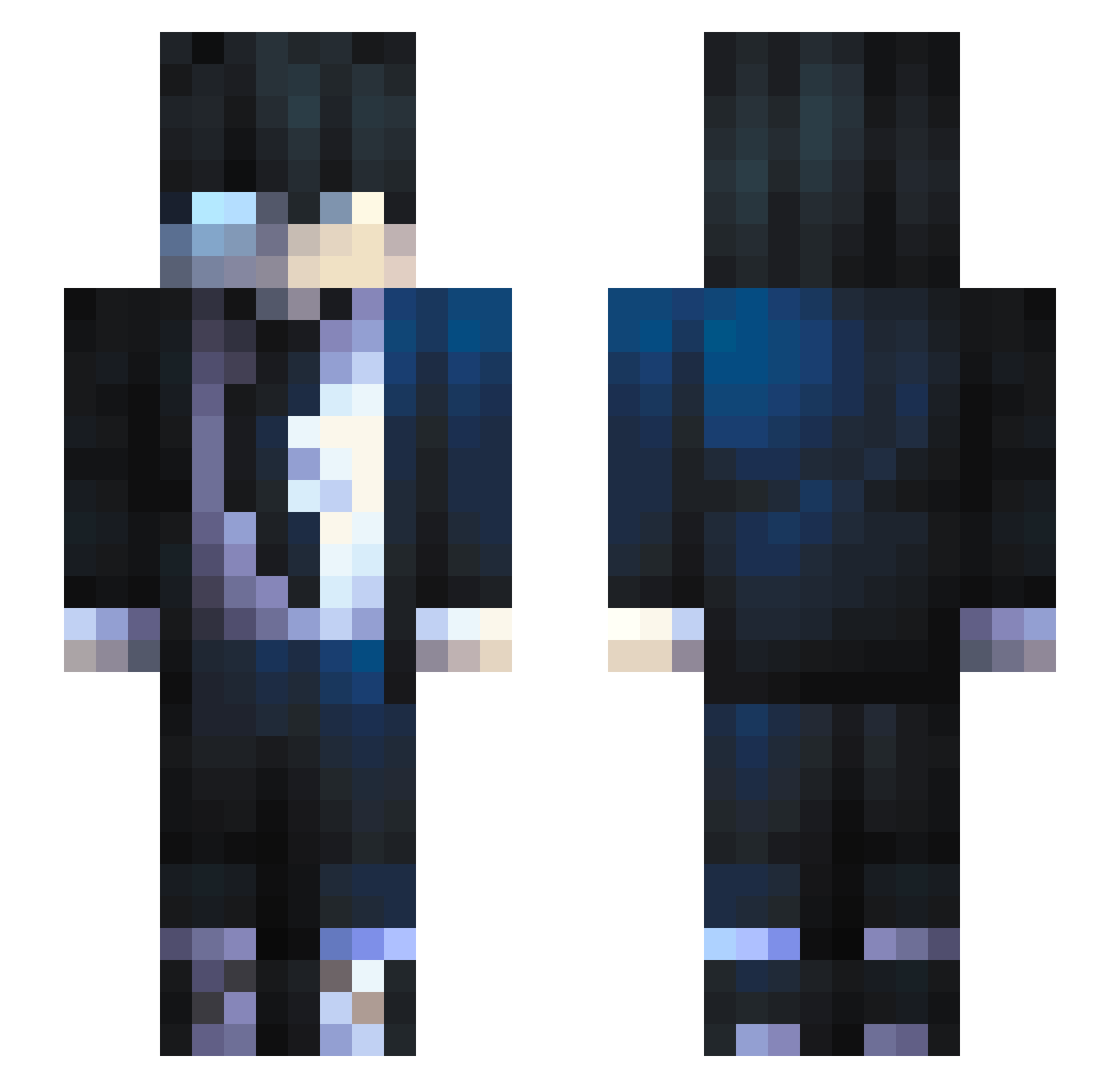
Current Minecraft skin of the player lcbdd, loaded from the official Mojang API. Rotate the 3D model with your mouse or finger, then download the skin as a PNG file and use it in Minecraft: Bedrock Edition or Java Edition for free. When lcbdd changes their skin, this page updates automatically and the old skin stays in the history below.
Other players with this skin (684)
lcbdd was the 630th player we have seen with this skin, first spotted on 25.10.2026. The same skin was seen on these players. Open a nickname to see their current skin and skin history.
 I_Drained_I xHellenWong Fares95100 HADES_VLRL DHfake Leandre8 ZakkV7 Galaxia_bs nigerianmonkler xDiegoso12 Alekzsandr kurozakim9975 POTATO666999 NovaSolidNL Domitoh PasterMine ShadowX6 Fire_Skyblock Joshi202 kobuteks KoMaelk rDango SaberChip TheDeatsKill rambunctiousSca BeatupChen jeeremyflrs johans2605 Flys0n Gnatius pipe_ganado LEANLUCKII DarknessWolf01 War404_ Kouuuma ChunkyWeeb Voldigoat9360 Worka2180 WOKENZ Tiny_4754 Deux11 Azaradael JelineJ hepiis dev1lyn maxzar811 XFireZax Thisma__ Noahxaxa Lopezzone China462 KTTRR MonoKuma666 oAlecx SWEDISHaddict Criminalzth Soulenx NeedCrackers Efficals A_La_Carte3
How to install the lcbdd skin
- Press the Download button above to save the skin as a PNG file.
- Minecraft: Bedrock Edition (PE): open the Dressing Room from the main menu (or tap your character → Edit Character), go to Classic Skins → Owned, press the + (new skin) button, choose the downloaded PNG and pick the Slim (Alex) model. Works on PC and mobile; consoles cannot import custom skins.
- Minecraft: Java Edition: open the Minecraft Launcher, go to the Skins tab, click New Skin, load the PNG, pick the Slim (Alex) model and press Save & Use. You can also upload it at minecraft.net → Profile → Change Skin.
The skin does not show up after import - what should I do?
Restart Minecraft and open the Dressing Room again - imported skins sometimes appear only after a restart. Also make sure you selected the imported skin and picked the Slim (Alex) model.
Which model should I choose, Classic or Slim?
This skin is designed for the Slim (Alex) model. If you pick the wrong model, the arms of the skin will look stretched or squeezed.
Is the skin of lcbdd free to download?
Yes. Press Download, save the PNG file and use it in Minecraft: Bedrock Edition or Java Edition - no payment or registration needed. The skin also works on multiplayer servers and Realms.
More skins
Looking for more? Go back to all Minecraft skins and check the top skins of the week, month and all time, or find any player's skin by nickname.