
lc5205 - Minecraft Skins & Skin History
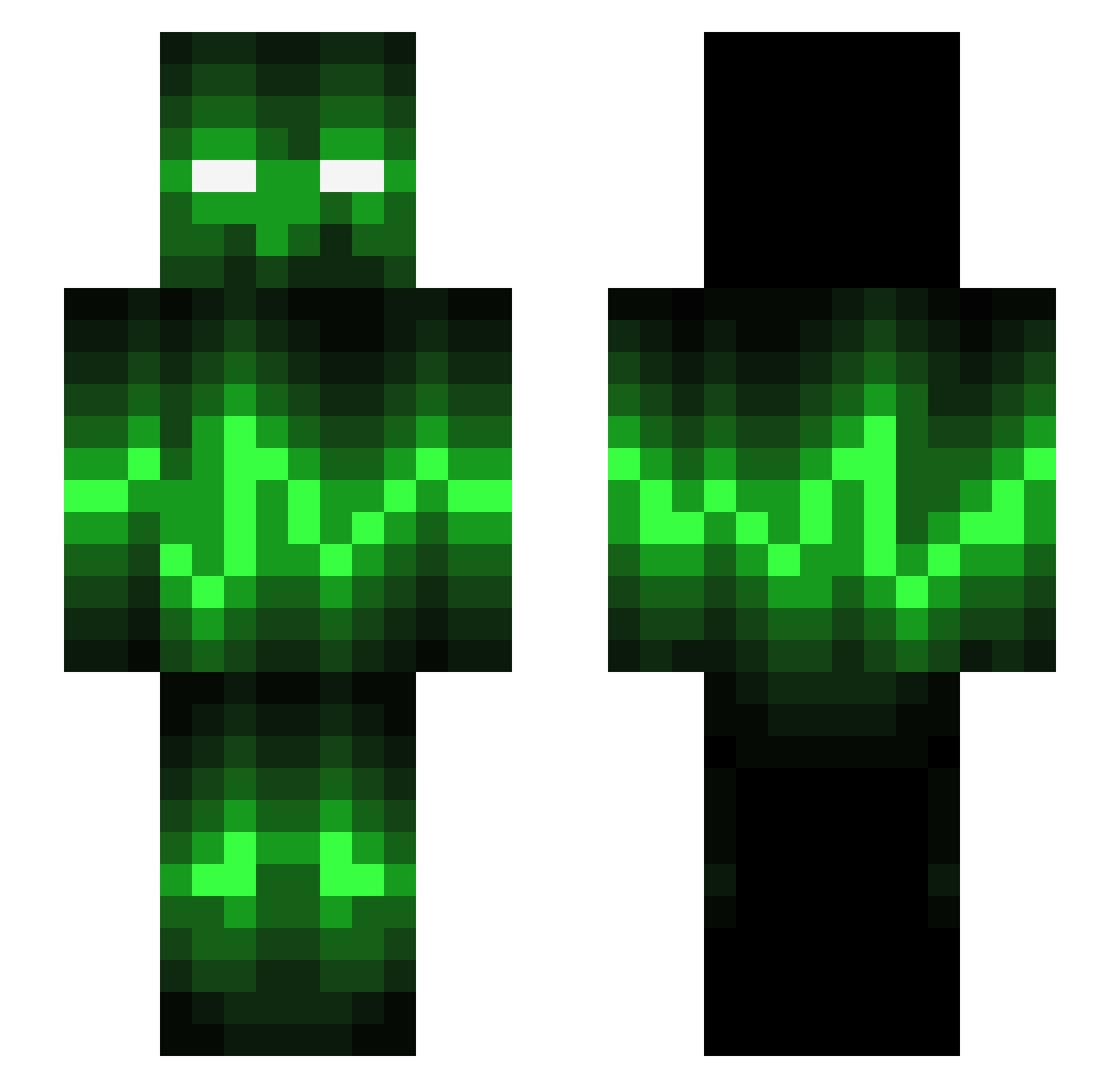
Current Minecraft skin of the player lc5205, loaded from the official Mojang API. Rotate the 3D model with your mouse or finger, then download the skin as a PNG file and use it in Minecraft: Bedrock Edition or Java Edition for free. When lc5205 changes their skin, this page updates automatically and the old skin stays in the history below.
Other players with this skin (544)
lc5205 was the 359th player we have seen with this skin, first spotted on 26.09.2026. The same skin was seen on these players. Open a nickname to see their current skin and skin history.
 WreckitRiley gavman1225 DECGC samppa123321 jenson_dutton JortNL kade24 SmilingDollar IbanezFame Cheater3000 Spencer286 garfields_bf Exocry2 milano430 TheMasonNation NVP1997 MrParchie dericktay superero38 pcvenomx nicoh969 legand108 theallens183 Rufffyyy ItsMuffinator xEVILxASSASSINx mroworth detoul AJB321 Jimy888 NQD1222 jjbusted Bagalax Jefrob1895 ilymel BlackToast38 Zimolost Nuzze dem0ned trix54 JawaProductionz Ekkarat1 Fran1Bart nibue19 MrSync Xernox stridder342 TWProcraft xXGamerJo96Xx RizzoTerminator 8t2 jamesgeorgeb isakbaal_17 Pure2k15 Marioshrooming EnDagGickToa Leandro_LOL D0m CrypticBeats the_mygg
More Audio Wave Minecraft skins
How to install the lc5205 skin
- Press the Download button above to save the skin as a PNG file.
- Minecraft: Bedrock Edition (PE): open the Dressing Room from the main menu (or tap your character → Edit Character), go to Classic Skins → Owned, press the + (new skin) button, choose the downloaded PNG and pick the Slim (Alex) model. Works on PC and mobile; consoles cannot import custom skins.
- Minecraft: Java Edition: open the Minecraft Launcher, go to the Skins tab, click New Skin, load the PNG, pick the Slim (Alex) model and press Save & Use. You can also upload it at minecraft.net → Profile → Change Skin.
The skin does not show up after import - what should I do?
Restart Minecraft and open the Dressing Room again - imported skins sometimes appear only after a restart. Also make sure you selected the imported skin and picked the Slim (Alex) model.
Which model should I choose, Classic or Slim?
This skin is designed for the Slim (Alex) model. If you pick the wrong model, the arms of the skin will look stretched or squeezed.
Is the skin of lc5205 free to download?
Yes. Press Download, save the PNG file and use it in Minecraft: Bedrock Edition or Java Edition - no payment or registration needed. The skin also works on multiplayer servers and Realms.
More skins
Looking for more? Go back to all Minecraft skins and check the top skins of the week, month and all time, or find any player's skin by nickname.