
lazypies - Minecraft Skins & Skin History
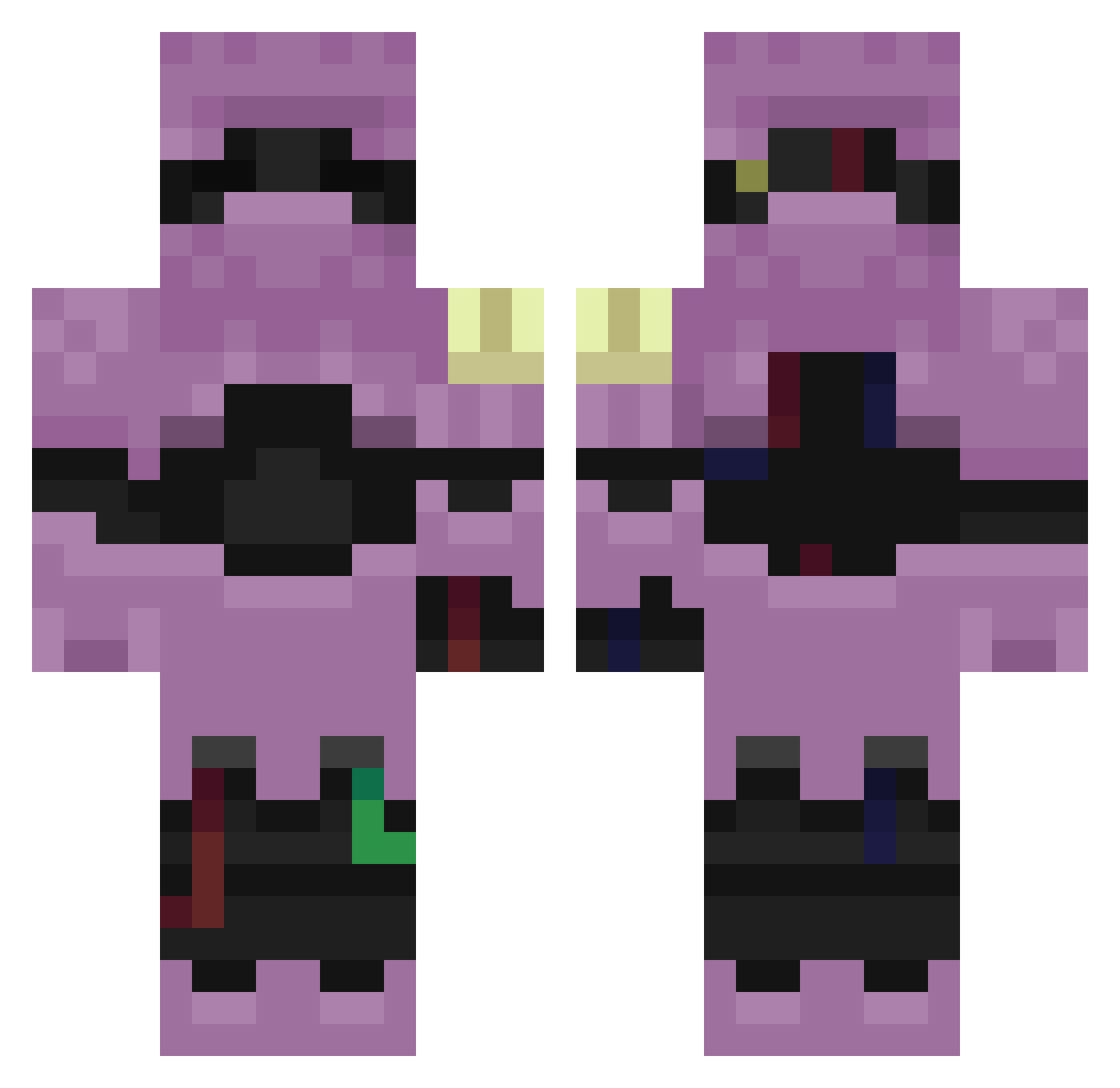
Current Minecraft skin of the player lazypies, loaded from the official Mojang API. Rotate the 3D model with your mouse or finger, then download the skin as a PNG file and use it in Minecraft: Bedrock Edition or Java Edition for free. When lazypies changes their skin, this page updates automatically and the old skin stays in the history below.
Other players with this skin (311)
lazypies was the 310th player we have seen with this skin, first spotted on 19.11.2026. The same skin was seen on these players. Open a nickname to see their current skin and skin history.
 L0w0ng_Claw_cfn Kzip_cUnNp_06_14 LinhBladem2zUwU Sv2_Fang_lss Sv2_Drift_b7v ravemQJ7N24b ArjunWing4qslol L0w0ngForge6bg_ Sl1zoxWolfdm6 Mogalts_gzmmz soldiermDYIv Entitilo_QLBQp deviN7777 zideas PASIRhnwpghma9nn raveYJ750LeI Sv2Y0EtbfFYXdSv2 LinhFox4gbUwU L0w0ngVeil6ja_ PASIRnvnp20xt9yl IsaacPrairie_857 McFaBaZaaRgveMB raveL6V2vfDh ZANATOp18hacker Mi1liondragon Sl1zoxNeonen3 L0w0ngCrimvds_ zivezc0f9k KIKINSwiftod5 Entitilo_KGxSG ambulatoryCnde5 LinhcnOtp0214 LhfLiE0707 Tatko8rapid74 PASIRss85og4sken PASIR9o81dvmzkon aks_eygTV_02_26 LinhBOUCV0127 Sv2GTTMO9wTp0Sv2 relapseLynx07x Sv2Hawk5qt Sv2Kmj2dwqs1oSv2 nadJadegpb ptaltscsEuR no0915 uptotheminuteu3 BKrebs_234286 Sv2MoDRMSeg8HSv2 LinhBold7n7UwU LinhDarkuexUwU Sv2Boltrsm f7lakyunsurpass Sv2_Drift_nkj Sv2XgL3ValxkySv2 Reticulation Boojamomma LinhEdgeyllUwU Gr33kNickosz1 Sv2W6FND5wPyoSv2 Sv2KXUoLyycQtSv2
More Armored Minecraft skins
How to install the lazypies skin
- Press the Download button above to save the skin as a PNG file.
- Minecraft: Bedrock Edition (PE): open the Dressing Room from the main menu (or tap your character → Edit Character), go to Classic Skins → Owned, press the + (new skin) button, choose the downloaded PNG and pick the Classic (Steve) model. Works on PC and mobile; consoles cannot import custom skins.
- Minecraft: Java Edition: open the Minecraft Launcher, go to the Skins tab, click New Skin, load the PNG, pick the Classic (Steve) model and press Save & Use. You can also upload it at minecraft.net → Profile → Change Skin.
The skin does not show up after import - what should I do?
Restart Minecraft and open the Dressing Room again - imported skins sometimes appear only after a restart. Also make sure you selected the imported skin and picked the Classic (Steve) model.
Which model should I choose, Classic or Slim?
This skin is designed for the Classic (Steve) model. If you pick the wrong model, the arms of the skin will look stretched or squeezed.
Is the skin of lazypies free to download?
Yes. Press Download, save the PNG file and use it in Minecraft: Bedrock Edition or Java Edition - no payment or registration needed. The skin also works on multiplayer servers and Realms.
More skins
Looking for more? Go back to all Minecraft skins and check the top skins of the week, month and all time, or find any player's skin by nickname.