
laweez - Minecraft Skins & Skin History
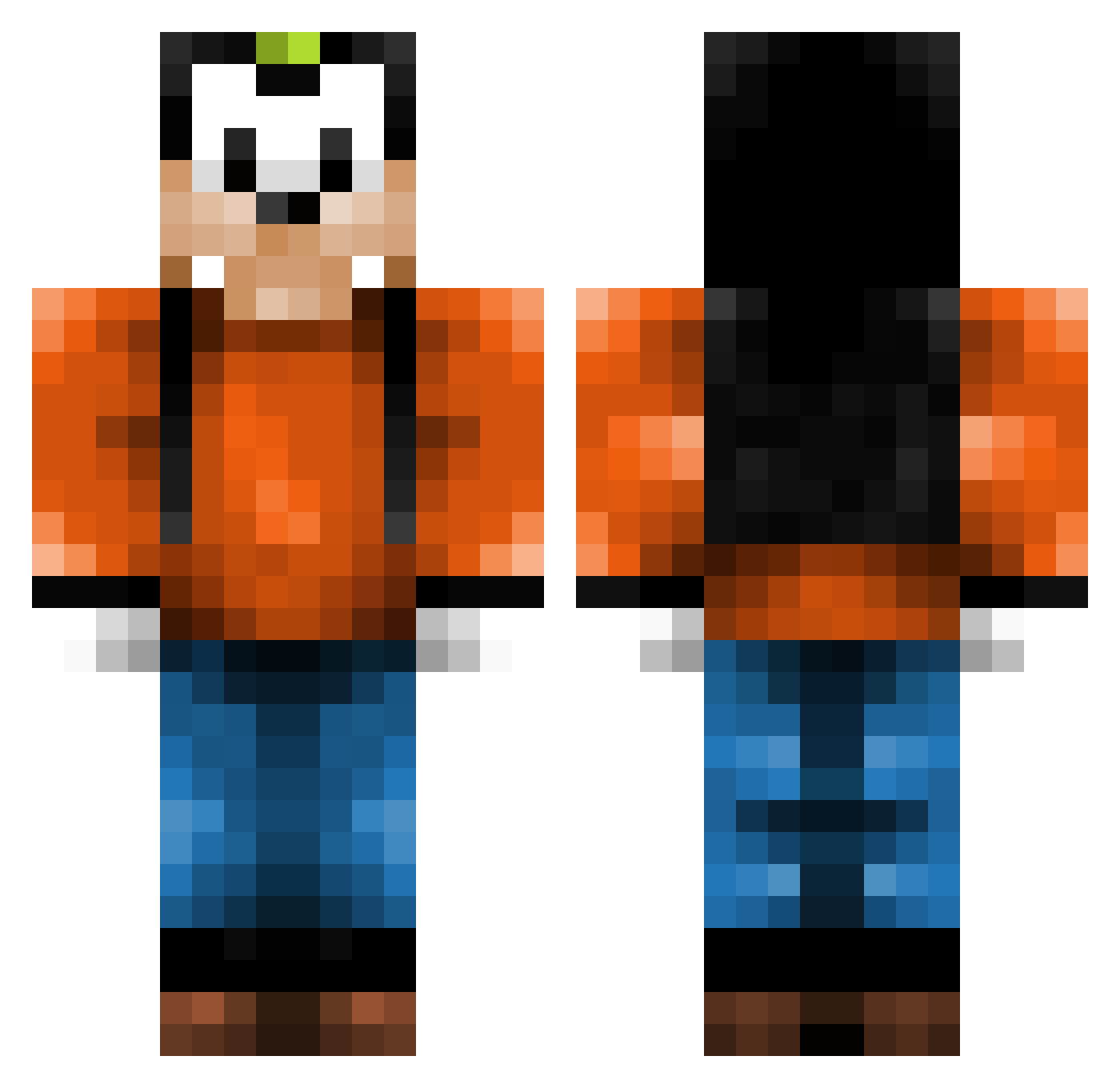
Current Minecraft skin of the player laweez, loaded from the official Mojang API. Rotate the 3D model with your mouse or finger, then download the skin as a PNG file and use it in Minecraft: Bedrock Edition or Java Edition for free. When laweez changes their skin, this page updates automatically and the old skin stays in the history below.
Other players with this skin (197)
laweez was the 177th player we have seen with this skin, first spotted on 08.11.2026. The same skin was seen on these players. Open a nickname to see their current skin and skin history.
 NervyDaffodil Timmythick02 Caminada Minifrog2 OogiBae jakelakers2002 imadxd1 Bevna Mesiah0999 BigBoiBarnDog Mogensen1981 Borum209 GusDaTrueBeast xcryze Draken_16 iGoofy_ AndyxieShi0 Itsadrian1217 RTCs_Mistress maxtheflea Rubjedo Delestor sheluvs_loser brammmm Grovenunder Kamilos991999 ilikewontons EliteTime jkbbb Fedtmule15 MEM0R1Z3 vilzam nosirnam TheGreatMCAJ4 JadeBlad3 Soopoo _Stormix_ Bilinzi FourTehLulz Kintoclow Xboybr UltimaBlueX TNL2007 Maksje2 riccardoturbo FrostyMonk Tinoooo123 ExoRain12 DiegoLS12 passiepils Roadmanseen jarsk PresidentNoob123 superchawawa ojg2006 Stagorm orzelki schenne SONICso3 wernar1509
More Goofy Minecraft skins
How to install the laweez skin
- Press the Download button above to save the skin as a PNG file.
- Minecraft: Bedrock Edition (PE): open the Dressing Room from the main menu (or tap your character → Edit Character), go to Classic Skins → Owned, press the + (new skin) button, choose the downloaded PNG and pick the Classic (Steve) model. Works on PC and mobile; consoles cannot import custom skins.
- Minecraft: Java Edition: open the Minecraft Launcher, go to the Skins tab, click New Skin, load the PNG, pick the Classic (Steve) model and press Save & Use. You can also upload it at minecraft.net → Profile → Change Skin.
The skin does not show up after import - what should I do?
Restart Minecraft and open the Dressing Room again - imported skins sometimes appear only after a restart. Also make sure you selected the imported skin and picked the Classic (Steve) model.
Which model should I choose, Classic or Slim?
This skin is designed for the Classic (Steve) model. If you pick the wrong model, the arms of the skin will look stretched or squeezed.
Is the skin of laweez free to download?
Yes. Press Download, save the PNG file and use it in Minecraft: Bedrock Edition or Java Edition - no payment or registration needed. The skin also works on multiplayer servers and Realms.
More skins
Looking for more? Go back to all Minecraft skins and check the top skins of the week, month and all time, or find any player's skin by nickname.