
landenmp4 - Minecraft Skins & Skin History
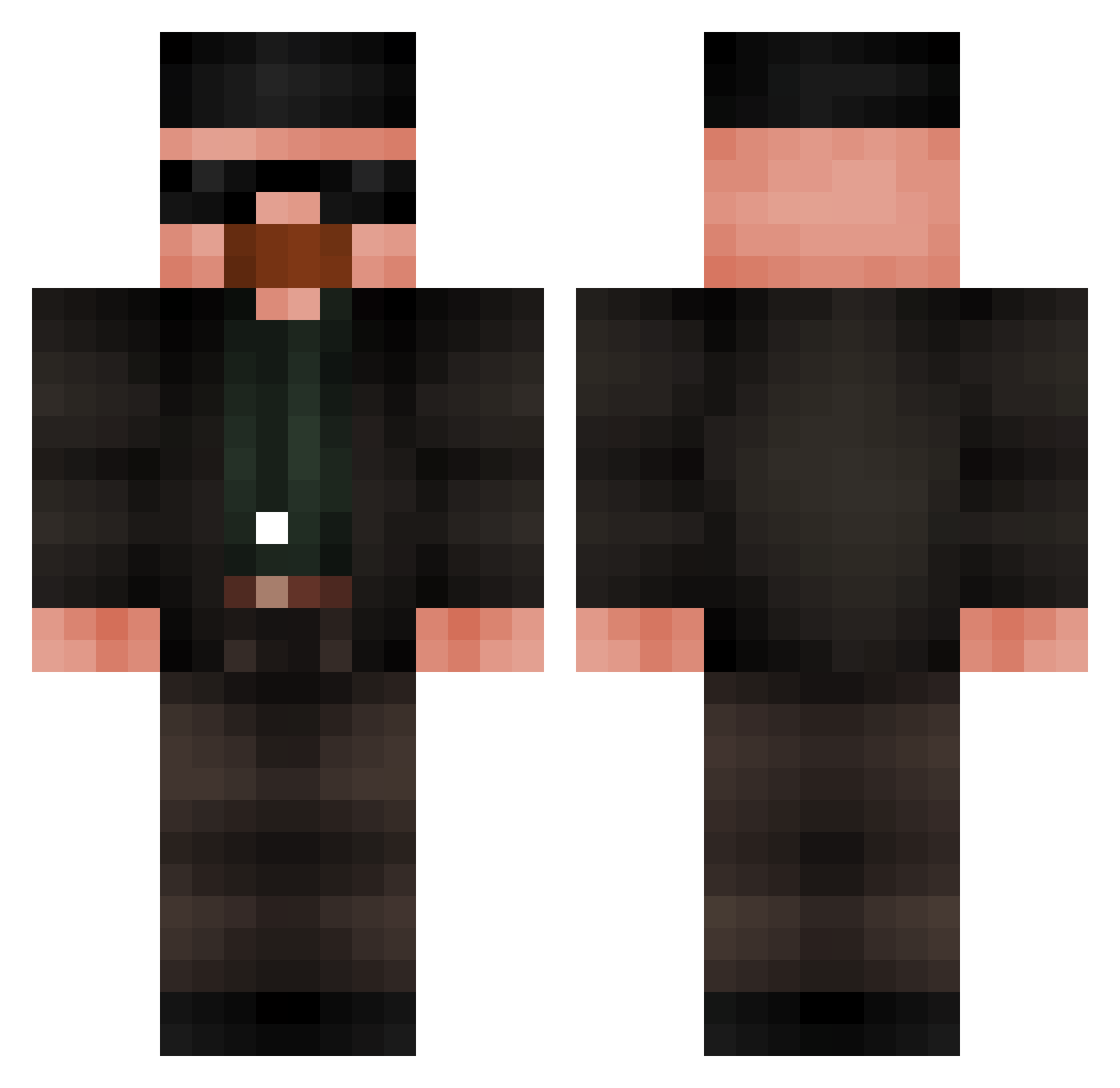
Current Minecraft skin of the player landenmp4, loaded from the official Mojang API. Rotate the 3D model with your mouse or finger, then download the skin as a PNG file and use it in Minecraft: Bedrock Edition or Java Edition for free. When landenmp4 changes their skin, this page updates automatically and the old skin stays in the history below.
Other players with this skin (840)
landenmp4 was the 800th player we have seen with this skin, first spotted on 14.11.2026. The same skin was seen on these players. Open a nickname to see their current skin and skin history.
 ivantos1 Mafil36 NayDayyy trolel K0wp3R zTeoDiasBR Negrorilla Devil279 rodreitz ffranba sino_7 palo011 Fogao5Bocas GamyTV_ BlueSoooda 1__S1mple__1 Ecolf rennberg08 Piropoo Rpzponey CancerFijiWater Adlerzeus wallterrrrr olafior1233 Kitestaaa TheMasterOf420 emersonschh Pingus_Pong sauciiboy sfantulburlacu Bolden8 Titopz DonerKebap ShaggyHilfish643 EJtheBot28 daxica crit_hit_20ag Autistmane27 Yt_viper _parpar_ RedSpoiler24 maciek33 Iamfuture06 OCCISOS CHEFKOCH305 Acemanx96 JIMBOTHY StiimiQ TheWalass Shuyazin Gossipwa Heerasama VinegarBowl methylaminefan67 KimWexlersFeet Ozwal 42Danpi vIsaac7 Pentacosomedinno Uxaylix
More Heisenberg Minecraft skins
How to install the landenmp4 skin
- Press the Download button above to save the skin as a PNG file.
- Minecraft: Bedrock Edition (PE): open the Dressing Room from the main menu (or tap your character → Edit Character), go to Classic Skins → Owned, press the + (new skin) button, choose the downloaded PNG and pick the Classic (Steve) model. Works on PC and mobile; consoles cannot import custom skins.
- Minecraft: Java Edition: open the Minecraft Launcher, go to the Skins tab, click New Skin, load the PNG, pick the Classic (Steve) model and press Save & Use. You can also upload it at minecraft.net → Profile → Change Skin.
The skin does not show up after import - what should I do?
Restart Minecraft and open the Dressing Room again - imported skins sometimes appear only after a restart. Also make sure you selected the imported skin and picked the Classic (Steve) model.
Which model should I choose, Classic or Slim?
This skin is designed for the Classic (Steve) model. If you pick the wrong model, the arms of the skin will look stretched or squeezed.
Is the skin of landenmp4 free to download?
Yes. Press Download, save the PNG file and use it in Minecraft: Bedrock Edition or Java Edition - no payment or registration needed. The skin also works on multiplayer servers and Realms.
More skins
Looking for more? Go back to all Minecraft skins and check the top skins of the week, month and all time, or find any player's skin by nickname.