
lamomoneta - Minecraft Skins & Skin History
Current Minecraft skin of the player lamomoneta, loaded from the official Mojang API. Rotate the 3D model with your mouse or finger, then download the skin as a PNG file and use it in Minecraft: Bedrock Edition or Java Edition for free. When lamomoneta changes their skin, this page updates automatically and the old skin stays in the history below.
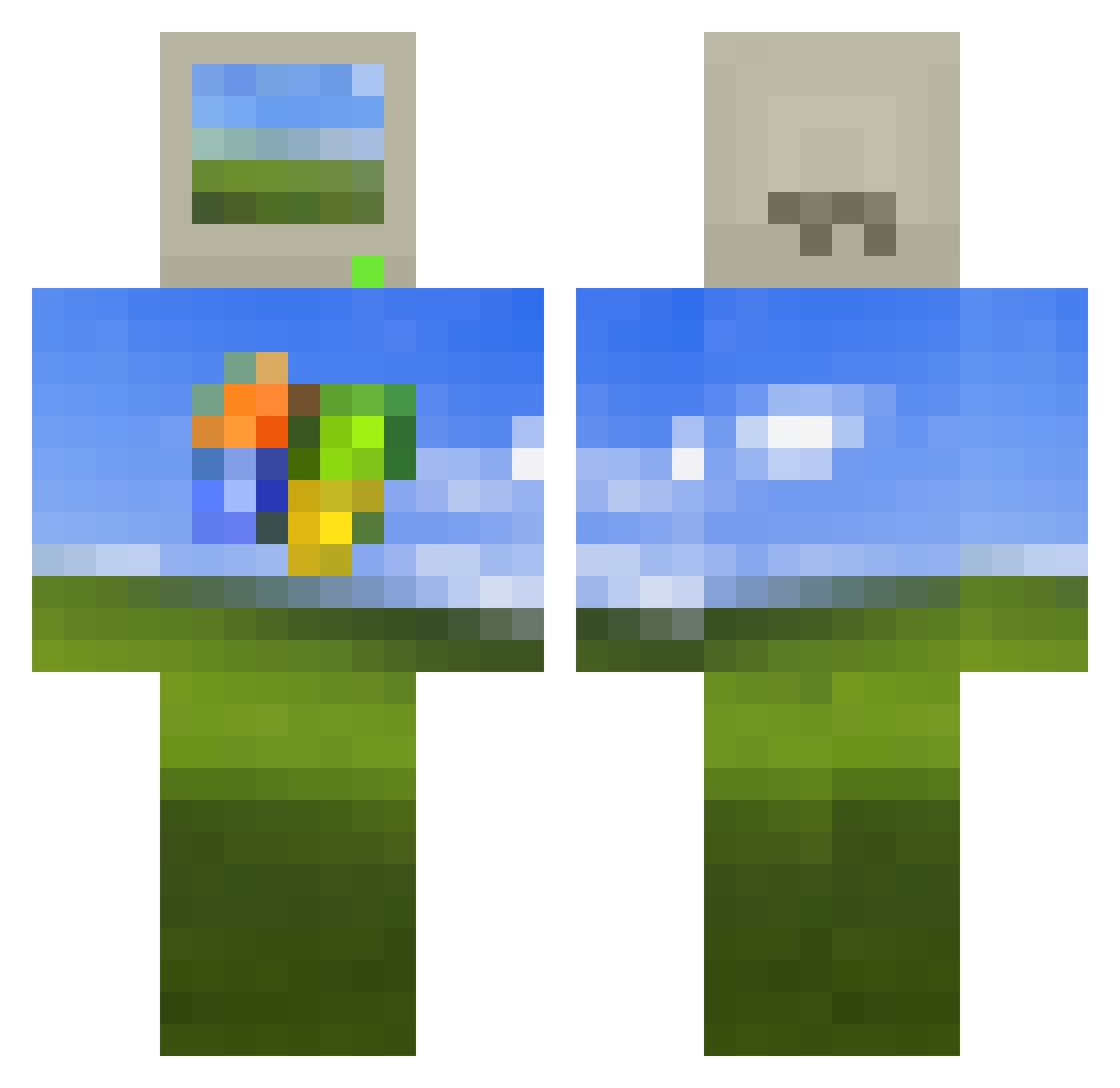
Other players with this skin (513)
lamomoneta was the 31st player we have seen with this skin, first spotted on 28.07.2026. The same skin was seen on these players. Open a nickname to see their current skin and skin history.
 Schei666 Slonecznik JeremyDevious HankHal pokerzalo ray9717 SpFgLuI Frontier_Fox thstjrgus GhoullDen Mipuff qukeu 2bblessed Wovaknekblg Alexvan1271 Jelle_Gamer26 EdixShow BartholomewBeans IsaacMales _Mia_Grace_ Anti_Food nbvxzx MrGabe11 kimsu001 aledazl16 Soyamilky KitxTsuki TastyKira
 koli2212 Jousep_96 FUJl vibooo KnebZox Hansythechoncc reken212 lpx1109 hileyokpc32bit sadgen rxqc Akibeer Cincelor min_su08 Fr3sh1k TvZo Brantice DenySadness Mythic042 malalexchu123 _joel_04
 Ruben7245 togomy frrft YourWindows Yatsume0716 Lunars34 BoediS cgi_bin cannnee2 zanewav jhumma
More Windows XP Minecraft skins
How to install the lamomoneta skin
- Press the Download button above to save the skin as a PNG file.
- Minecraft: Bedrock Edition (PE): open the Dressing Room from the main menu (or tap your character → Edit Character), go to Classic Skins → Owned, press the + (new skin) button, choose the downloaded PNG and pick the Classic (Steve) model. Works on PC and mobile; consoles cannot import custom skins.
- Minecraft: Java Edition: open the Minecraft Launcher, go to the Skins tab, click New Skin, load the PNG, pick the Classic (Steve) model and press Save & Use. You can also upload it at minecraft.net → Profile → Change Skin.
The skin does not show up after import - what should I do?
Restart Minecraft and open the Dressing Room again - imported skins sometimes appear only after a restart. Also make sure you selected the imported skin and picked the Classic (Steve) model.
Which model should I choose, Classic or Slim?
This skin is designed for the Classic (Steve) model. If you pick the wrong model, the arms of the skin will look stretched or squeezed.
Is the skin of lamomoneta free to download?
Yes. Press Download, save the PNG file and use it in Minecraft: Bedrock Edition or Java Edition - no payment or registration needed. The skin also works on multiplayer servers and Realms.
More skins
Looking for more? Go back to all Minecraft skins and check the top skins of the week, month and all time, or find any player's skin by nickname.