
lame09 - Minecraft Skins & Skin History
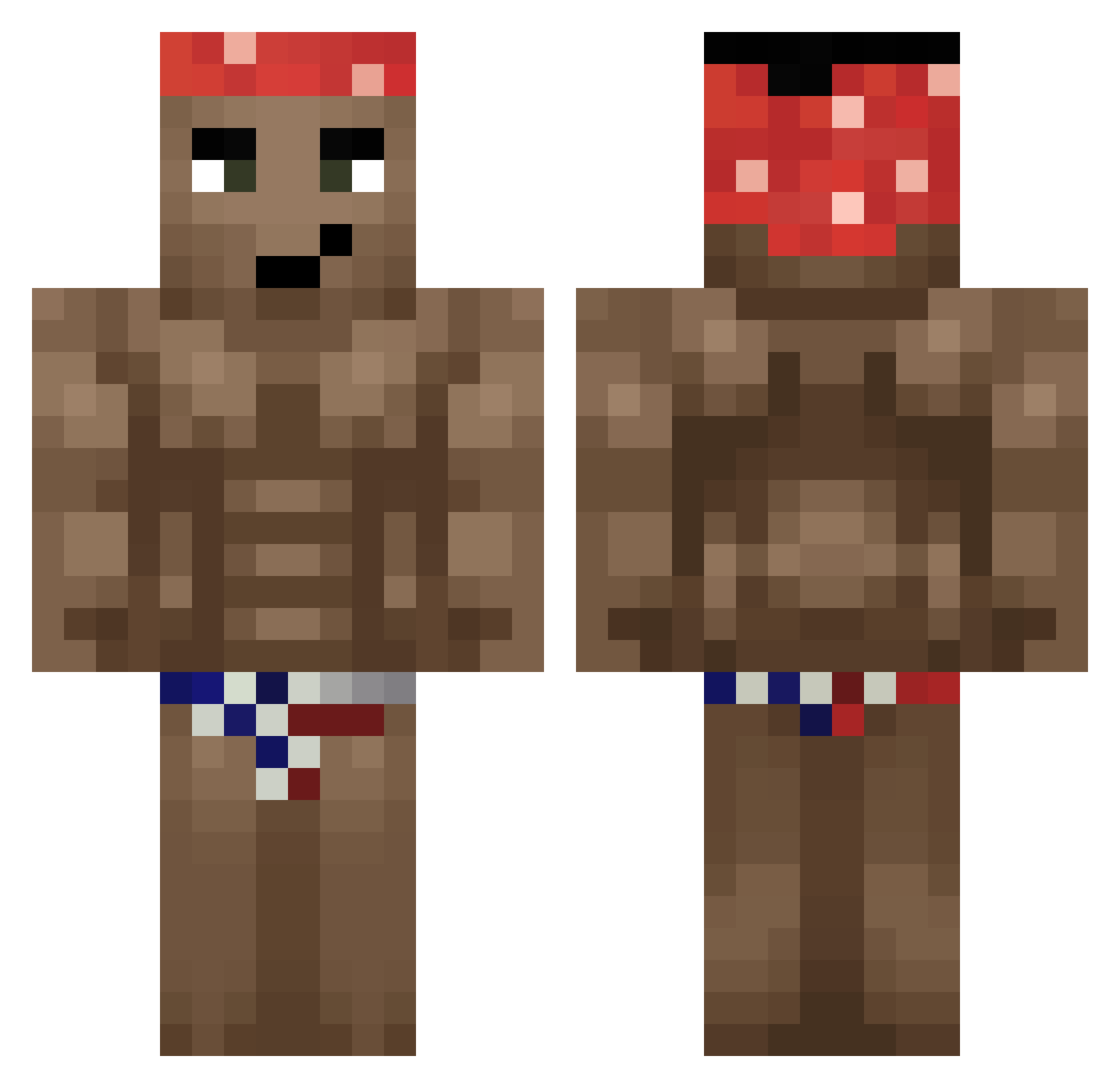
Current Minecraft skin of the player lame09, loaded from the official Mojang API. Rotate the 3D model with your mouse or finger, then download the skin as a PNG file and use it in Minecraft: Bedrock Edition or Java Edition for free. When lame09 changes their skin, this page updates automatically and the old skin stays in the history below.
Other players with this skin (330)
lame09 was the 210th player we have seen with this skin, first spotted on 29.09.2026. The same skin was seen on these players. Open a nickname to see their current skin and skin history.
 BoarSkin spocony_tomus pomafkaflex Sp4c1al RAPGODMUM CHICKENMASTER009 JUSTAMOMENT lazky Zanior67 Accruc sutek_najmana VenomGamerGD Y966_AltGen466 RageFrost12 Schann Tweyhe SmokePunchTR CanadianEagle13 Shockeado P1sdab0L777 Yahmar23 Fizer_PvP migueloonn Ricardooooon zxykuna don_cheto779 Arkoyas BozzFire xDiego__ s_langley CiDiGaming Rusgarisi Pakuslav Nikolajc2008 Jamil_nutella papimabox Chewbeck FootHenry Vajdy promacius v3sfk tummabaahto HIDEHIDE114514 vKruton Geseik25 Kizio_PL ooganga deadlvhs sasso_x LensenVL ButtGilTheBook CallousPelican52 Mita_BR hellcatonline DarkDX C0MPL1ANCE Barack_neugeumma katoujie Kaizoh Tarampla
More Dancer Minecraft skins
How to install the lame09 skin
- Press the Download button above to save the skin as a PNG file.
- Minecraft: Bedrock Edition (PE): open the Dressing Room from the main menu (or tap your character → Edit Character), go to Classic Skins → Owned, press the + (new skin) button, choose the downloaded PNG and pick the Classic (Steve) model. Works on PC and mobile; consoles cannot import custom skins.
- Minecraft: Java Edition: open the Minecraft Launcher, go to the Skins tab, click New Skin, load the PNG, pick the Classic (Steve) model and press Save & Use. You can also upload it at minecraft.net → Profile → Change Skin.
The skin does not show up after import - what should I do?
Restart Minecraft and open the Dressing Room again - imported skins sometimes appear only after a restart. Also make sure you selected the imported skin and picked the Classic (Steve) model.
Which model should I choose, Classic or Slim?
This skin is designed for the Classic (Steve) model. If you pick the wrong model, the arms of the skin will look stretched or squeezed.
Is the skin of lame09 free to download?
Yes. Press Download, save the PNG file and use it in Minecraft: Bedrock Edition or Java Edition - no payment or registration needed. The skin also works on multiplayer servers and Realms.
More skins
Looking for more? Go back to all Minecraft skins and check the top skins of the week, month and all time, or find any player's skin by nickname.