
l_Kakashi_l - Minecraft Skins & Skin History
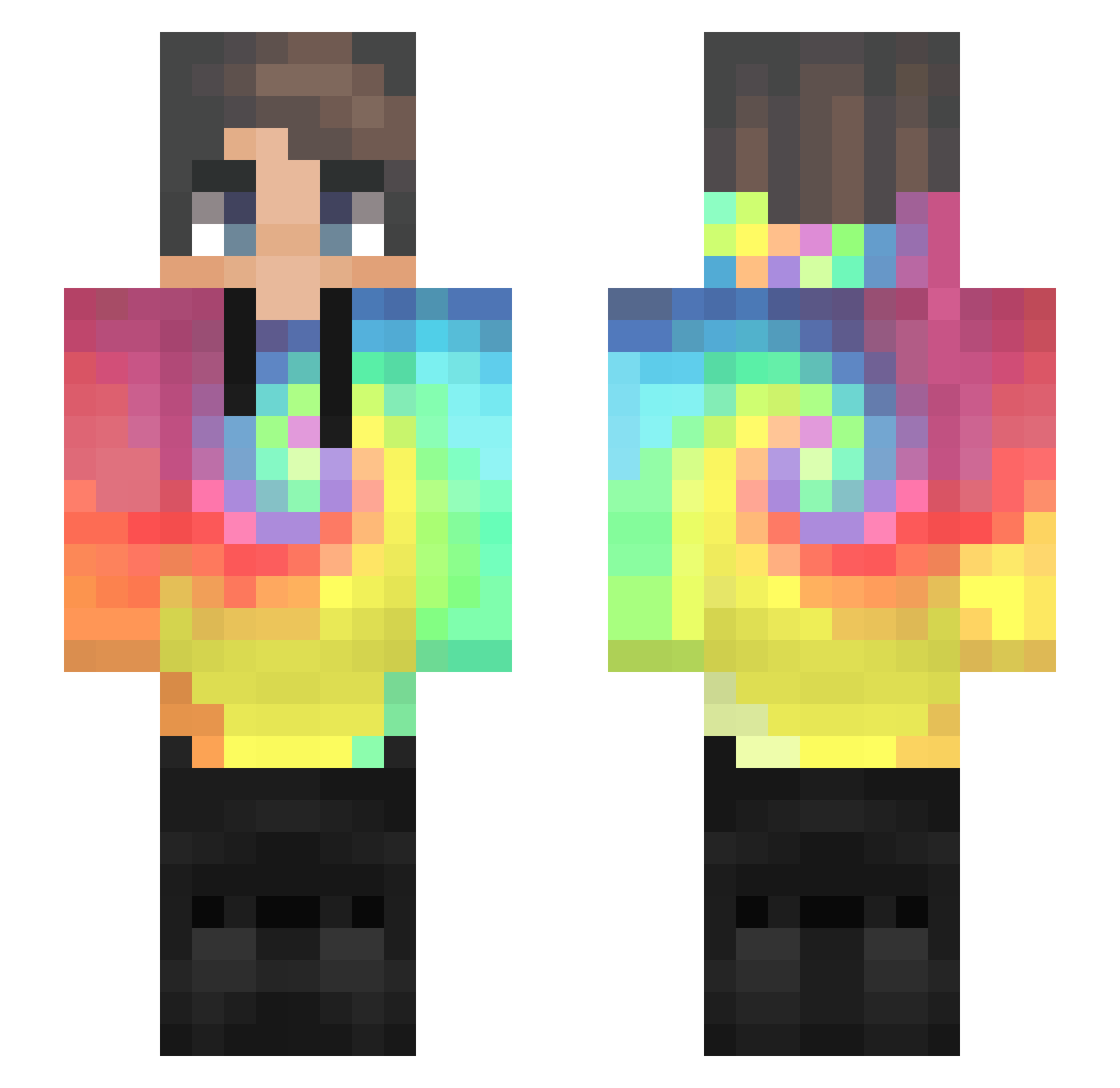
Current Minecraft skin of the player l_Kakashi_l, loaded from the official Mojang API. Rotate the 3D model with your mouse or finger, then download the skin as a PNG file and use it in Minecraft: Bedrock Edition or Java Edition for free. When l_Kakashi_l changes their skin, this page updates automatically and the old skin stays in the history below.
Other players with this skin (578)
l_Kakashi_l was the 468th player we have seen with this skin, first spotted on 29.10.2026. The same skin was seen on these players. Open a nickname to see their current skin and skin history.
 ZiWoKey Ryo_Kaijay Krokr Sheateur CaptainClumsy04 OlsBols34 Wen_n AhhhYes Pang_gin _xorud_ JaQubeq D1eg0o Laur7701 dinhtommy IM_TOP_PVP Jens1978 POPstar05 HataB1ch MuS133 rwlghks847 Nix_GG Luigi_el_pro AesonRise_ Danlmalz DayummmSon AsleapPotatoCat bigskips Wiberg Akroma94 DqrkMqtter IPsporter_lol joar_ kyototeddybear Tobei27 Lovemk22 BravePatriot12 KreNevy Super_xiu DeNap deno832 TheCommonSlayer Remi1274 SUKRUCAN Mickey216 Tomi97_origin Luiser96 kbbqara Anurbie_ DKTP ForgotMyPasswort jeidiiy davide4335 YHNJAH wintermute2243 Strive_0823 AraKIING jack2021shyu WebboYT Gswar DinoBlue5
How to install the l_Kakashi_l skin
- Press the Download button above to save the skin as a PNG file.
- Minecraft: Bedrock Edition (PE): open the Dressing Room from the main menu (or tap your character → Edit Character), go to Classic Skins → Owned, press the + (new skin) button, choose the downloaded PNG and pick the Slim (Alex) model. Works on PC and mobile; consoles cannot import custom skins.
- Minecraft: Java Edition: open the Minecraft Launcher, go to the Skins tab, click New Skin, load the PNG, pick the Slim (Alex) model and press Save & Use. You can also upload it at minecraft.net → Profile → Change Skin.
The skin does not show up after import - what should I do?
Restart Minecraft and open the Dressing Room again - imported skins sometimes appear only after a restart. Also make sure you selected the imported skin and picked the Slim (Alex) model.
Which model should I choose, Classic or Slim?
This skin is designed for the Slim (Alex) model. If you pick the wrong model, the arms of the skin will look stretched or squeezed.
Is the skin of l_Kakashi_l free to download?
Yes. Press Download, save the PNG file and use it in Minecraft: Bedrock Edition or Java Edition - no payment or registration needed. The skin also works on multiplayer servers and Realms.
More skins
Looking for more? Go back to all Minecraft skins and check the top skins of the week, month and all time, or find any player's skin by nickname.