
l_Inzu_l - Minecraft Skins & Skin History
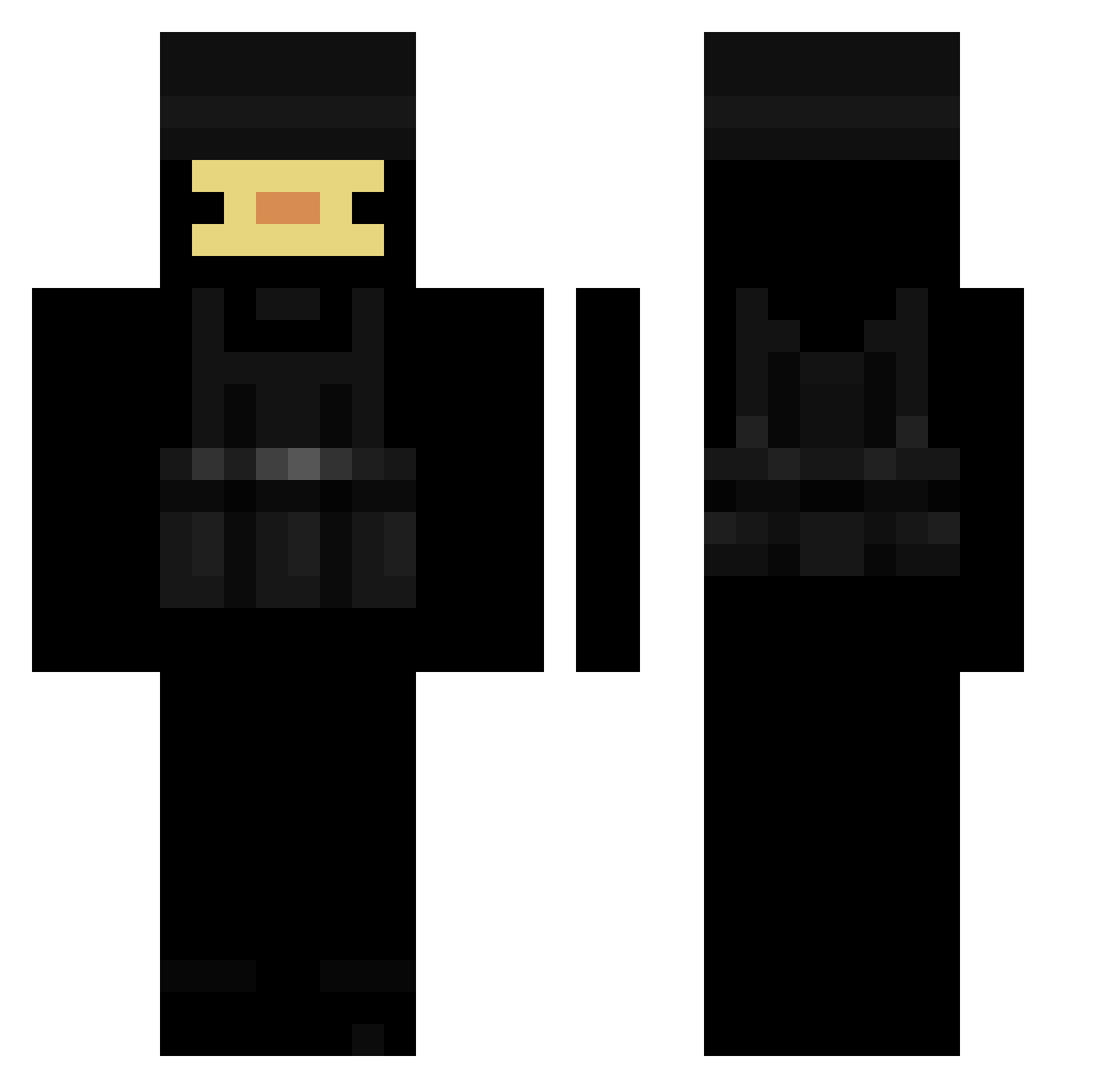
Current Minecraft skin of the player l_Inzu_l, loaded from the official Mojang API. Rotate the 3D model with your mouse or finger, then download the skin as a PNG file and use it in Minecraft: Bedrock Edition or Java Edition for free. When l_Inzu_l changes their skin, this page updates automatically and the old skin stays in the history below.
Other players with this skin (214)
l_Inzu_l was the 30th player we have seen with this skin, first spotted on 09.08.2026. The same skin was seen on these players. Open a nickname to see their current skin and skin history.
 Krairr Xal_ koldegronne481 MisterFixxer Wockhardt2 ZX01 Henri_Holmes AddaAUS Pavements qFabiii pleasego Epikur27 Slowlak KaczekGames _Lamaishigh_ FireGaming234
 MIGUELCRAFT9831 Bai_Chi_Sha_Bi e7pzn Thicc_Lasagna123 Splooozy _Sszczurek_1914p Svenieboy_ swallowing Ube_Crinkles Albonos Kiebab_ MemeLord9988548 Totoyouknow msm9902 Vova_014 dustyduckk Findoggy11 Luska42 HackerWasTaken surykatka_0_0 collin0570_ Wendzo agentjones36 L4rD0g cardcastle312 Szery_ dustyyduckk 1_mostaza_1 reaminn Linty_ summersumsum TheDarKsnaKe411 MockStudent190 MattiTilo 0STR3SU Keyanti Nachoj1620 Eryko111 rocker0710 Tulipruun Outfooted
 TheMexican02 70ms_ _Dark_Shinobi_
More Swat Minecraft skins
How to install the l_Inzu_l skin
- Press the Download button above to save the skin as a PNG file.
- Minecraft: Bedrock Edition (PE): open the Dressing Room from the main menu (or tap your character → Edit Character), go to Classic Skins → Owned, press the + (new skin) button, choose the downloaded PNG and pick the Classic (Steve) model. Works on PC and mobile; consoles cannot import custom skins.
- Minecraft: Java Edition: open the Minecraft Launcher, go to the Skins tab, click New Skin, load the PNG, pick the Classic (Steve) model and press Save & Use. You can also upload it at minecraft.net → Profile → Change Skin.
The skin does not show up after import - what should I do?
Restart Minecraft and open the Dressing Room again - imported skins sometimes appear only after a restart. Also make sure you selected the imported skin and picked the Classic (Steve) model.
Which model should I choose, Classic or Slim?
This skin is designed for the Classic (Steve) model. If you pick the wrong model, the arms of the skin will look stretched or squeezed.
Is the skin of l_Inzu_l free to download?
Yes. Press Download, save the PNG file and use it in Minecraft: Bedrock Edition or Java Edition - no payment or registration needed. The skin also works on multiplayer servers and Realms.
More skins
Looking for more? Go back to all Minecraft skins and check the top skins of the week, month and all time, or find any player's skin by nickname.