
lSoulKingl - Minecraft Skins & Skin History
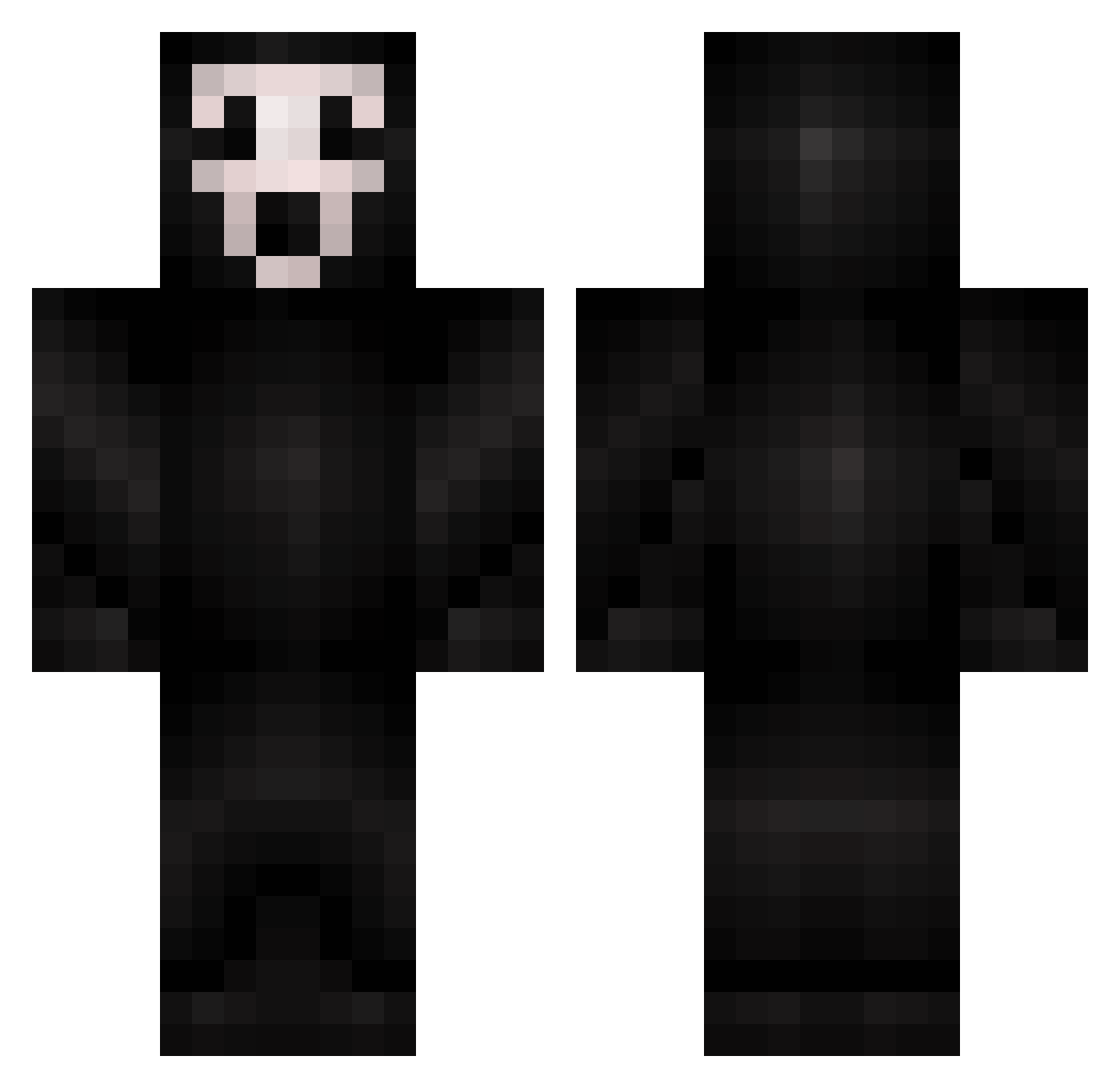
Current Minecraft skin of the player lSoulKingl, loaded from the official Mojang API. Rotate the 3D model with your mouse or finger, then download the skin as a PNG file and use it in Minecraft: Bedrock Edition or Java Edition for free. When lSoulKingl changes their skin, this page updates automatically and the old skin stays in the history below.
Other players with this skin (298)
lSoulKingl was the 217th player we have seen with this skin, first spotted on 07.10.2026. The same skin was seen on these players. Open a nickname to see their current skin and skin history.
 MrManCake Zhyker xpredatorXx xAsheer svnarin hii_025 MarvelDH CustisBlue Smioke manualmei blikdz NoStoppingMe Nelly0501 VSAGER GodwithBigG thatoneguy20077 detacheds MICHAEL2300 AyatsuMan bindinn 1xmx Scroop95 vWhimsical KakashiHatake69 Dexxmo moldymuffin3456 tbkieran PapaKelly7 Onichxn27 BRUH197 YJSPI Gabwuw chickenjuice69 yngbtw Reazus alexandruvladx2 KadotFleisher DumpyFlounder78 Ghooostface MarcoPelufo GnomoMx DoonWest jacobbred TNKATSU coohwhip Corvaine JeniGlizzy DeyiLume Ayato76 AustinMDAllen TommyJames2006 Leprincechips I_am_super_sad_ johnnyorlando CorruptedEnder BeastBear446 Silucent Watermeloann PuroDope blacktuskmorta
More Scream Minecraft skins
How to install the lSoulKingl skin
- Press the Download button above to save the skin as a PNG file.
- Minecraft: Bedrock Edition (PE): open the Dressing Room from the main menu (or tap your character → Edit Character), go to Classic Skins → Owned, press the + (new skin) button, choose the downloaded PNG and pick the Classic (Steve) model. Works on PC and mobile; consoles cannot import custom skins.
- Minecraft: Java Edition: open the Minecraft Launcher, go to the Skins tab, click New Skin, load the PNG, pick the Classic (Steve) model and press Save & Use. You can also upload it at minecraft.net → Profile → Change Skin.
The skin does not show up after import - what should I do?
Restart Minecraft and open the Dressing Room again - imported skins sometimes appear only after a restart. Also make sure you selected the imported skin and picked the Classic (Steve) model.
Which model should I choose, Classic or Slim?
This skin is designed for the Classic (Steve) model. If you pick the wrong model, the arms of the skin will look stretched or squeezed.
Is the skin of lSoulKingl free to download?
Yes. Press Download, save the PNG file and use it in Minecraft: Bedrock Edition or Java Edition - no payment or registration needed. The skin also works on multiplayer servers and Realms.
More skins
Looking for more? Go back to all Minecraft skins and check the top skins of the week, month and all time, or find any player's skin by nickname.