
l2thedj - Minecraft Skins & Skin History
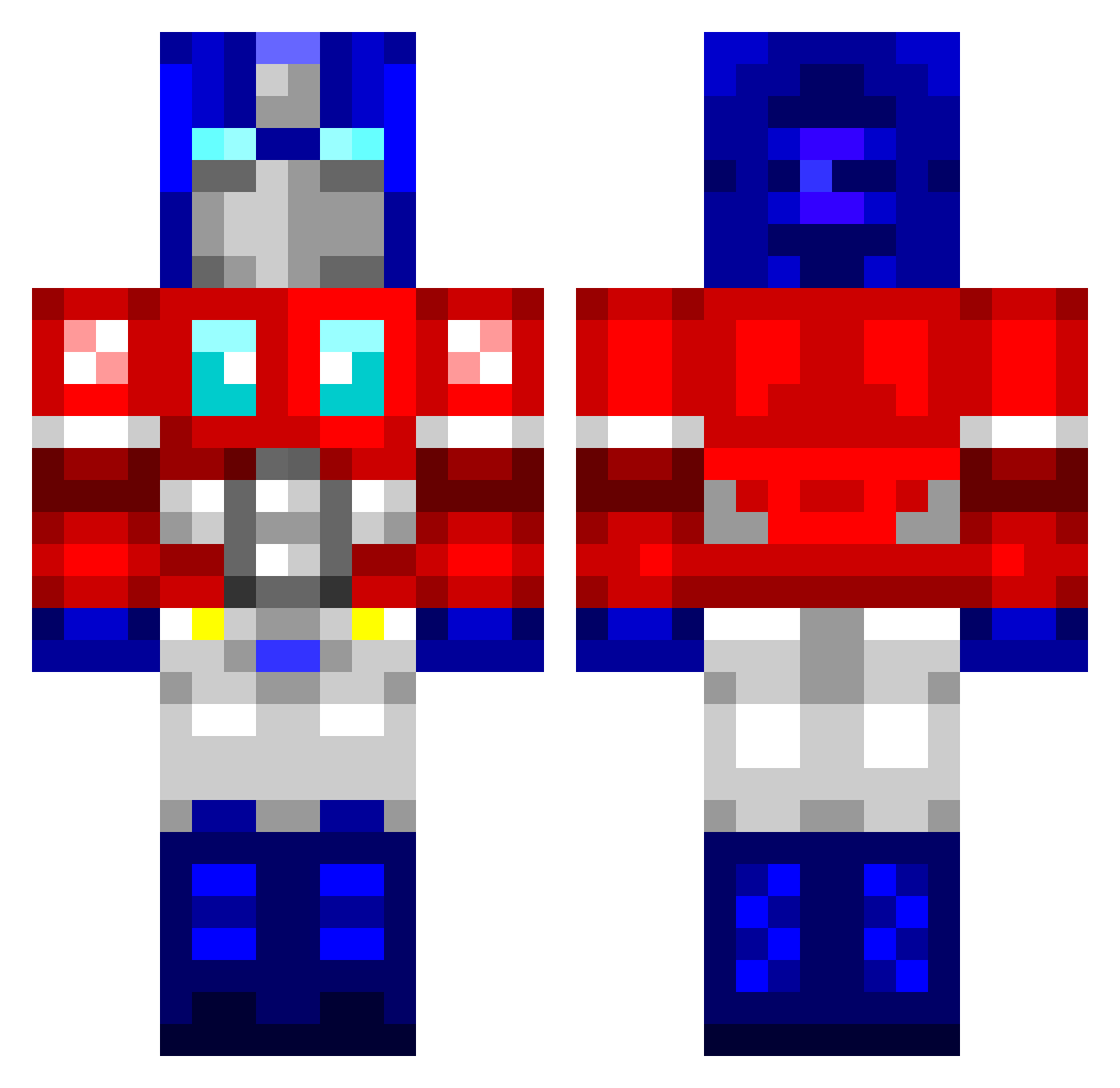
Current Minecraft skin of the player l2thedj, loaded from the official Mojang API. Rotate the 3D model with your mouse or finger, then download the skin as a PNG file and use it in Minecraft: Bedrock Edition or Java Edition for free. When l2thedj changes their skin, this page updates automatically and the old skin stays in the history below.
Other players with this skin (764)
l2thedj was the 506th player we have seen with this skin, first spotted on 02.10.2026. The same skin was seen on these players. Open a nickname to see their current skin and skin history.
 StabbyMcKnife flying_sheep aLxK425 oojerfink makigo kubeolol cursedracer29 ichibat AntiProhibition Mtodd10 switchfox1977 Hunkomatik AaronMcLoughlin Gandarfl BobMcDuff OptimusPrimeRB Giga_Chris Lanj Yazaan L_Jayy MrNate0620 bunglist MRiGnS xie_shen morph91 Robotbones Mamaetu theginga_ninja ewanrfc1690 Aaron_NL FrankTheTank9029 UnholyZeus Optiimuuz teddyruxpin123 DracoSoul DarthShader JamakaDoodle xRainBowZz suwip100 Ironphoenix111 LUKICAD squampus thomasiswhite Stu8701 SkillfulDomat pestonio Megalor drackoleon BonesAngel Sneaky_ninja9 CarlHeinz333 cbcharlieham2 CaseyPeters AlbaFEP Pattzor HereComeSlick FOXY___SHAZAM CamLax5 honeybadger425 stalecheeto
More Optimus Prime Minecraft skins
See all 87 Optimus Prime skins
How to install the l2thedj skin
- Press the Download button above to save the skin as a PNG file.
- Minecraft: Bedrock Edition (PE): open the Dressing Room from the main menu (or tap your character → Edit Character), go to Classic Skins → Owned, press the + (new skin) button, choose the downloaded PNG and pick the Classic (Steve) model. Works on PC and mobile; consoles cannot import custom skins.
- Minecraft: Java Edition: open the Minecraft Launcher, go to the Skins tab, click New Skin, load the PNG, pick the Classic (Steve) model and press Save & Use. You can also upload it at minecraft.net → Profile → Change Skin.
The skin does not show up after import - what should I do?
Restart Minecraft and open the Dressing Room again - imported skins sometimes appear only after a restart. Also make sure you selected the imported skin and picked the Classic (Steve) model.
Which model should I choose, Classic or Slim?
This skin is designed for the Classic (Steve) model. If you pick the wrong model, the arms of the skin will look stretched or squeezed.
Is the skin of l2thedj free to download?
Yes. Press Download, save the PNG file and use it in Minecraft: Bedrock Edition or Java Edition - no payment or registration needed. The skin also works on multiplayer servers and Realms.
More skins
Looking for more? Go back to all Minecraft skins and check the top skins of the week, month and all time, or find any player's skin by nickname.