
kyoungtri - Minecraft Skins & Skin History
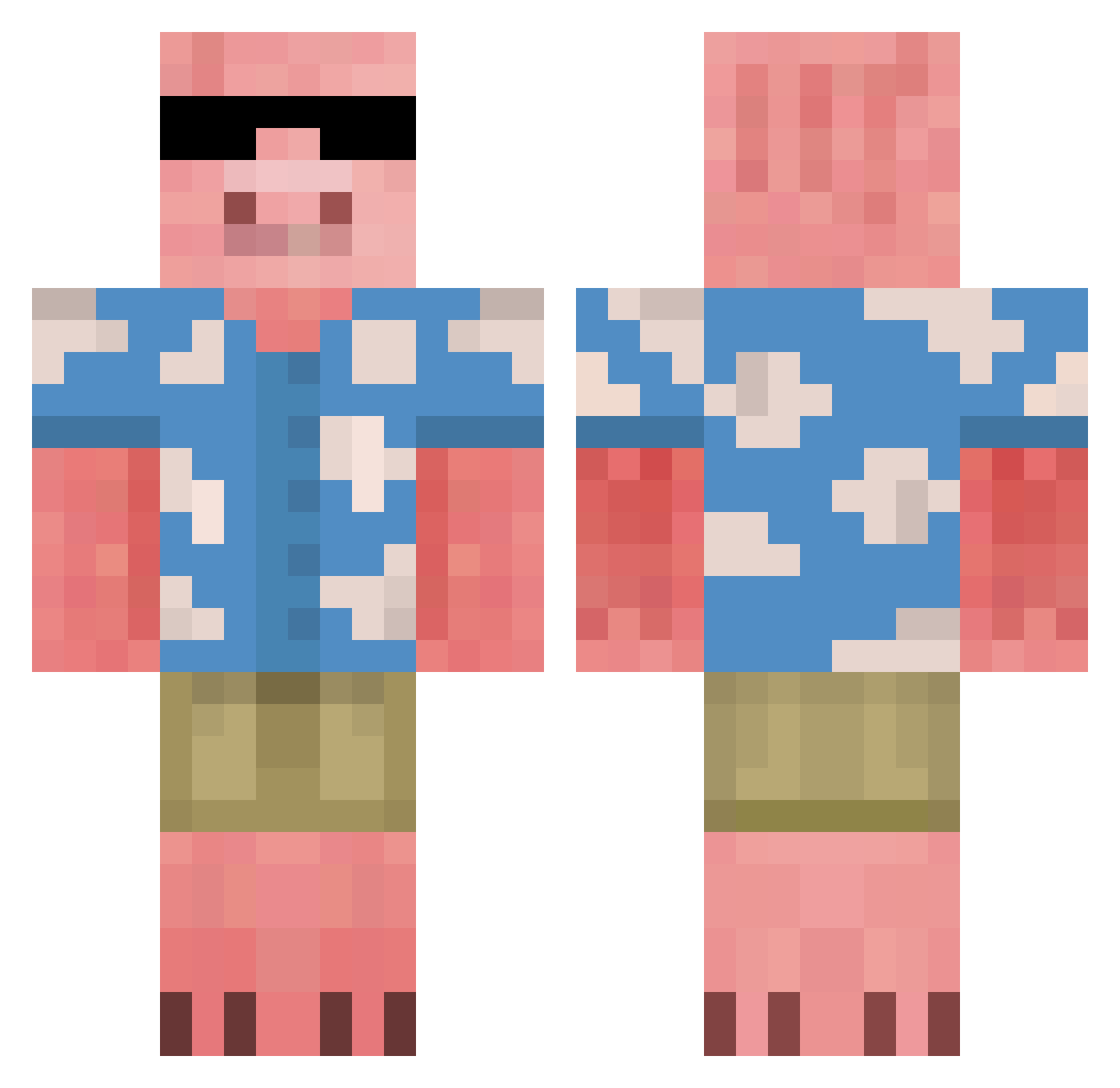
Current Minecraft skin of the player kyoungtri, loaded from the official Mojang API. Rotate the 3D model with your mouse or finger, then download the skin as a PNG file and use it in Minecraft: Bedrock Edition or Java Edition for free. When kyoungtri changes their skin, this page updates automatically and the old skin stays in the history below.
Other players with this skin (677)
kyoungtri was the 382nd player we have seen with this skin, first spotted on 25.09.2026. The same skin was seen on these players. Open a nickname to see their current skin and skin history.
 Meow_chocolate fartsmelloR IanC98 DoctorJ2766 USSAI ISnaKerS SkaterBoi36 80Pln VIGORS26 TheMonkeyJMH Aelillo BomjikAi Zenua Blkhawkdowns IndigoBroccoli YuvrajIsRacist BiggJoe45 marmanev Pirihirmu Klarka_ atrainn ItzJarrod Fleuxllo kirahvi_ KulGutt123 KeanuUltraPrime Curtgame1508 kokkis_ crossyroadmaster cheese_nosoc Neldo Jablonaa MDKBot SneakyTurtle2169 FNO_Waze An4zel Grzybowy__ ResortCraft Pudelo jayennuh JewishRye jdog2936 IcyCactus17 katienotfound0 RominouFR CoziestDonut MrSpaghett Xehanort_X KenzoeS Sleek__Meek Salamibroetchen Ruieta 1III1 GiftsOErthAndWtr UpperDeckyFerda Kraspek_ FuriousOgre64 MMKKRRGG Altera8 nathan_xd_420
More Piglin Minecraft skins
How to install the kyoungtri skin
- Press the Download button above to save the skin as a PNG file.
- Minecraft: Bedrock Edition (PE): open the Dressing Room from the main menu (or tap your character → Edit Character), go to Classic Skins → Owned, press the + (new skin) button, choose the downloaded PNG and pick the Classic (Steve) model. Works on PC and mobile; consoles cannot import custom skins.
- Minecraft: Java Edition: open the Minecraft Launcher, go to the Skins tab, click New Skin, load the PNG, pick the Classic (Steve) model and press Save & Use. You can also upload it at minecraft.net → Profile → Change Skin.
The skin does not show up after import - what should I do?
Restart Minecraft and open the Dressing Room again - imported skins sometimes appear only after a restart. Also make sure you selected the imported skin and picked the Classic (Steve) model.
Which model should I choose, Classic or Slim?
This skin is designed for the Classic (Steve) model. If you pick the wrong model, the arms of the skin will look stretched or squeezed.
Is the skin of kyoungtri free to download?
Yes. Press Download, save the PNG file and use it in Minecraft: Bedrock Edition or Java Edition - no payment or registration needed. The skin also works on multiplayer servers and Realms.
More skins
Looking for more? Go back to all Minecraft skins and check the top skins of the week, month and all time, or find any player's skin by nickname.