
kyleguava - Minecraft Skins & Skin History
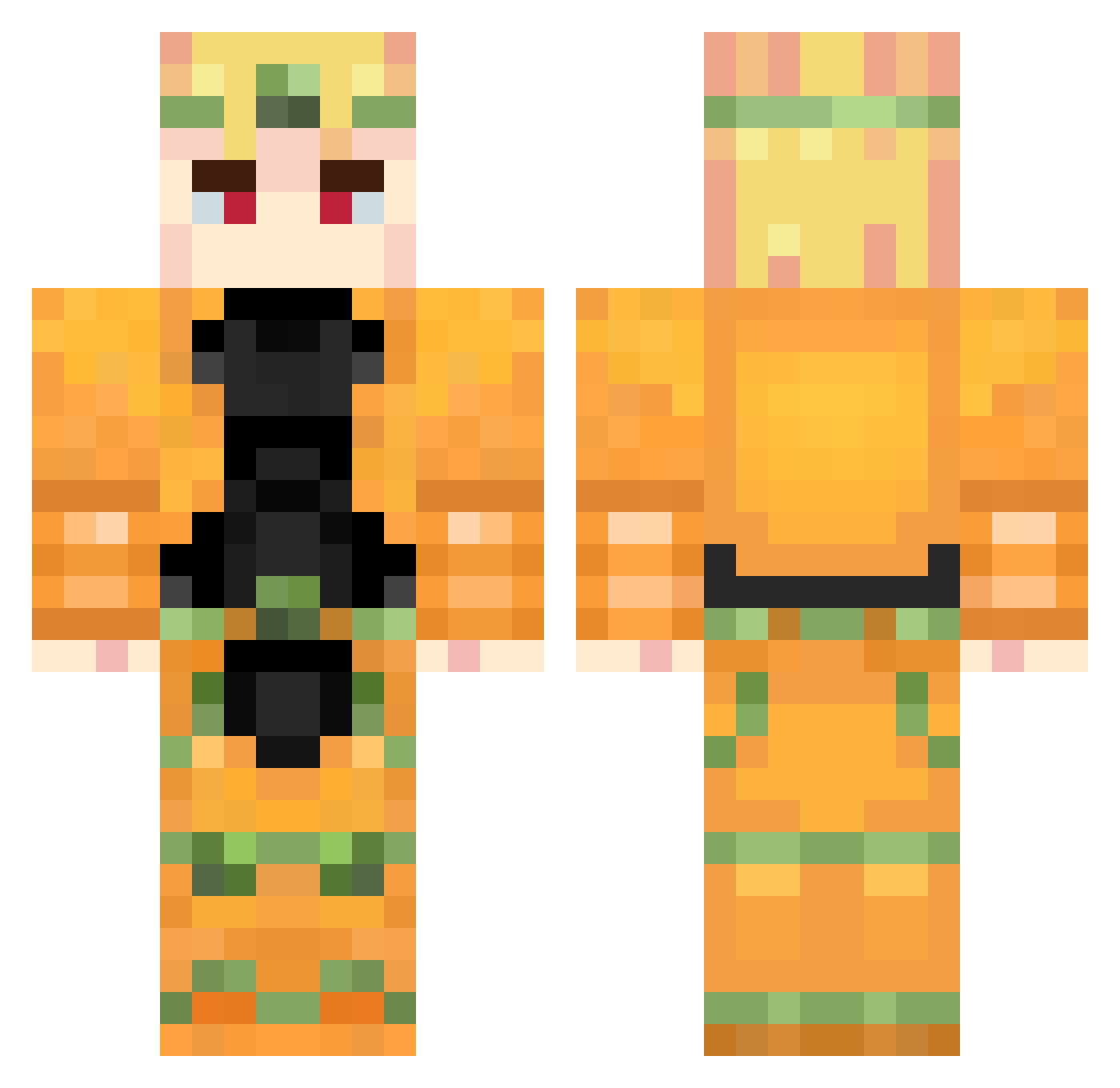
Current Minecraft skin of the player kyleguava, loaded from the official Mojang API. Rotate the 3D model with your mouse or finger, then download the skin as a PNG file and use it in Minecraft: Bedrock Edition or Java Edition for free. When kyleguava changes their skin, this page updates automatically and the old skin stays in the history below.
Other players with this skin (737)
kyleguava was the 53rd player we have seen with this skin, first spotted on 29.07.2026. The same skin was seen on these players. Open a nickname to see their current skin and skin history.
 Akilles2312
 wevibindoe harparun MRX_Graf Noi555 AYSAH_GAMING YJ546 Bhobi CLMZJY91 SbloodX iamnotherelol Phsyco_QTR2021 TheChainvarden altksdo kraros12 LunawarHD dgukan ZaWarudo99 Valskuy M1TaK4 Dio_208 Light134
 HughJanus30678 Hentaja SebastinYTp YimsterII _Kono_DIO_da__ PurpleDragon816 One_Glory Sukkaya DioBrando___ Xs_wire XDavidMX CoochieBandit21 Lordraigne jdothao Buckshot34 Gunsrockblocks Galatix44 Sullllll tangjiajia essekgaming
 BIRDIMAN KeiOne619 AsiatusxX Potatoes2450 goldboi1212 nekrosip Direblu D3RDAViD A13demon Falkonews Technoflashh Bottlebut unknown_one1 DinoZillaGod ZAWARDOO elvis1124 takumi668 nikonikon
More Dio Brando Minecraft skins
How to install the kyleguava skin
- Press the Download button above to save the skin as a PNG file.
- Minecraft: Bedrock Edition (PE): open the Dressing Room from the main menu (or tap your character → Edit Character), go to Classic Skins → Owned, press the + (new skin) button, choose the downloaded PNG and pick the Classic (Steve) model. Works on PC and mobile; consoles cannot import custom skins.
- Minecraft: Java Edition: open the Minecraft Launcher, go to the Skins tab, click New Skin, load the PNG, pick the Classic (Steve) model and press Save & Use. You can also upload it at minecraft.net → Profile → Change Skin.
The skin does not show up after import - what should I do?
Restart Minecraft and open the Dressing Room again - imported skins sometimes appear only after a restart. Also make sure you selected the imported skin and picked the Classic (Steve) model.
Which model should I choose, Classic or Slim?
This skin is designed for the Classic (Steve) model. If you pick the wrong model, the arms of the skin will look stretched or squeezed.
Is the skin of kyleguava free to download?
Yes. Press Download, save the PNG file and use it in Minecraft: Bedrock Edition or Java Edition - no payment or registration needed. The skin also works on multiplayer servers and Realms.
More skins
Looking for more? Go back to all Minecraft skins and check the top skins of the week, month and all time, or find any player's skin by nickname.