
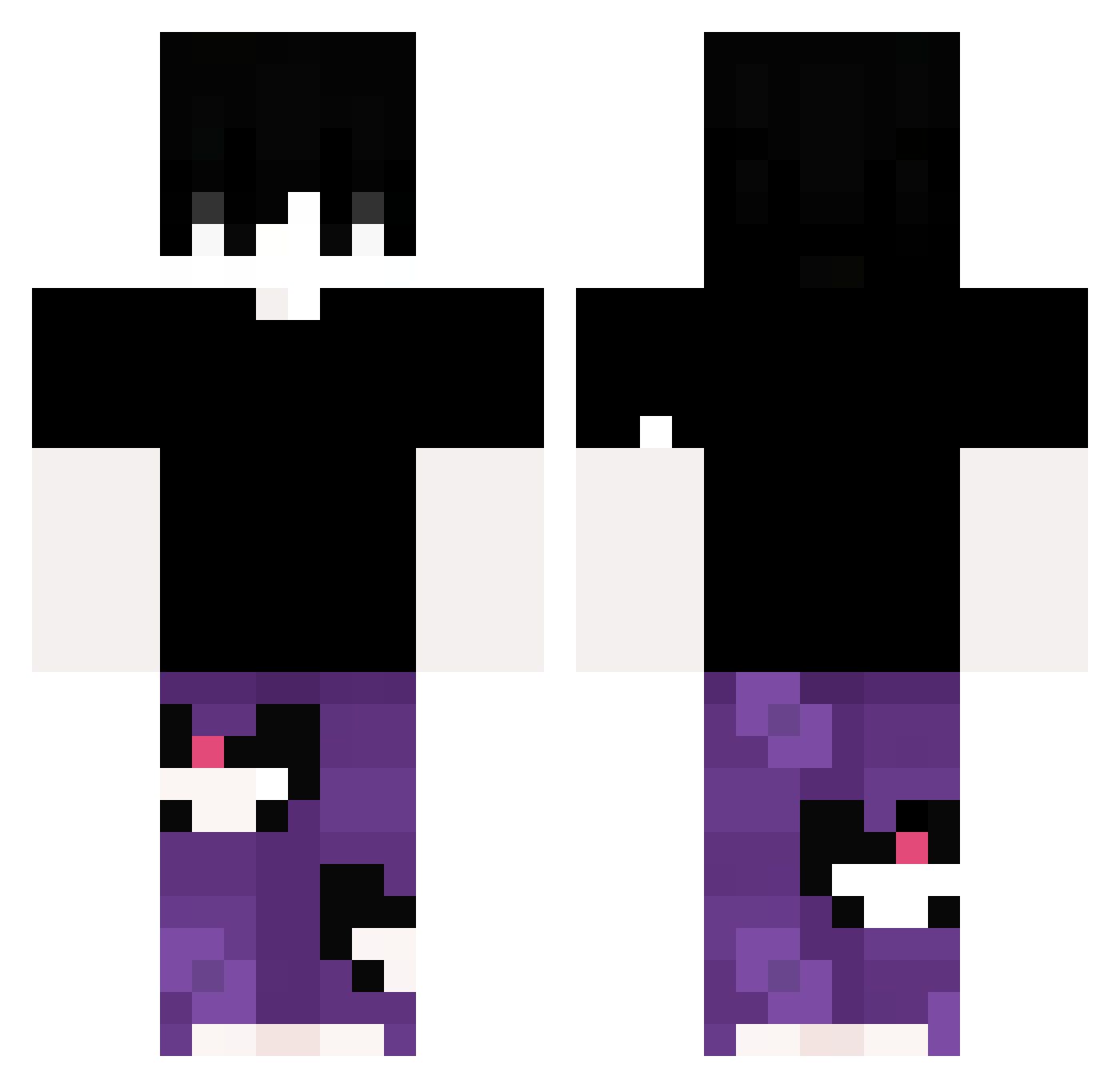
Current Minecraft skin of the player kxz3yy, loaded from the official Mojang API. Rotate the 3D model with your mouse or finger, then download the skin as a PNG file and use it in Minecraft: Bedrock Edition or Java Edition for free. When kxz3yy changes their skin, this page updates automatically and the old skin stays in the history below.
Other players with this skin (246)
kxz3yy was the 164th player we have seen with this skin, first spotted on 20.09.2026. The same skin was seen on these players. Open a nickname to see their current skin and skin history.
 StarPaper2910 garthsito JoaaGamerr MYSTERY153 elfanderiver3 Finanzbeamter Lixx0f 3nder_3 BLUZuzi Slayer_sc denghuolanshang HACHER_ DylanTeroV shisanmc Xquarz5248 AutoDrainer Saitamu ReBelOG BlockBuster233K zhouyue1234 Roro8313 qingfeng__Fuyun jessehaha Evil_Feather Katizxzx Cade_Ntz FRAGYeet imaginationMKIII nightvisssion elzr Boniin BeerBongBr undscovered 7silvaa liming02 rodrxvztt OphMKT RedFire3033 ilovebob82 Kojitrashh radiopoika PerunoAres LeHommeBien surgeon_aim lKyoze Briii_b P4UMM _Kwa L4FITE ILBROGNA123 Aminozin kitt_hector rriicce __MATYX__ PACKGODCHILLVRO wdbbx manuentrenese NaumKKJ ENCKK DHRUVGGS
How to install the kxz3yy skin
- Press the Download button above to save the skin as a PNG file.
- Minecraft: Bedrock Edition (PE): open the Dressing Room from the main menu (or tap your character → Edit Character), go to Classic Skins → Owned, press the + (new skin) button, choose the downloaded PNG and pick the Classic (Steve) model. Works on PC and mobile; consoles cannot import custom skins.
- Minecraft: Java Edition: open the Minecraft Launcher, go to the Skins tab, click New Skin, load the PNG, pick the Classic (Steve) model and press Save & Use. You can also upload it at minecraft.net → Profile → Change Skin.
The skin does not show up after import - what should I do?
Restart Minecraft and open the Dressing Room again - imported skins sometimes appear only after a restart. Also make sure you selected the imported skin and picked the Classic (Steve) model.
Which model should I choose, Classic or Slim?
This skin is designed for the Classic (Steve) model. If you pick the wrong model, the arms of the skin will look stretched or squeezed.
Is the skin of kxz3yy free to download?
Yes. Press Download, save the PNG file and use it in Minecraft: Bedrock Edition or Java Edition - no payment or registration needed. The skin also works on multiplayer servers and Realms.
More skins
Looking for more? Go back to all Minecraft skins and check the top skins of the week, month and all time, or find any player's skin by nickname.