
kxkh - Minecraft Skins & Skin History
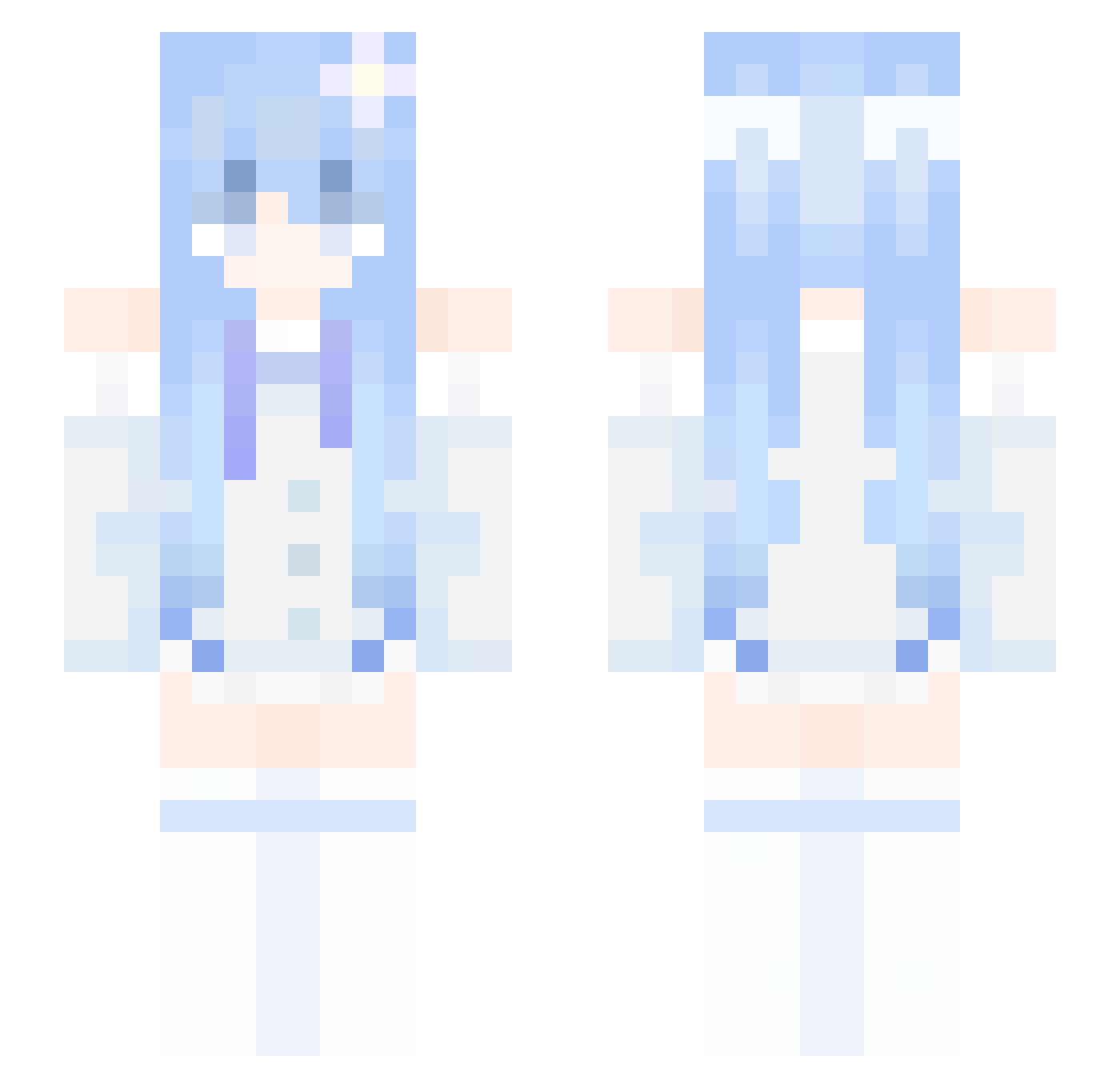
Current Minecraft skin of the player kxkh, loaded from the official Mojang API. Rotate the 3D model with your mouse or finger, then download the skin as a PNG file and use it in Minecraft: Bedrock Edition or Java Edition for free. When kxkh changes their skin, this page updates automatically and the old skin stays in the history below.
Other players with this skin (367)
kxkh was the 350th player we have seen with this skin, first spotted on 05.11.2026. The same skin was seen on these players. Open a nickname to see their current skin and skin history.
 reimu11451419198 larpdow zxz369 Papooo_ JEYLIN55 L4CHSN4CKEN Ran7H hunter95273 papachata 242510 joran1502 luhaozhe1127 pyyh magnasen69 Konnichiwadesu CasTheKing101 MoXiaoQi7 Feretory tenspheres Silva_Dragon __waw_ FROMIS_N1NE SharkyUwU_ SecChin Imladris9504 YEZI905 Cloveeeee xenondio RainSorrow Athnoy banlige Pesnyan Brightgizmo Kany3_ www959 Raid1234 XCmigo_1117 Mea0721 jie_1220 bigblackcellmate pokai1324 oxyleankittycat Akira0088 Loco_souls taotao0600 Nannoy Hoyyu Aesrid Kacio Kurumiiau osz05 drx655 yinianlinan JURAi11 Patient821 shzue ahgkwl VentusEklan Sulfer_yt ZiqiZhang
More Flower Hair Clip Minecraft skins
See all 72 Flower Hair Clip skins
How to install the kxkh skin
- Press the Download button above to save the skin as a PNG file.
- Minecraft: Bedrock Edition (PE): open the Dressing Room from the main menu (or tap your character → Edit Character), go to Classic Skins → Owned, press the + (new skin) button, choose the downloaded PNG and pick the Slim (Alex) model. Works on PC and mobile; consoles cannot import custom skins.
- Minecraft: Java Edition: open the Minecraft Launcher, go to the Skins tab, click New Skin, load the PNG, pick the Slim (Alex) model and press Save & Use. You can also upload it at minecraft.net → Profile → Change Skin.
The skin does not show up after import - what should I do?
Restart Minecraft and open the Dressing Room again - imported skins sometimes appear only after a restart. Also make sure you selected the imported skin and picked the Slim (Alex) model.
Which model should I choose, Classic or Slim?
This skin is designed for the Slim (Alex) model. If you pick the wrong model, the arms of the skin will look stretched or squeezed.
Is the skin of kxkh free to download?
Yes. Press Download, save the PNG file and use it in Minecraft: Bedrock Edition or Java Edition - no payment or registration needed. The skin also works on multiplayer servers and Realms.
More skins
Looking for more? Go back to all Minecraft skins and check the top skins of the week, month and all time, or find any player's skin by nickname.