
kutayy1907 - Minecraft Skins & Skin History
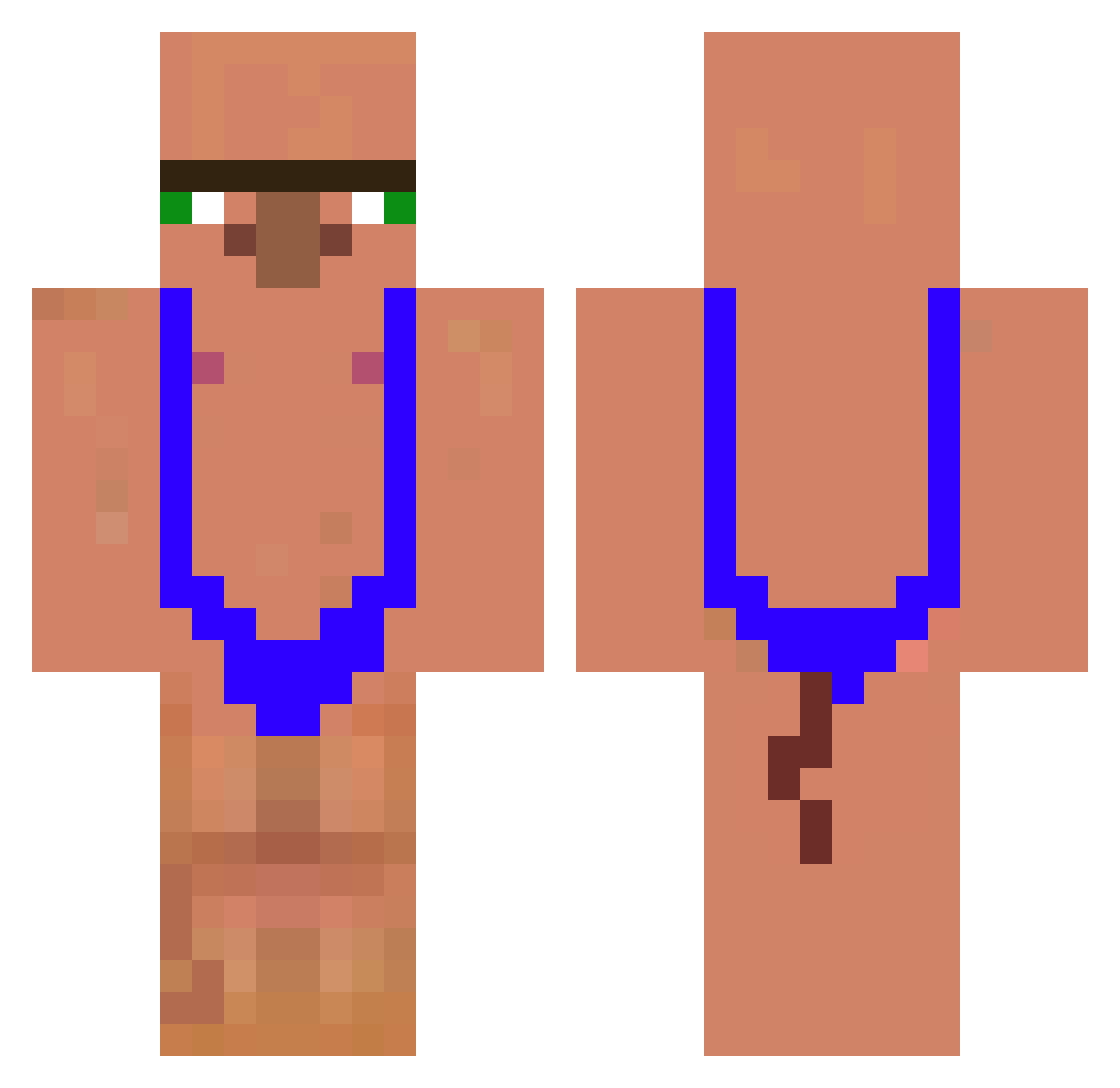
Current Minecraft skin of the player kutayy1907, loaded from the official Mojang API. Rotate the 3D model with your mouse or finger, then download the skin as a PNG file and use it in Minecraft: Bedrock Edition or Java Edition for free. When kutayy1907 changes their skin, this page updates automatically and the old skin stays in the history below.
Other players with this skin (157)
kutayy1907 was the 24th player we have seen with this skin, first spotted on 10.08.2026. The same skin was seen on these players. Open a nickname to see their current skin and skin history.
 zeroX_57
 transgredir Makayla_0218 ponger67
 Panda_java bubabamba1224 malobangl BigHeadJoe33 Mateur__
 Owenthe1026 sagazumior xbvc_ Tri_tox fps144 Polak_HINCZYK111 tomkick7387 SharkBSB big_bonks Makeyme
 Xitaz jjinie TJ6245 Itz_Mayo0
 Rablidex
 diao_mao666 klowek yoi0108 El_barvaro23 aceitunas23 BaconFatiado icebeckzindeflor Nelfons
 SusohFB MuesliMan penihana Hotdogwater7577 MicGra
 CalvitoTWRS tupapichulo6665
 Cevt12
 Yannzito Miroculous gunbreadkim l1neker KJureK 69QOQ Veilstruth ramaiza JeSuisPasGenti Masiash Chazwick1
 Mik4ze
 Mauritocrack Dean0beano ssgseltzer 6DAVuID9 ljh101204 Alithesigma TheMan_12345 Raunenn
More Mankini Minecraft skins
How to install the kutayy1907 skin
- Press the Download button above to save the skin as a PNG file.
- Minecraft: Bedrock Edition (PE): open the Dressing Room from the main menu (or tap your character → Edit Character), go to Classic Skins → Owned, press the + (new skin) button, choose the downloaded PNG and pick the Classic (Steve) model. Works on PC and mobile; consoles cannot import custom skins.
- Minecraft: Java Edition: open the Minecraft Launcher, go to the Skins tab, click New Skin, load the PNG, pick the Classic (Steve) model and press Save & Use. You can also upload it at minecraft.net → Profile → Change Skin.
The skin does not show up after import - what should I do?
Restart Minecraft and open the Dressing Room again - imported skins sometimes appear only after a restart. Also make sure you selected the imported skin and picked the Classic (Steve) model.
Which model should I choose, Classic or Slim?
This skin is designed for the Classic (Steve) model. If you pick the wrong model, the arms of the skin will look stretched or squeezed.
Is the skin of kutayy1907 free to download?
Yes. Press Download, save the PNG file and use it in Minecraft: Bedrock Edition or Java Edition - no payment or registration needed. The skin also works on multiplayer servers and Realms.
More skins
Looking for more? Go back to all Minecraft skins and check the top skins of the week, month and all time, or find any player's skin by nickname.