
kurtis142000 - Minecraft Skins & Skin History
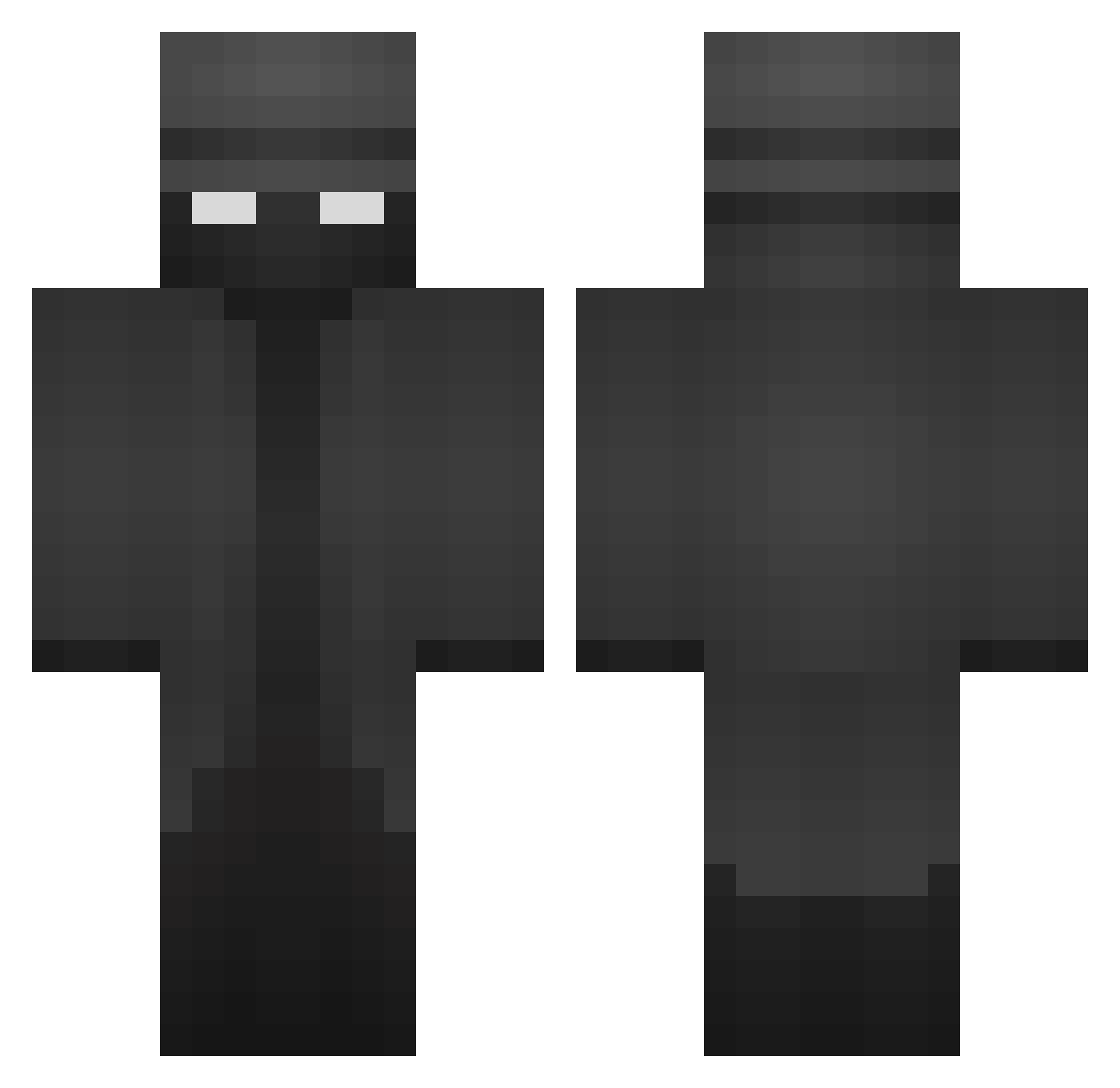
Current Minecraft skin of the player kurtis142000, loaded from the official Mojang API. Rotate the 3D model with your mouse or finger, then download the skin as a PNG file and use it in Minecraft: Bedrock Edition or Java Edition for free. When kurtis142000 changes their skin, this page updates automatically and the old skin stays in the history below.
Other players with this skin (371)
kurtis142000 was the 126th player we have seen with this skin, first spotted on 27.08.2026. The same skin was seen on these players. Open a nickname to see their current skin and skin history.
 Aparel SteelWolf04 GXT1 shindeiruUWU DornDasBrot PopaBless666 MaksPROman Ivan087 IRVVV m1nesalt noolimitss IIZloo Hunto45 Synitz guifasig DerCristi SaiKinho1 papa_dilton incognito7030 Kaxlin12 1x_syd hedrew1 Nifedo xB345Tx SargentGutz
 Fr0styWalrus CrazyTiger5mil IAmTheCondor Marsiscool1942 Hawkingminer LovelyIreland19 jojojelly2 se_fer juveniledino1 SBMEGAMINECRAFT Zupharr vQaTester MonsterSnack WesThePez ItzJackz ABowloRice vBaxi its_BIGPAPA_ chabllllllla ifremmm LividLigma Rheinhart BigRods Rigshaw envy2136
 IRISvbn Coleconut124
 Ghosty_MD Goourd L7Sciro HushDich DESTROYER_007 FRAJER__ Moosq Increpid
More Detective Minecraft skins
How to install the kurtis142000 skin
- Press the Download button above to save the skin as a PNG file.
- Minecraft: Bedrock Edition (PE): open the Dressing Room from the main menu (or tap your character → Edit Character), go to Classic Skins → Owned, press the + (new skin) button, choose the downloaded PNG and pick the Classic (Steve) model. Works on PC and mobile; consoles cannot import custom skins.
- Minecraft: Java Edition: open the Minecraft Launcher, go to the Skins tab, click New Skin, load the PNG, pick the Classic (Steve) model and press Save & Use. You can also upload it at minecraft.net → Profile → Change Skin.
The skin does not show up after import - what should I do?
Restart Minecraft and open the Dressing Room again - imported skins sometimes appear only after a restart. Also make sure you selected the imported skin and picked the Classic (Steve) model.
Which model should I choose, Classic or Slim?
This skin is designed for the Classic (Steve) model. If you pick the wrong model, the arms of the skin will look stretched or squeezed.
Is the skin of kurtis142000 free to download?
Yes. Press Download, save the PNG file and use it in Minecraft: Bedrock Edition or Java Edition - no payment or registration needed. The skin also works on multiplayer servers and Realms.
More skins
Looking for more? Go back to all Minecraft skins and check the top skins of the week, month and all time, or find any player's skin by nickname.