
kuro_lv2 - Minecraft Skins & Skin History
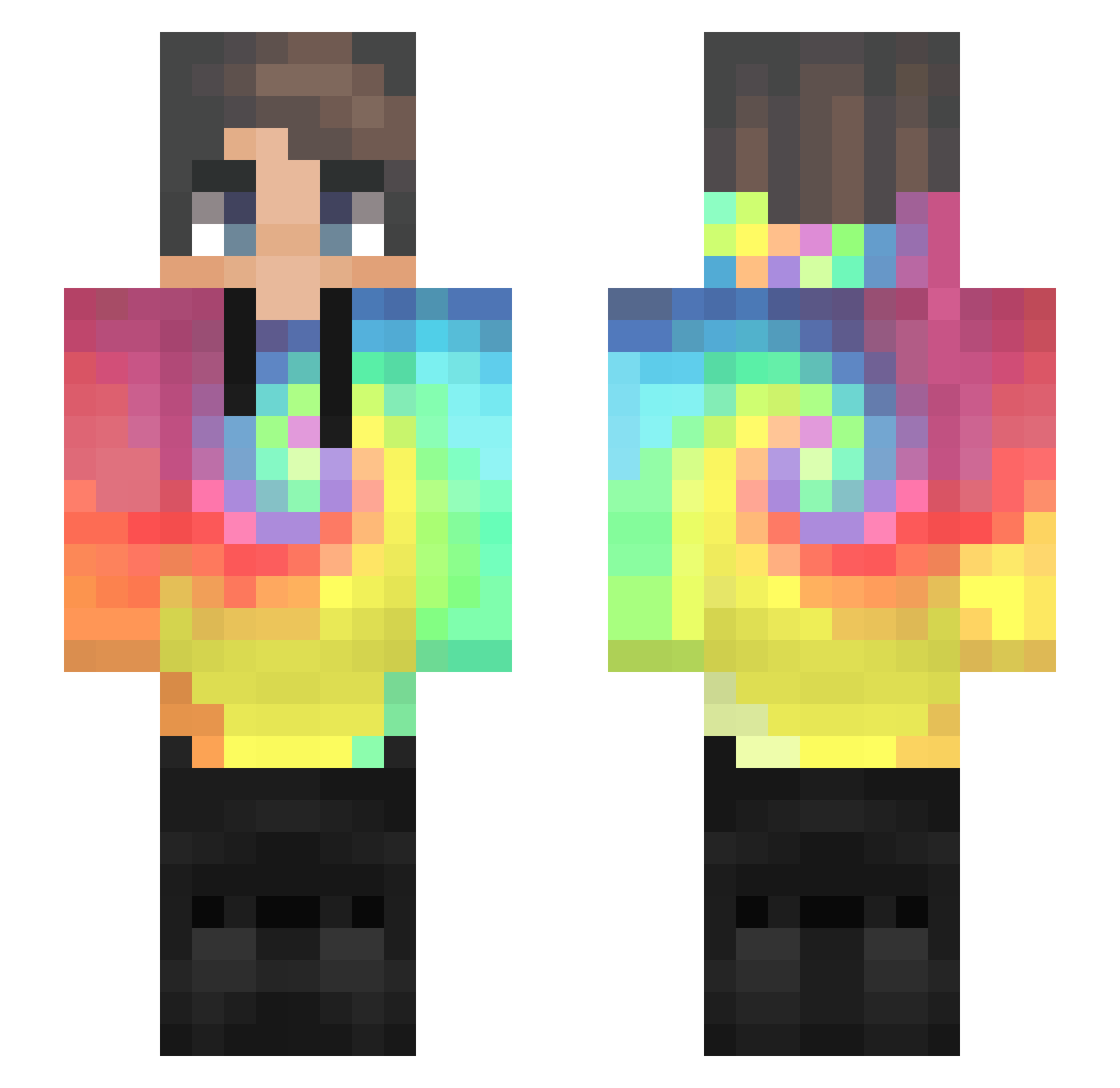
Current Minecraft skin of the player kuro_lv2, loaded from the official Mojang API. Rotate the 3D model with your mouse or finger, then download the skin as a PNG file and use it in Minecraft: Bedrock Edition or Java Edition for free. When kuro_lv2 changes their skin, this page updates automatically and the old skin stays in the history below.
Other players with this skin (578)
kuro_lv2 was the 554th player we have seen with this skin, first spotted on 13.11.2026. The same skin was seen on these players. Open a nickname to see their current skin and skin history.
 GamezStrix UmmmNoThanks BuendelFracht24 mojoball Roseymon91 DVD_Its_TheDream PedritoPVPTroll greensnow00 TheMinecrafter87 ghancuy QueerTacos Sune1607 darcy60109 Nomcol RainbowSam647 Zoeefff TBandit29 Beatrush69 Alquii L0N3_W0LF ThePantherMan stumpyi leedalee_ _RAVENZZ_ GabrielDesj QbiKO Deemi13 Mirco_il_grande sunmoonsix LeVantom leaf7_ BcorveniusD JUMBOping __FreZii Grecomor Vanish14 TheSunGod_ BartoszV Cryft_ Mxx521 Sumasyuyear_ Uniky Sheyman1 MuzzCS BXZO_ SamBot11 MikadoOfficial popbob1337 RubyLeader99140 Shadowpro2009 liorkeysar10 samaco RainbowKeks Arrowplawn JUdo_joCHen Badumeister giacobbbex Dreamwang520 hongmin11 LimitedElimz
How to install the kuro_lv2 skin
- Press the Download button above to save the skin as a PNG file.
- Minecraft: Bedrock Edition (PE): open the Dressing Room from the main menu (or tap your character → Edit Character), go to Classic Skins → Owned, press the + (new skin) button, choose the downloaded PNG and pick the Slim (Alex) model. Works on PC and mobile; consoles cannot import custom skins.
- Minecraft: Java Edition: open the Minecraft Launcher, go to the Skins tab, click New Skin, load the PNG, pick the Slim (Alex) model and press Save & Use. You can also upload it at minecraft.net → Profile → Change Skin.
The skin does not show up after import - what should I do?
Restart Minecraft and open the Dressing Room again - imported skins sometimes appear only after a restart. Also make sure you selected the imported skin and picked the Slim (Alex) model.
Which model should I choose, Classic or Slim?
This skin is designed for the Slim (Alex) model. If you pick the wrong model, the arms of the skin will look stretched or squeezed.
Is the skin of kuro_lv2 free to download?
Yes. Press Download, save the PNG file and use it in Minecraft: Bedrock Edition or Java Edition - no payment or registration needed. The skin also works on multiplayer servers and Realms.
More skins
Looking for more? Go back to all Minecraft skins and check the top skins of the week, month and all time, or find any player's skin by nickname.