
kullani - Minecraft Skins & Skin History
Current Minecraft skin of the player kullani, loaded from the official Mojang API. Rotate the 3D model with your mouse or finger, then download the skin as a PNG file and use it in Minecraft: Bedrock Edition or Java Edition for free. When kullani changes their skin, this page updates automatically and the old skin stays in the history below.

Other players with this skin (11437)
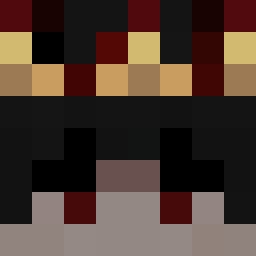
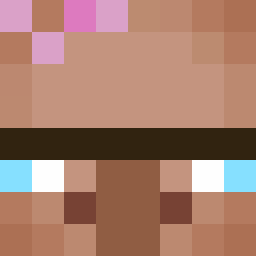
kullani was the 692nd player we have seen with this skin, first spotted on 30.07.2026. The same skin was seen on these players. Open a nickname to see their current skin and skin history.
 ItzRealMe_pro
 buzzbuzz6 shadow123415 Snemy_Epotted hkhedaras FiFraDa egmp1
 A_848 akin058 d3rminator Bubalis
 Senodlz stanciuqq ItNexx Lucaslevrai Lordofplay Zac5765 Pleads vr2y survivor8700 gujo8492 Felix122255 C_C_Hin Uziq9999 Jirabeth Sdrucciola Gabi100
 bernardova7 Arul svm1rr DarthLego12345 rickelsn HardKukou
 paschaonder bottermuitobom Thelastgreenrino Zndrr BraveElephant49 ImChillino_ aw89
 24Jordi Ashiver
 Danster079 SpliffMan
 NXTlvlGaming Pktu Nestlook MeeshMash0 Sertine33 Apophasis Notanamat mastermumei Ghostknight2046 PinoshoDeus BRNAT Deescalation deuxdetention F1nlandia anshaina
 Bunki131211
How to install the kullani skin
- Press the Download button above to save the skin as a PNG file.
- Minecraft: Bedrock Edition (PE): open the Dressing Room from the main menu (or tap your character → Edit Character), go to Classic Skins → Owned, press the + (new skin) button, choose the downloaded PNG and pick the Classic (Steve) model. Works on PC and mobile; consoles cannot import custom skins.
- Minecraft: Java Edition: open the Minecraft Launcher, go to the Skins tab, click New Skin, load the PNG, pick the Classic (Steve) model and press Save & Use. You can also upload it at minecraft.net → Profile → Change Skin.
The skin does not show up after import - what should I do?
Restart Minecraft and open the Dressing Room again - imported skins sometimes appear only after a restart. Also make sure you selected the imported skin and picked the Classic (Steve) model.
Which model should I choose, Classic or Slim?
This skin is designed for the Classic (Steve) model. If you pick the wrong model, the arms of the skin will look stretched or squeezed.
Is the skin of kullani free to download?
Yes. Press Download, save the PNG file and use it in Minecraft: Bedrock Edition or Java Edition - no payment or registration needed. The skin also works on multiplayer servers and Realms.
More skins
Looking for more? Go back to all Minecraft skins and check the top skins of the week, month and all time, or find any player's skin by nickname.