
ktmrider0327 - Minecraft Skins & Skin History
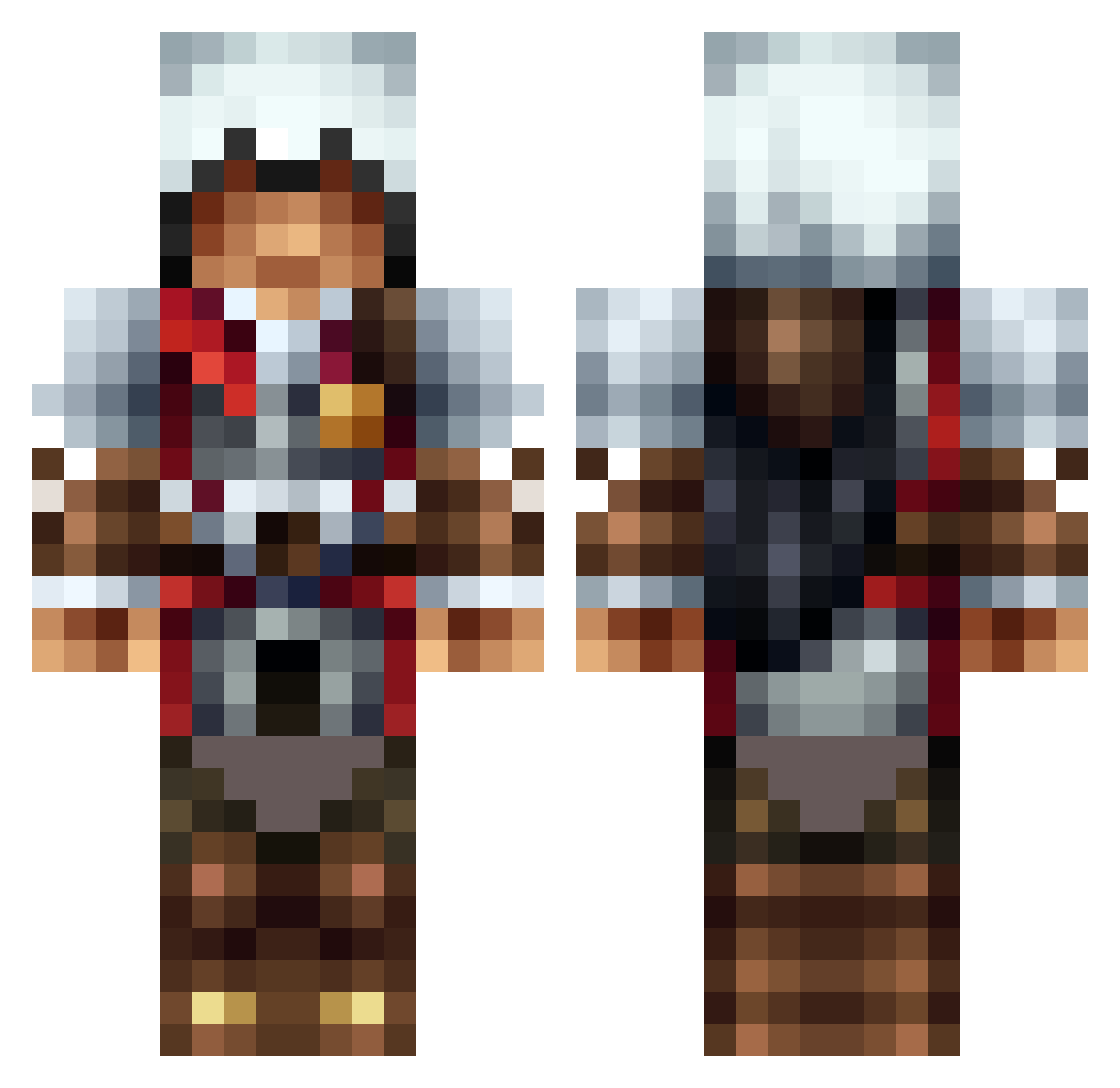
Current Minecraft skin of the player ktmrider0327, loaded from the official Mojang API. Rotate the 3D model with your mouse or finger, then download the skin as a PNG file and use it in Minecraft: Bedrock Edition or Java Edition for free. When ktmrider0327 changes their skin, this page updates automatically and the old skin stays in the history below.
Other players with this skin (1312)
ktmrider0327 was the 297th player we have seen with this skin, first spotted on 20.08.2026. The same skin was seen on these players. Open a nickname to see their current skin and skin history.
 clone999 Greenriver28 katliu TheBaseBallLover Clephian spasticmonkeys lifeboatman1614 pemapanik Rustybanana25 ezioA299 Frankisflying jcam_ bradp52 iParadis Noah919 ChrisMeight Deadhunter3748 Monkybook1900 10Dav Rohine lestear26 Darkarmageddon01 Handyman990 sirbutsalot xxxJOJOxxxx gblocks27 Uncle_Tompa TobyFan2435 Thetichydra Saintdhees MaxiiKing99 NuttyXenomorph VoLTaGe_Rub blackdarius Swagerdragon Gamercraft829 sgnoki Isaacjeremiah Artillery zapperzak Areotip Knightkiller69 leonidas711 Amaretoz sheap111 iiCoNiCZz_Sohaib marctheboss1 bionic75 Thebeastboy619 __Samir__ Brown53 Volcanicshoes TheScienceGuy69 ultimatekoen Hystal apkhenry Vonstocky Stif_Master27 lanelane11 tiborhirschler
More Altair Minecraft skins
How to install the ktmrider0327 skin
- Press the Download button above to save the skin as a PNG file.
- Minecraft: Bedrock Edition (PE): open the Dressing Room from the main menu (or tap your character → Edit Character), go to Classic Skins → Owned, press the + (new skin) button, choose the downloaded PNG and pick the Classic (Steve) model. Works on PC and mobile; consoles cannot import custom skins.
- Minecraft: Java Edition: open the Minecraft Launcher, go to the Skins tab, click New Skin, load the PNG, pick the Classic (Steve) model and press Save & Use. You can also upload it at minecraft.net → Profile → Change Skin.
The skin does not show up after import - what should I do?
Restart Minecraft and open the Dressing Room again - imported skins sometimes appear only after a restart. Also make sure you selected the imported skin and picked the Classic (Steve) model.
Which model should I choose, Classic or Slim?
This skin is designed for the Classic (Steve) model. If you pick the wrong model, the arms of the skin will look stretched or squeezed.
Is the skin of ktmrider0327 free to download?
Yes. Press Download, save the PNG file and use it in Minecraft: Bedrock Edition or Java Edition - no payment or registration needed. The skin also works on multiplayer servers and Realms.
More skins
Looking for more? Go back to all Minecraft skins and check the top skins of the week, month and all time, or find any player's skin by nickname.