
kt_blitz - Minecraft Skins & Skin History
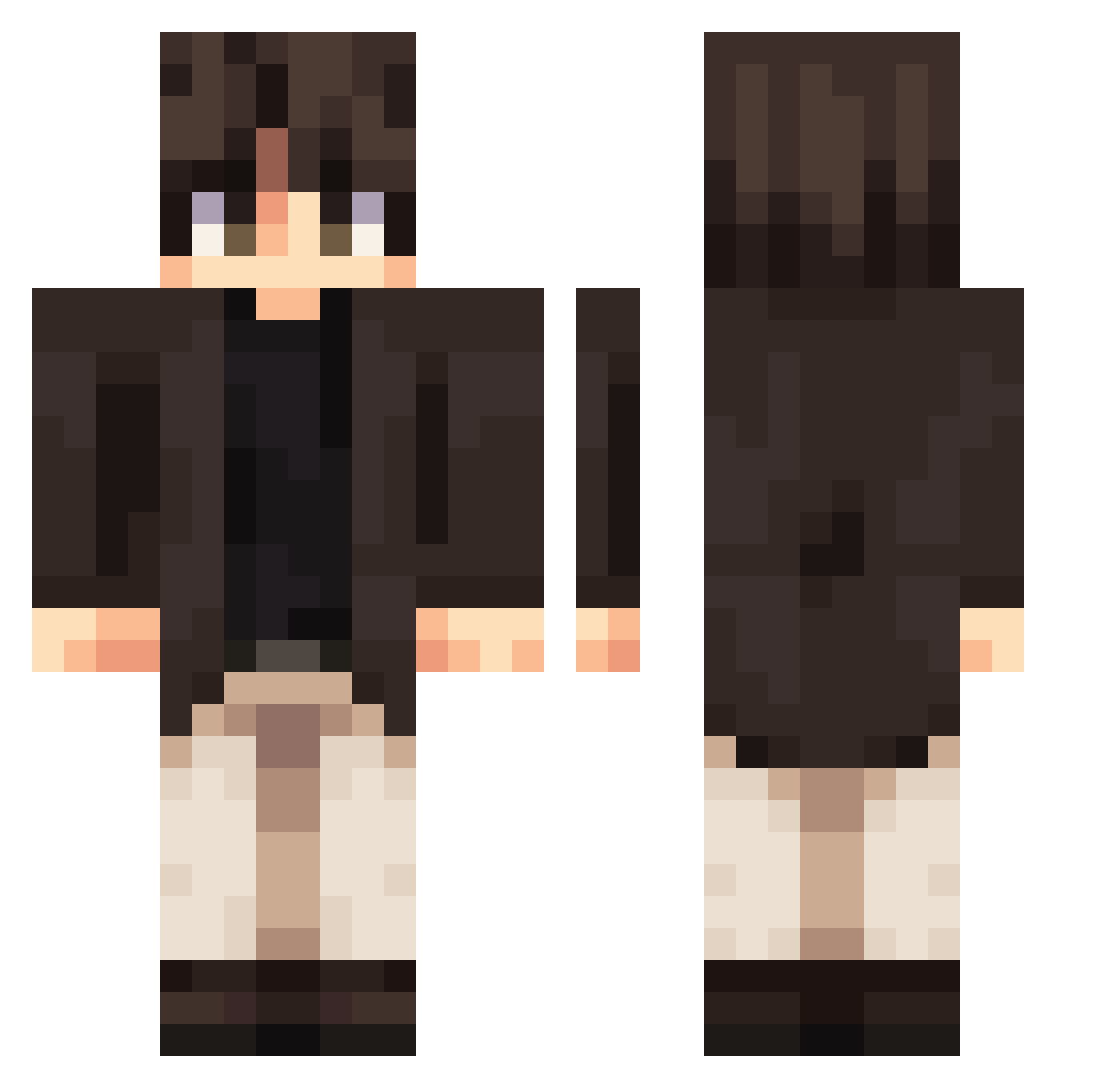
Current Minecraft skin of the player kt_blitz, loaded from the official Mojang API. Rotate the 3D model with your mouse or finger, then download the skin as a PNG file and use it in Minecraft: Bedrock Edition or Java Edition for free. When kt_blitz changes their skin, this page updates automatically and the old skin stays in the history below.
Other players with this skin (487)
kt_blitz was the 421st player we have seen with this skin, first spotted on 07.11.2026. The same skin was seen on these players. Open a nickname to see their current skin and skin history.
 Matuko5506 weik1ng Daws_man joao018 Alice3608 ChimpSwagger DragondeOZ PegasusAlarm2010 DragonFry_ Warcrazy213 Biladelpia _Jayder Azmog05 laoyu123 _OneSNOW DINOCATS7630 rnarcoxd kogisune luk4splays Hawakend Ripebanana32 cuevozs Chad__Mikey NickBird04 bang1231 id7vil Destin__ king_Mz1 ASDTekyetr plariym4ik sh0rtfarmer Sinforoso90 Downgamer93629 Punnim T0msen_ Riseee mirvop Yogington LightningLego42 ResidentBigMan Vlad_T3mpest Shihao6 matiloveskebab piperwoolf ScottKenedy Water_Video Curunir2007 Spoony12 Szalony_maciek sanriyue23 Phaethxn yami0812 PatriiTV Shiva3237 rafutzz h1ty0u_08 SpartanStatue13 Thalmeezy LOVVRO Phenomenal6
More Casual Minecraft skins
How to install the kt_blitz skin
- Press the Download button above to save the skin as a PNG file.
- Minecraft: Bedrock Edition (PE): open the Dressing Room from the main menu (or tap your character → Edit Character), go to Classic Skins → Owned, press the + (new skin) button, choose the downloaded PNG and pick the Classic (Steve) model. Works on PC and mobile; consoles cannot import custom skins.
- Minecraft: Java Edition: open the Minecraft Launcher, go to the Skins tab, click New Skin, load the PNG, pick the Classic (Steve) model and press Save & Use. You can also upload it at minecraft.net → Profile → Change Skin.
The skin does not show up after import - what should I do?
Restart Minecraft and open the Dressing Room again - imported skins sometimes appear only after a restart. Also make sure you selected the imported skin and picked the Classic (Steve) model.
Which model should I choose, Classic or Slim?
This skin is designed for the Classic (Steve) model. If you pick the wrong model, the arms of the skin will look stretched or squeezed.
Is the skin of kt_blitz free to download?
Yes. Press Download, save the PNG file and use it in Minecraft: Bedrock Edition or Java Edition - no payment or registration needed. The skin also works on multiplayer servers and Realms.
More skins
Looking for more? Go back to all Minecraft skins and check the top skins of the week, month and all time, or find any player's skin by nickname.