
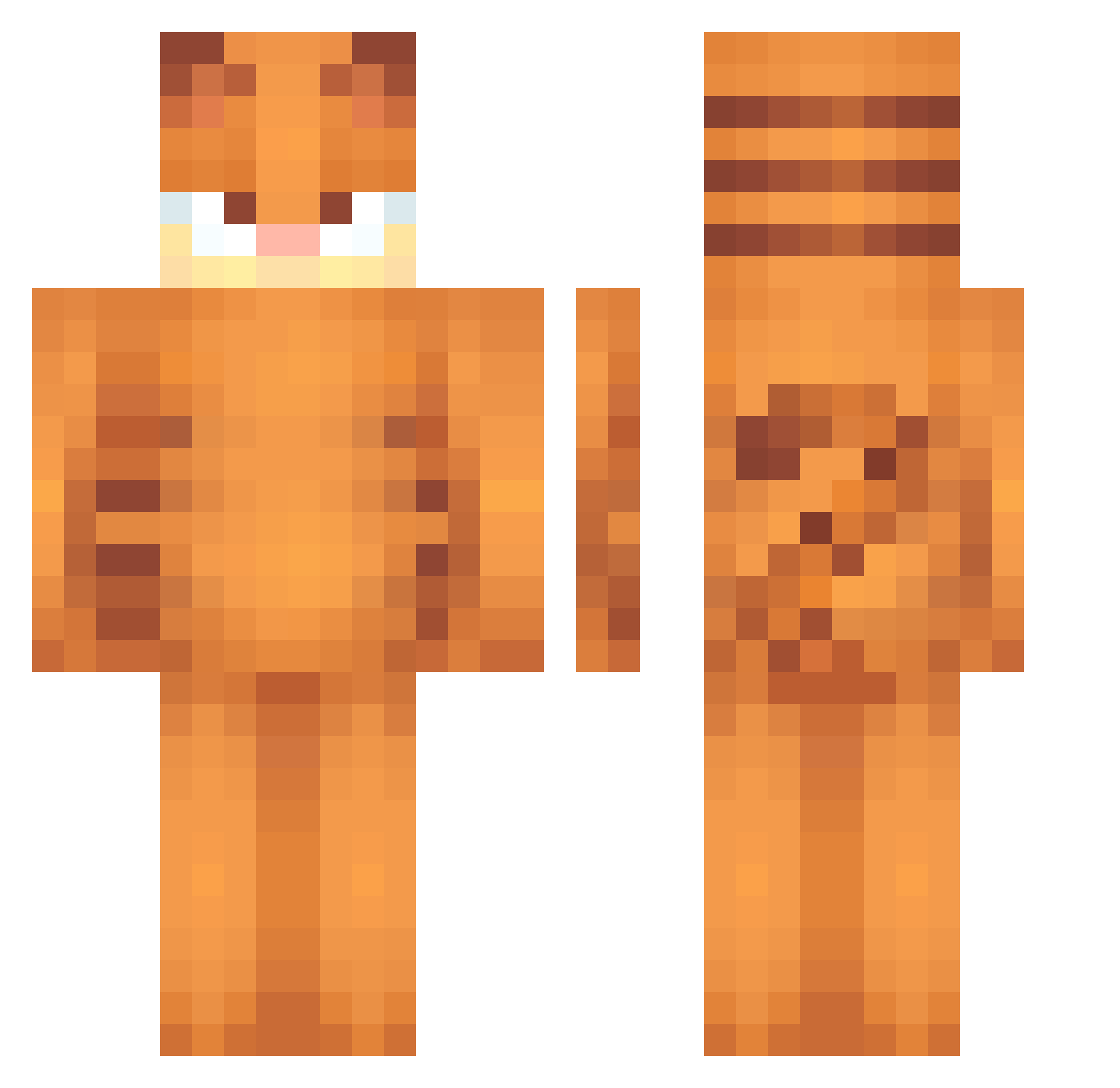
Current Minecraft skin of the player ksskzz, loaded from the official Mojang API. Rotate the 3D model with your mouse or finger, then download the skin as a PNG file and use it in Minecraft: Bedrock Edition or Java Edition for free. When ksskzz changes their skin, this page updates automatically and the old skin stays in the history below.
Other players with this skin (416)
ksskzz was the 407th player we have seen with this skin, first spotted on 09.10.2026. The same skin was seen on these players. Open a nickname to see their current skin and skin history.
 DrewIsValid RobbMillss Abaydann the_woke_agenda sobom2 Eklm10 princesa_alba jessy0455 PrimeMonster969 Scaviv G0RBA reasonabledeer fpsmayoo Normium bocais krysz1107 Kawffiee kreapy Gatoraro stinkypantz Sv2PsPre7SnAWSv2 Keyying ZaynMayBLikeJune awdweee zazalexa AnguilleJoby Volteclado spohn1996 NielsZonderE bigjods Winxter11 bulletvomited VerwirrtGHG JSP__ Sousini Kibaa71 BananaStar22 zAshe_ mfej RyeStalk Digital_Dolly BigOlStinker_ Riddles8912 Thanatopic Wallleeee Punzz_ membrillito_ Xhifumii garagejones barkforever boohoo223 Sortesito courtdogmoney NcPick2 nickgames8 ErMaqui MusVE zzxgp_AlyEMdBB angiics CS_kwin
More Garfield Minecraft skins
How to install the ksskzz skin
- Press the Download button above to save the skin as a PNG file.
- Minecraft: Bedrock Edition (PE): open the Dressing Room from the main menu (or tap your character → Edit Character), go to Classic Skins → Owned, press the + (new skin) button, choose the downloaded PNG and pick the Classic (Steve) model. Works on PC and mobile; consoles cannot import custom skins.
- Minecraft: Java Edition: open the Minecraft Launcher, go to the Skins tab, click New Skin, load the PNG, pick the Classic (Steve) model and press Save & Use. You can also upload it at minecraft.net → Profile → Change Skin.
The skin does not show up after import - what should I do?
Restart Minecraft and open the Dressing Room again - imported skins sometimes appear only after a restart. Also make sure you selected the imported skin and picked the Classic (Steve) model.
Which model should I choose, Classic or Slim?
This skin is designed for the Classic (Steve) model. If you pick the wrong model, the arms of the skin will look stretched or squeezed.
Is the skin of ksskzz free to download?
Yes. Press Download, save the PNG file and use it in Minecraft: Bedrock Edition or Java Edition - no payment or registration needed. The skin also works on multiplayer servers and Realms.
More skins
Looking for more? Go back to all Minecraft skins and check the top skins of the week, month and all time, or find any player's skin by nickname.