
ksbigielek - Minecraft Skins & Skin History
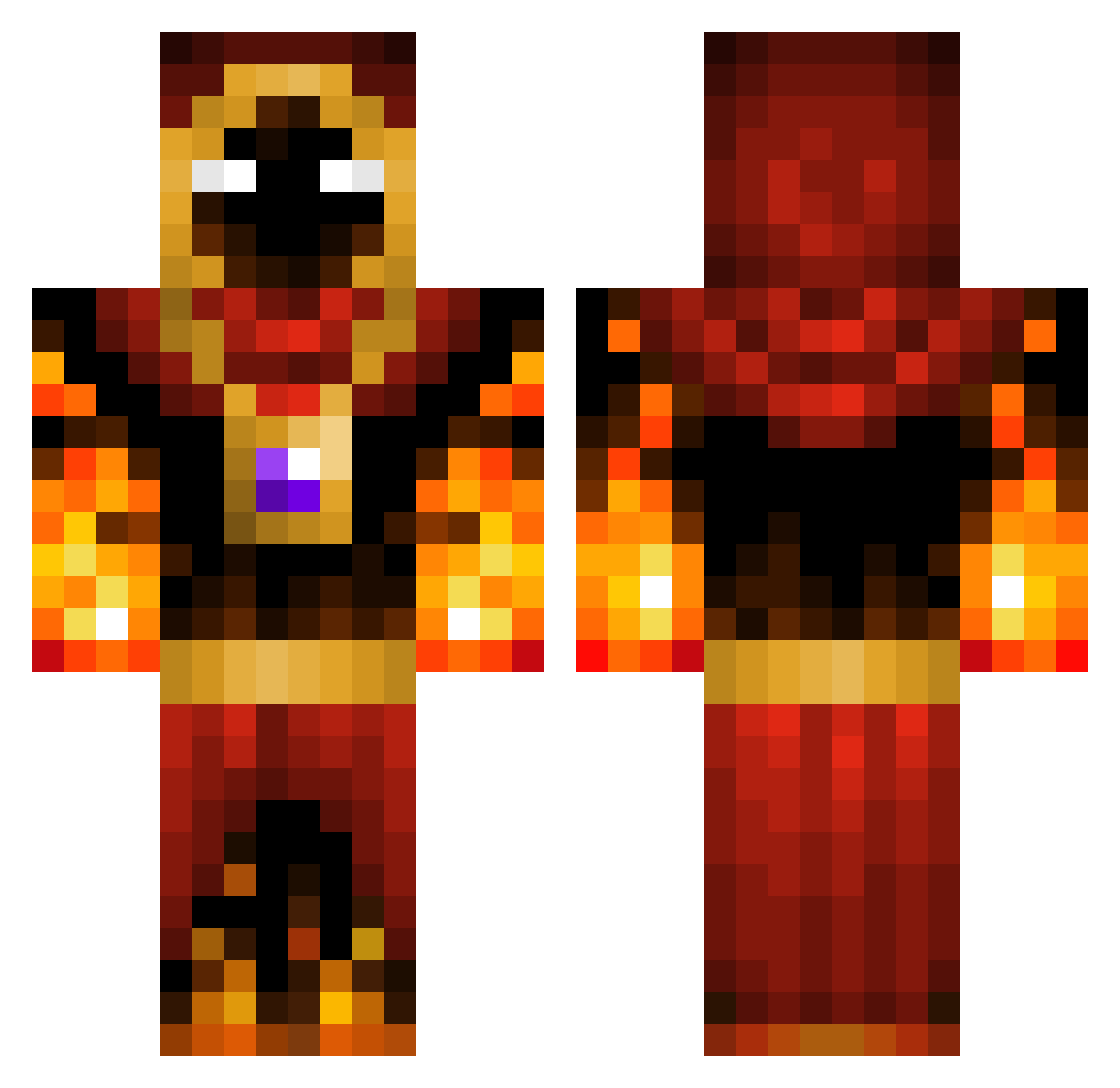
Current Minecraft skin of the player ksbigielek, loaded from the official Mojang API. Rotate the 3D model with your mouse or finger, then download the skin as a PNG file and use it in Minecraft: Bedrock Edition or Java Edition for free. When ksbigielek changes their skin, this page updates automatically and the old skin stays in the history below.
Other players with this skin (51)
ksbigielek was the 23rd player we have seen with this skin, first spotted on 10.09.2026. The same skin was seen on these players. Open a nickname to see their current skin and skin history.
 BKrebs_502496 Insaneparadigm Fireghost_0
 termosz ElHuSh Snizz_Drizz Lavaski Milan18lol MoxieMoto DADDYPEMBA Sire_Soggytacos AzraelsPurge sfirewa11 Lumaque mtking1 VantiS_ CenteredHero lixjwz OGIndoCurryKing tajovic7 Nytrisxs Enigmaticbob bongo_9 Kieferzilla Edeco BuenoHair dvnnae Tigersthebest GoldHut1 DaKingKajun Deutz52 zaagkik Suman1259 djsnoepie Tzofera JF_Skelington Cotiliont1st Sushanth149
 ittz_4lan DAMGAARD3660 irza76
 Yadelmn emielco123
 BastiGHG_300 Solignus Slogomannify Semiramis_209 R3iz0r Haubjerg10 ChudOnGrind Nitr0MF
More Fire Mage Minecraft skins
How to install the ksbigielek skin
- Press the Download button above to save the skin as a PNG file.
- Minecraft: Bedrock Edition (PE): open the Dressing Room from the main menu (or tap your character → Edit Character), go to Classic Skins → Owned, press the + (new skin) button, choose the downloaded PNG and pick the Classic (Steve) model. Works on PC and mobile; consoles cannot import custom skins.
- Minecraft: Java Edition: open the Minecraft Launcher, go to the Skins tab, click New Skin, load the PNG, pick the Classic (Steve) model and press Save & Use. You can also upload it at minecraft.net → Profile → Change Skin.
The skin does not show up after import - what should I do?
Restart Minecraft and open the Dressing Room again - imported skins sometimes appear only after a restart. Also make sure you selected the imported skin and picked the Classic (Steve) model.
Which model should I choose, Classic or Slim?
This skin is designed for the Classic (Steve) model. If you pick the wrong model, the arms of the skin will look stretched or squeezed.
Is the skin of ksbigielek free to download?
Yes. Press Download, save the PNG file and use it in Minecraft: Bedrock Edition or Java Edition - no payment or registration needed. The skin also works on multiplayer servers and Realms.
More skins
Looking for more? Go back to all Minecraft skins and check the top skins of the week, month and all time, or find any player's skin by nickname.