
krqqt - Minecraft Skins & Skin History
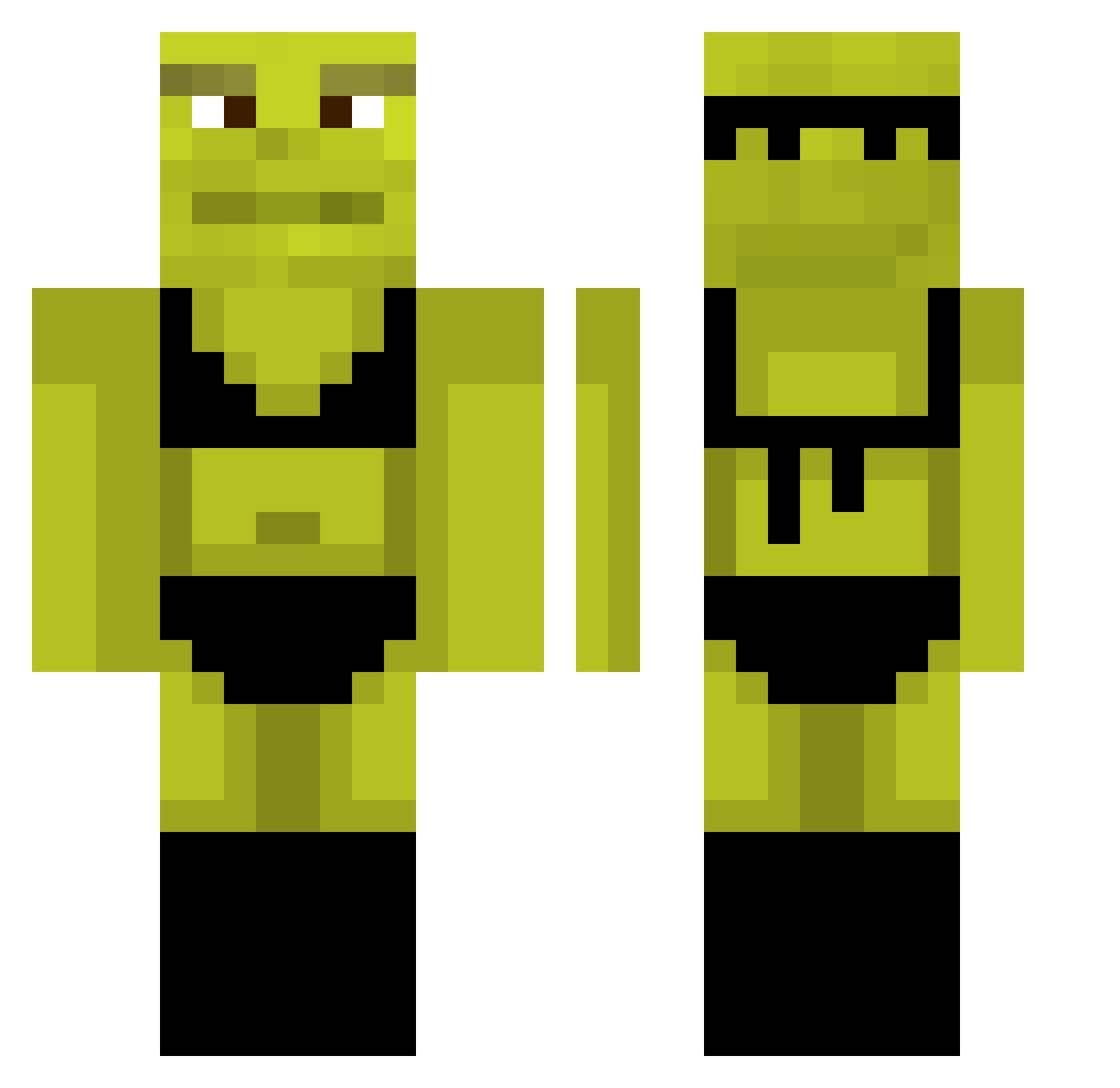
Current Minecraft skin of the player krqqt, loaded from the official Mojang API. Rotate the 3D model with your mouse or finger, then download the skin as a PNG file and use it in Minecraft: Bedrock Edition or Java Edition for free. When krqqt changes their skin, this page updates automatically and the old skin stays in the history below.
Other players with this skin (767)
krqqt was the 79th player we have seen with this skin, first spotted on 01.08.2026. The same skin was seen on these players. Open a nickname to see their current skin and skin history.
 Sbazq kevoittaminen Wassylol marizoca33 memnere SxSxtealth IsSoupCereal Ethxn78 CreeperBoy_Memo Aquinoooooo crypgotdrip cxrsdd Profy123 Antichristan KornBaby Ayrigulaschfurz TestSubject39 louisbrrs ppyt DigolBell Lachu_GameThis33 astion_ CatiGG BaundSOUND kostya1mm RealRagamuffin chickennuckies69 chubs224
 Poloperoladron79 erade08 _gamergrill_ edwardazb nekojade01
 JohnnyBearXd r44v33n Hera8252 Hotcheetosalways UltraNuter Dibbster24 PickleHUB Kodzbear lucasferronato lameames brandenballs Cristina_Jins D3M0N333 Wout636 gabxxx Balouga Aske_pro monkeyTy18 kur0iame ZoomerFEAR C00lboii HesQuuu_ Eniotna26 KuQie35 gr4dy08 prinsessemt Tyhtoo
More Shrek Minecraft skins
How to install the krqqt skin
- Press the Download button above to save the skin as a PNG file.
- Minecraft: Bedrock Edition (PE): open the Dressing Room from the main menu (or tap your character → Edit Character), go to Classic Skins → Owned, press the + (new skin) button, choose the downloaded PNG and pick the Classic (Steve) model. Works on PC and mobile; consoles cannot import custom skins.
- Minecraft: Java Edition: open the Minecraft Launcher, go to the Skins tab, click New Skin, load the PNG, pick the Classic (Steve) model and press Save & Use. You can also upload it at minecraft.net → Profile → Change Skin.
The skin does not show up after import - what should I do?
Restart Minecraft and open the Dressing Room again - imported skins sometimes appear only after a restart. Also make sure you selected the imported skin and picked the Classic (Steve) model.
Which model should I choose, Classic or Slim?
This skin is designed for the Classic (Steve) model. If you pick the wrong model, the arms of the skin will look stretched or squeezed.
Is the skin of krqqt free to download?
Yes. Press Download, save the PNG file and use it in Minecraft: Bedrock Edition or Java Edition - no payment or registration needed. The skin also works on multiplayer servers and Realms.
More skins
Looking for more? Go back to all Minecraft skins and check the top skins of the week, month and all time, or find any player's skin by nickname.