
kptommy - Minecraft Skins & Skin History
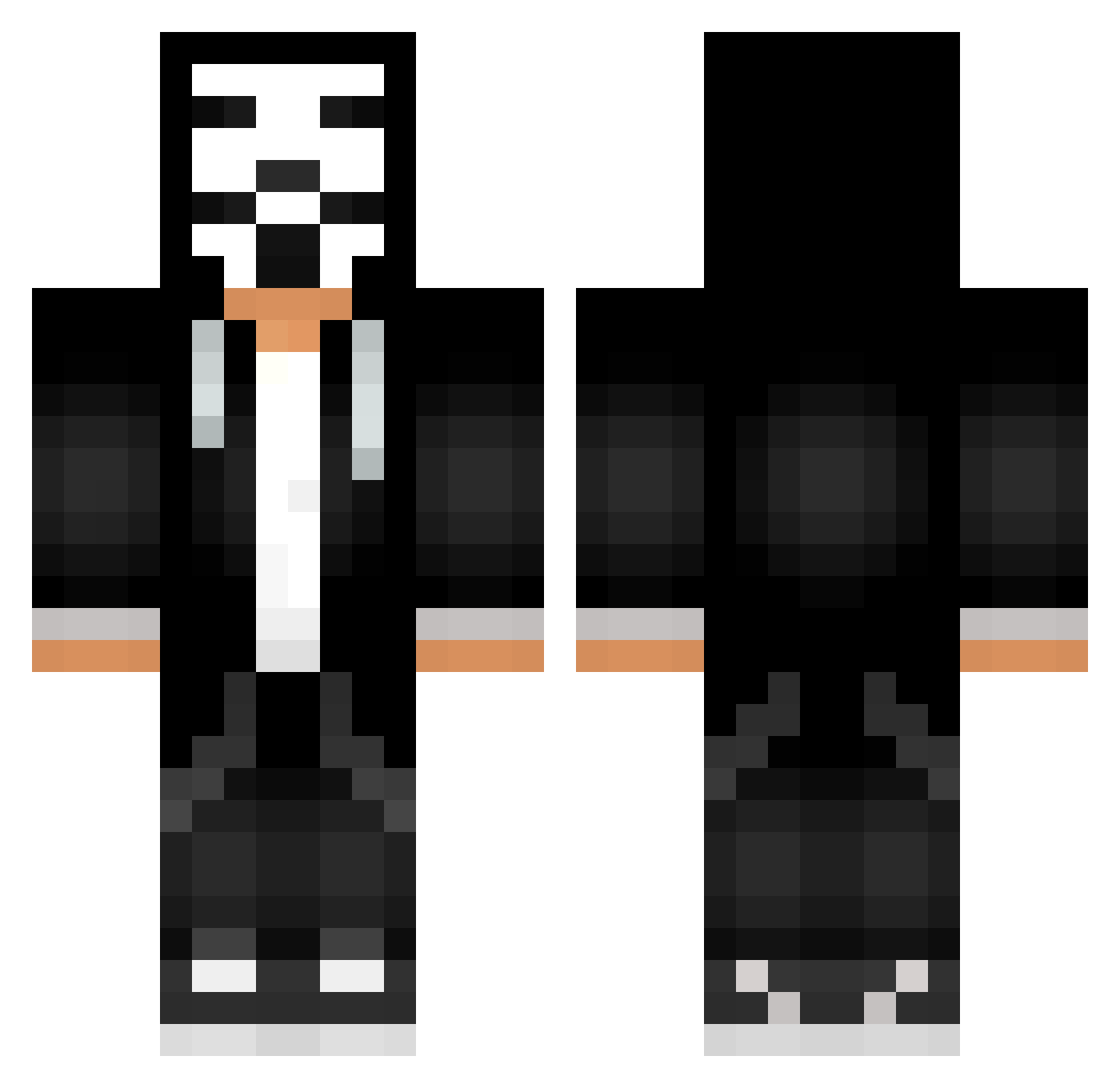
Current Minecraft skin of the player kptommy, loaded from the official Mojang API. Rotate the 3D model with your mouse or finger, then download the skin as a PNG file and use it in Minecraft: Bedrock Edition or Java Edition for free. When kptommy changes their skin, this page updates automatically and the old skin stays in the history below.
Other players with this skin (71)
kptommy was the 5th player we have seen with this skin, first spotted on 25.07.2026. The same skin was seen on these players. Open a nickname to see their current skin and skin history.
 ImSoFckngHigh OrCahana Brajak2010 PaintHackZ Deedee666 TheHotRodLobster gpathill Doateng10 ProGamer_2003 MattiClash 78Hypnotic SleddyAnonim Firered124 anpinman SpAcE215 Babtouille phili48 Mathi_MC rorihunter 2006AXL deadpool2395 ZbiQuuu oliveira2123 JoshuaSlayz TheHyperManiac7 HACKEDD_ lilagb03 BerkcaNDaglaR nahla19 chesirecat8 GameTurks _BrayanHG Luhxer PapazEfendi VizePlayerr Fernandix_XD OpsLos_Lo NoglazZz PROVOD120 PinheadLerry KlubPenguinn C0st1nha WoddyWulf w7i1 Wrench_WD2 iTz_Juan_x _Dims_Top NergonHD bymega19 SoyBienVergas XDogeScula WinTheGames iTzFDGames Spookzay EvaDefa laurensiou972 Sezen0 KennyNooob AnonimusRS_ RedLords
More V For Vendetta Minecraft skins
See all 257 V For Vendetta skins
How to install the kptommy skin
- Press the Download button above to save the skin as a PNG file.
- Minecraft: Bedrock Edition (PE): open the Dressing Room from the main menu (or tap your character → Edit Character), go to Classic Skins → Owned, press the + (new skin) button, choose the downloaded PNG and pick the Classic (Steve) model. Works on PC and mobile; consoles cannot import custom skins.
- Minecraft: Java Edition: open the Minecraft Launcher, go to the Skins tab, click New Skin, load the PNG, pick the Classic (Steve) model and press Save & Use. You can also upload it at minecraft.net → Profile → Change Skin.
The skin does not show up after import - what should I do?
Restart Minecraft and open the Dressing Room again - imported skins sometimes appear only after a restart. Also make sure you selected the imported skin and picked the Classic (Steve) model.
Which model should I choose, Classic or Slim?
This skin is designed for the Classic (Steve) model. If you pick the wrong model, the arms of the skin will look stretched or squeezed.
Is the skin of kptommy free to download?
Yes. Press Download, save the PNG file and use it in Minecraft: Bedrock Edition or Java Edition - no payment or registration needed. The skin also works on multiplayer servers and Realms.
More skins
Looking for more? Go back to all Minecraft skins and check the top skins of the week, month and all time, or find any player's skin by nickname.