
koteraaaa - Minecraft Skins & Skin History
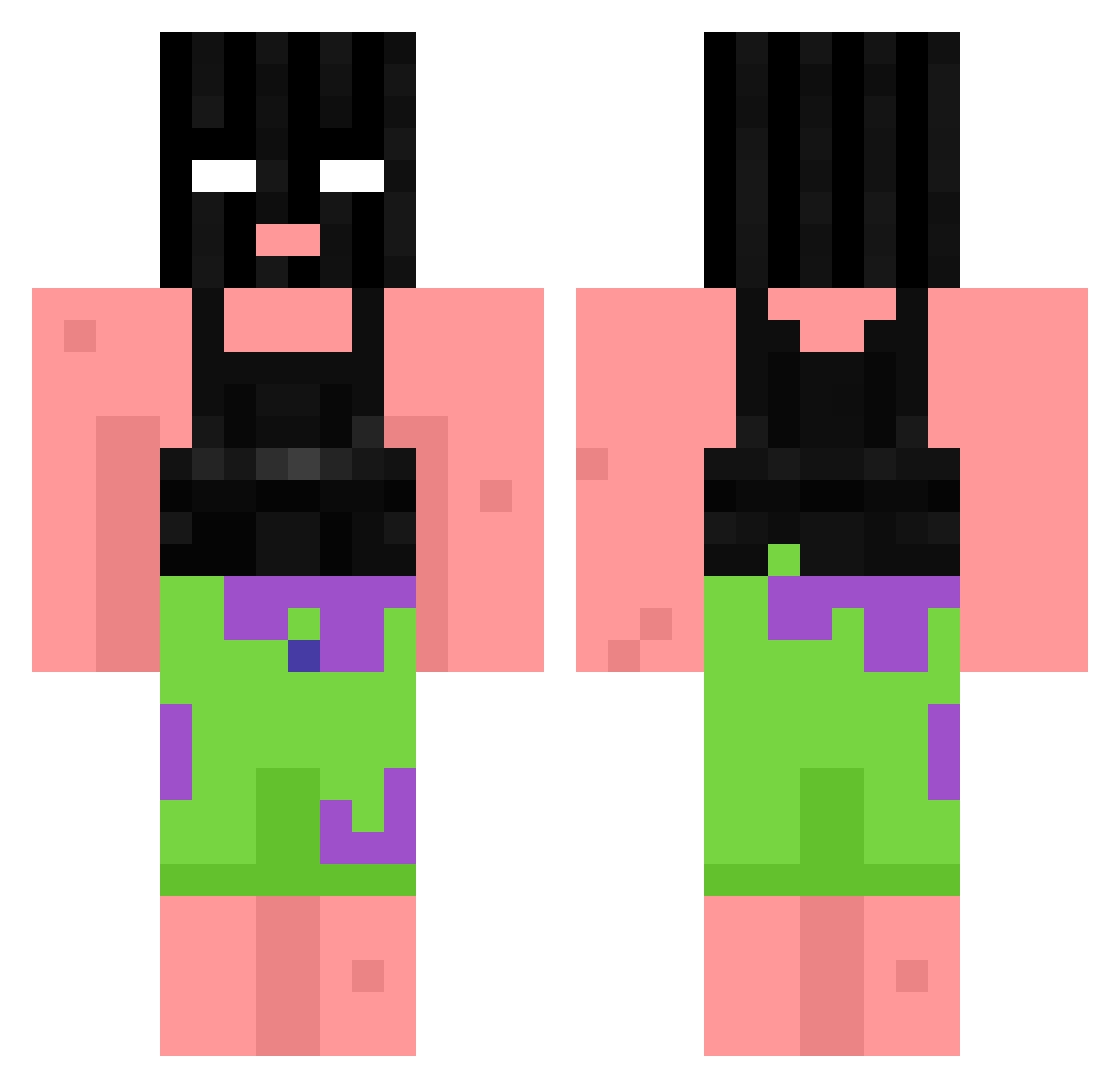
Current Minecraft skin of the player koteraaaa, loaded from the official Mojang API. Rotate the 3D model with your mouse or finger, then download the skin as a PNG file and use it in Minecraft: Bedrock Edition or Java Edition for free. When koteraaaa changes their skin, this page updates automatically and the old skin stays in the history below.
Other players with this skin (868)
koteraaaa was the 297th player we have seen with this skin, first spotted on 29.08.2026. The same skin was seen on these players. Open a nickname to see their current skin and skin history.
 MrFireBool Onkel_Papa korbalini77 Puma4533 JUELZR3 GGBOOOOMM Sush1xxx FearlessAngel20 GGmraz gpbe chn1021 Quaessy Jbeanie SaucyPoop Cazzuelits gabechilly PHYTRANATOR p0datek21 lolitsboyd witchblades_ AngriSteve AleksisB DanecekqqJR ani_0411 ANOTHERLEVELCLAN LanaLikesCheese Spktrvm Aikaca GIJoeArcade RastaBean TheeJunior Rifflettn_ALT012 TripleThreat339 lilreeva BootyHoIeBandit MrHikkel Rasser_er_sej ShokoBons_ Jickle_Puice Munowe ScarletWinter Yrmomsahoe ivanyanka imZesk Crispyy_Waterr megkuna KenzHea zZylxx cloudy_er_varm Perreyy Cooldriver83 Ei_so its_Lepacks draveil91 Daedalus1221 dosrodkowanie WaP_Enderman skdsa ChantLee Jaoozim
More Ski Mask Minecraft skins
How to install the koteraaaa skin
- Press the Download button above to save the skin as a PNG file.
- Minecraft: Bedrock Edition (PE): open the Dressing Room from the main menu (or tap your character → Edit Character), go to Classic Skins → Owned, press the + (new skin) button, choose the downloaded PNG and pick the Classic (Steve) model. Works on PC and mobile; consoles cannot import custom skins.
- Minecraft: Java Edition: open the Minecraft Launcher, go to the Skins tab, click New Skin, load the PNG, pick the Classic (Steve) model and press Save & Use. You can also upload it at minecraft.net → Profile → Change Skin.
The skin does not show up after import - what should I do?
Restart Minecraft and open the Dressing Room again - imported skins sometimes appear only after a restart. Also make sure you selected the imported skin and picked the Classic (Steve) model.
Which model should I choose, Classic or Slim?
This skin is designed for the Classic (Steve) model. If you pick the wrong model, the arms of the skin will look stretched or squeezed.
Is the skin of koteraaaa free to download?
Yes. Press Download, save the PNG file and use it in Minecraft: Bedrock Edition or Java Edition - no payment or registration needed. The skin also works on multiplayer servers and Realms.
More skins
Looking for more? Go back to all Minecraft skins and check the top skins of the week, month and all time, or find any player's skin by nickname.