
korkiamaikki - Minecraft Skins & Skin History
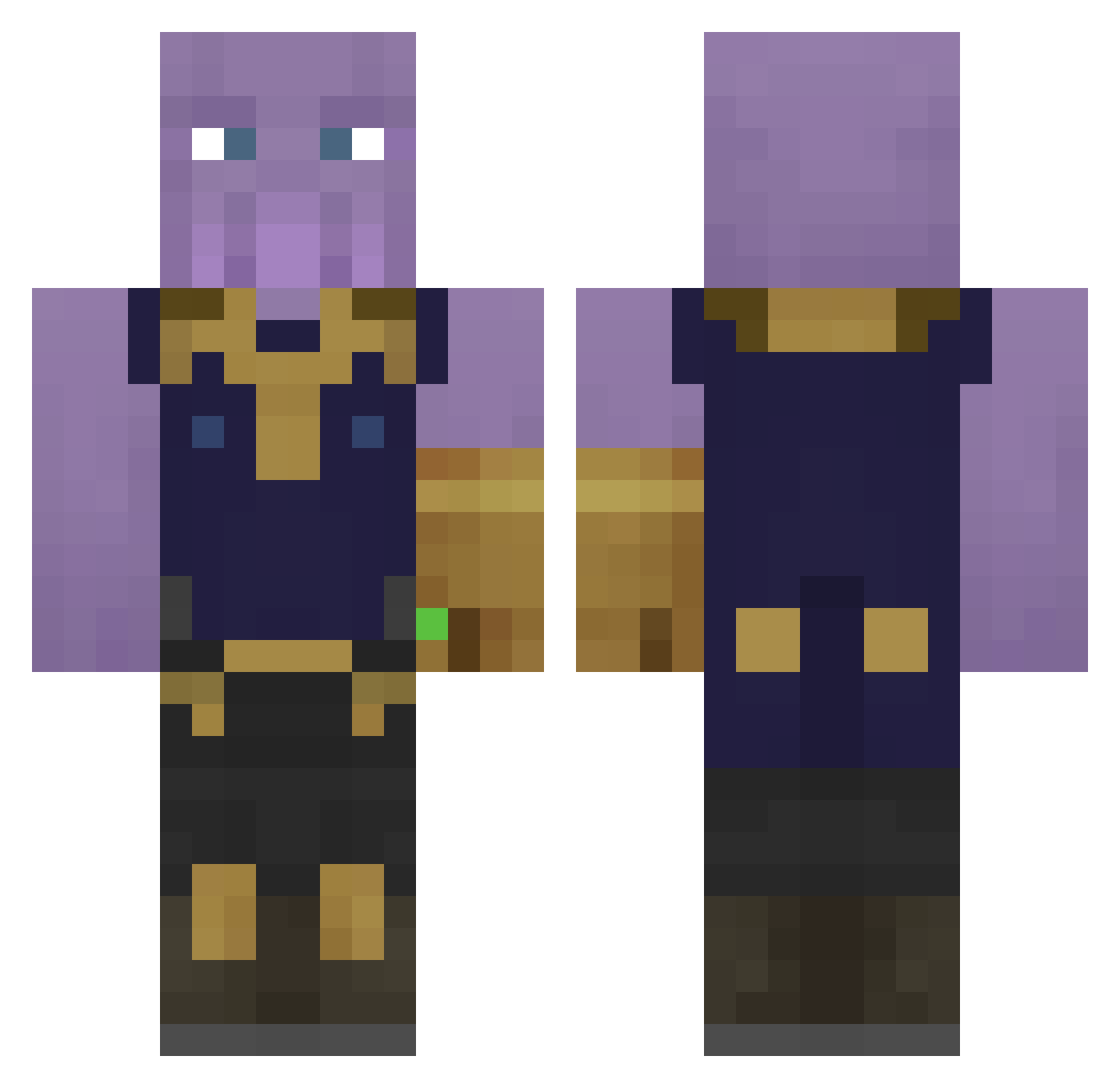
Current Minecraft skin of the player korkiamaikki, loaded from the official Mojang API. Rotate the 3D model with your mouse or finger, then download the skin as a PNG file and use it in Minecraft: Bedrock Edition or Java Edition for free. When korkiamaikki changes their skin, this page updates automatically and the old skin stays in the history below.
Other players with this skin (65)
korkiamaikki was the 49th player we have seen with this skin, first spotted on 04.10.2026. The same skin was seen on these players. Open a nickname to see their current skin and skin history.
 catlickingdude DevilDoom Jay_Buffet ELGOTGOT LeGrandPereVert TUTTERTON Sir_Ney Alex12350 Xigen Morais2004 TwisterSzzz Curtush Hideyo SnakeBLuzz SnakeEyes101 Resilient5 Cheesecakekisses SariusUniteD GRW222 adevaratulRZK GrampaGucci JamJestenPolak Saifo TANGZOOZ Monsieur_Leviter ThanosTwerk PMOS QuarryStinkins Faze_Snoop_Dogg Travioliraviolii Mocoto ThatDankKid Alain2212 Lokka Huamz ZHSpeedy ItsVineX STRETCH5636 MasterEggKing TetDeoDuocLiXi Corrupt_fear huyminecraftpvp XRobloxisbetterX VAlegend93 RaygunnerOG Sproket202 vShibe MartyMcBeans Jeff_Hogan IceNinja_39 LittleFirePrince thebigshark swagl0rd69 comicgeeknerd101 _TiMeTz_ Lucas1904 IzftYT The_Titan_Thanos klobasa444 Shashashank
More Thanos Minecraft skins
How to install the korkiamaikki skin
- Press the Download button above to save the skin as a PNG file.
- Minecraft: Bedrock Edition (PE): open the Dressing Room from the main menu (or tap your character → Edit Character), go to Classic Skins → Owned, press the + (new skin) button, choose the downloaded PNG and pick the Classic (Steve) model. Works on PC and mobile; consoles cannot import custom skins.
- Minecraft: Java Edition: open the Minecraft Launcher, go to the Skins tab, click New Skin, load the PNG, pick the Classic (Steve) model and press Save & Use. You can also upload it at minecraft.net → Profile → Change Skin.
The skin does not show up after import - what should I do?
Restart Minecraft and open the Dressing Room again - imported skins sometimes appear only after a restart. Also make sure you selected the imported skin and picked the Classic (Steve) model.
Which model should I choose, Classic or Slim?
This skin is designed for the Classic (Steve) model. If you pick the wrong model, the arms of the skin will look stretched or squeezed.
Is the skin of korkiamaikki free to download?
Yes. Press Download, save the PNG file and use it in Minecraft: Bedrock Edition or Java Edition - no payment or registration needed. The skin also works on multiplayer servers and Realms.
More skins
Looking for more? Go back to all Minecraft skins and check the top skins of the week, month and all time, or find any player's skin by nickname.