
koil0 - Minecraft Skins & Skin History
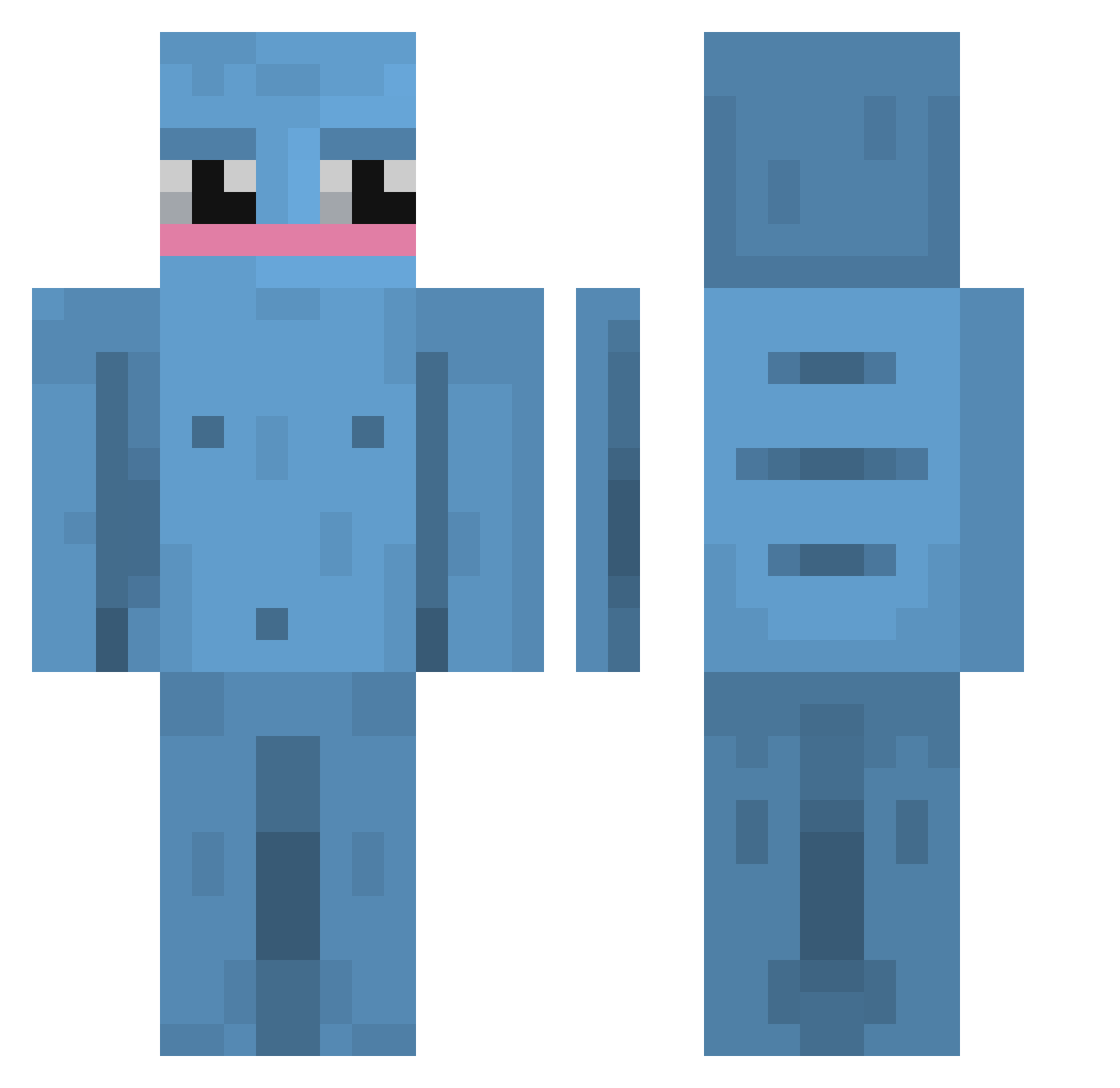
Current Minecraft skin of the player koil0, loaded from the official Mojang API. Rotate the 3D model with your mouse or finger, then download the skin as a PNG file and use it in Minecraft: Bedrock Edition or Java Edition for free. When koil0 changes their skin, this page updates automatically and the old skin stays in the history below.
Other players with this skin (42)
koil0 was the 17th player we have seen with this skin, first spotted on 22.09.2026. The same skin was seen on these players. Open a nickname to see their current skin and skin history.
 Kakonaut Sl4cking JaBronLahames GLADIATOR8815 Brn0205 Oddy_xd 200QI_FiLiPeK isaacerbest100 jinsiy_olatni Antrax760_ Assassin0000 Perzen dlwnsgur7 BlueGuyMan beeeta Arnelson Kou1117 NotFubux ccemg KAIKAOWZX porkhead7 ivcor zutsuuu__ RenKoizumi Homotopic proxy991 lolmilktea penstl Dark_kei Ziggytronz Pelletz_btw Izaacadactyl Rizona_ Depositions K4shER Andre_1317 Jak3yWak3y Druiidds GoofyMunchkin Raidedd R0ADRUNN3R_ Noanox_
More Slugcat Minecraft skins
How to install the koil0 skin
- Press the Download button above to save the skin as a PNG file.
- Minecraft: Bedrock Edition (PE): open the Dressing Room from the main menu (or tap your character → Edit Character), go to Classic Skins → Owned, press the + (new skin) button, choose the downloaded PNG and pick the Classic (Steve) model. Works on PC and mobile; consoles cannot import custom skins.
- Minecraft: Java Edition: open the Minecraft Launcher, go to the Skins tab, click New Skin, load the PNG, pick the Classic (Steve) model and press Save & Use. You can also upload it at minecraft.net → Profile → Change Skin.
The skin does not show up after import - what should I do?
Restart Minecraft and open the Dressing Room again - imported skins sometimes appear only after a restart. Also make sure you selected the imported skin and picked the Classic (Steve) model.
Which model should I choose, Classic or Slim?
This skin is designed for the Classic (Steve) model. If you pick the wrong model, the arms of the skin will look stretched or squeezed.
Is the skin of koil0 free to download?
Yes. Press Download, save the PNG file and use it in Minecraft: Bedrock Edition or Java Edition - no payment or registration needed. The skin also works on multiplayer servers and Realms.
More skins
Looking for more? Go back to all Minecraft skins and check the top skins of the week, month and all time, or find any player's skin by nickname.