
koesone - Minecraft Skins & Skin History
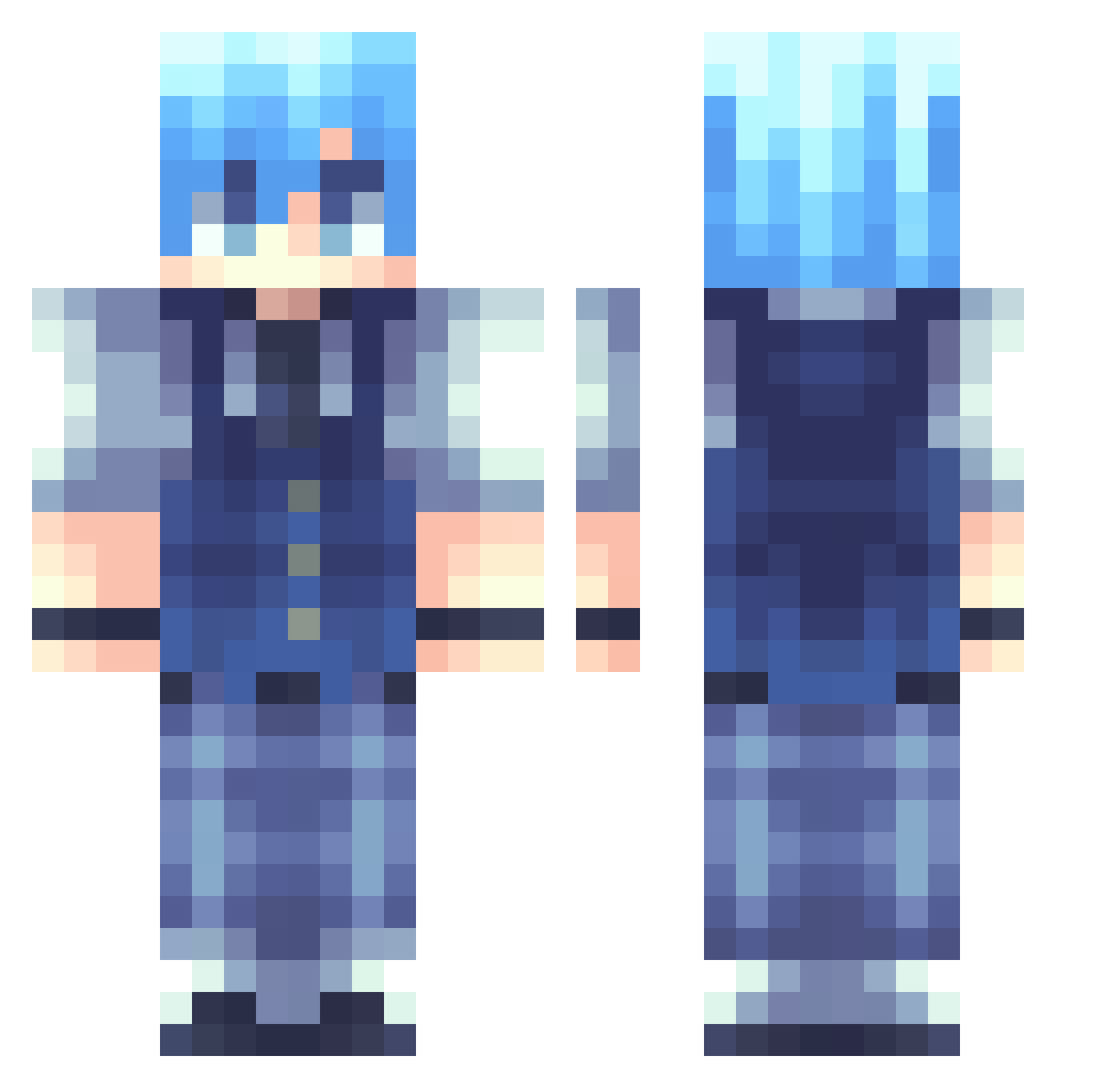
Current Minecraft skin of the player koesone, loaded from the official Mojang API. Rotate the 3D model with your mouse or finger, then download the skin as a PNG file and use it in Minecraft: Bedrock Edition or Java Edition for free. When koesone changes their skin, this page updates automatically and the old skin stays in the history below.
Other players with this skin (262)
koesone was the 49th player we have seen with this skin, first spotted on 15.08.2026. The same skin was seen on these players. Open a nickname to see their current skin and skin history.
 AndreCiobo DoXx SillyWilley_ wccwyahoo senkos4n daviliko007 HHR228 madsphansen Winterolller TinyPixl Dimarxio nano3701 CRAFTEA0325 bloodymoo Rezeolol yoavblast1212 Erodrel MelyGamerkitten shatter_mon
 Toolzout Alreviv hoedjevansamir rose1rose QS_Owen xingyue111 evil_river chungw ElArtaxMC IHDXD1 choco1116 hkuiytry TeslaKnight400 Danpr0xDD amanecraft01 cxyuu UniquePaladin16 Dancingbear0305 sutoooo AlanLin123Live paper001 Jtops Aka_Simi Kai_Senpai18 AkatsukiEnderma KSnowPIG astigmxtism _H4cker_owo_ dupsyy equal0907 OverlordCH BigD734 nesst103 TtOoOMmmMyY kazachchan KevinBennettVA Trex234 ybkim Ryxtato babypig11 Ehstopit123
How to install the koesone skin
- Press the Download button above to save the skin as a PNG file.
- Minecraft: Bedrock Edition (PE): open the Dressing Room from the main menu (or tap your character → Edit Character), go to Classic Skins → Owned, press the + (new skin) button, choose the downloaded PNG and pick the Classic (Steve) model. Works on PC and mobile; consoles cannot import custom skins.
- Minecraft: Java Edition: open the Minecraft Launcher, go to the Skins tab, click New Skin, load the PNG, pick the Classic (Steve) model and press Save & Use. You can also upload it at minecraft.net → Profile → Change Skin.
The skin does not show up after import - what should I do?
Restart Minecraft and open the Dressing Room again - imported skins sometimes appear only after a restart. Also make sure you selected the imported skin and picked the Classic (Steve) model.
Which model should I choose, Classic or Slim?
This skin is designed for the Classic (Steve) model. If you pick the wrong model, the arms of the skin will look stretched or squeezed.
Is the skin of koesone free to download?
Yes. Press Download, save the PNG file and use it in Minecraft: Bedrock Edition or Java Edition - no payment or registration needed. The skin also works on multiplayer servers and Realms.
More skins
Looking for more? Go back to all Minecraft skins and check the top skins of the week, month and all time, or find any player's skin by nickname.