
kobinesco - Minecraft Skins & Skin History
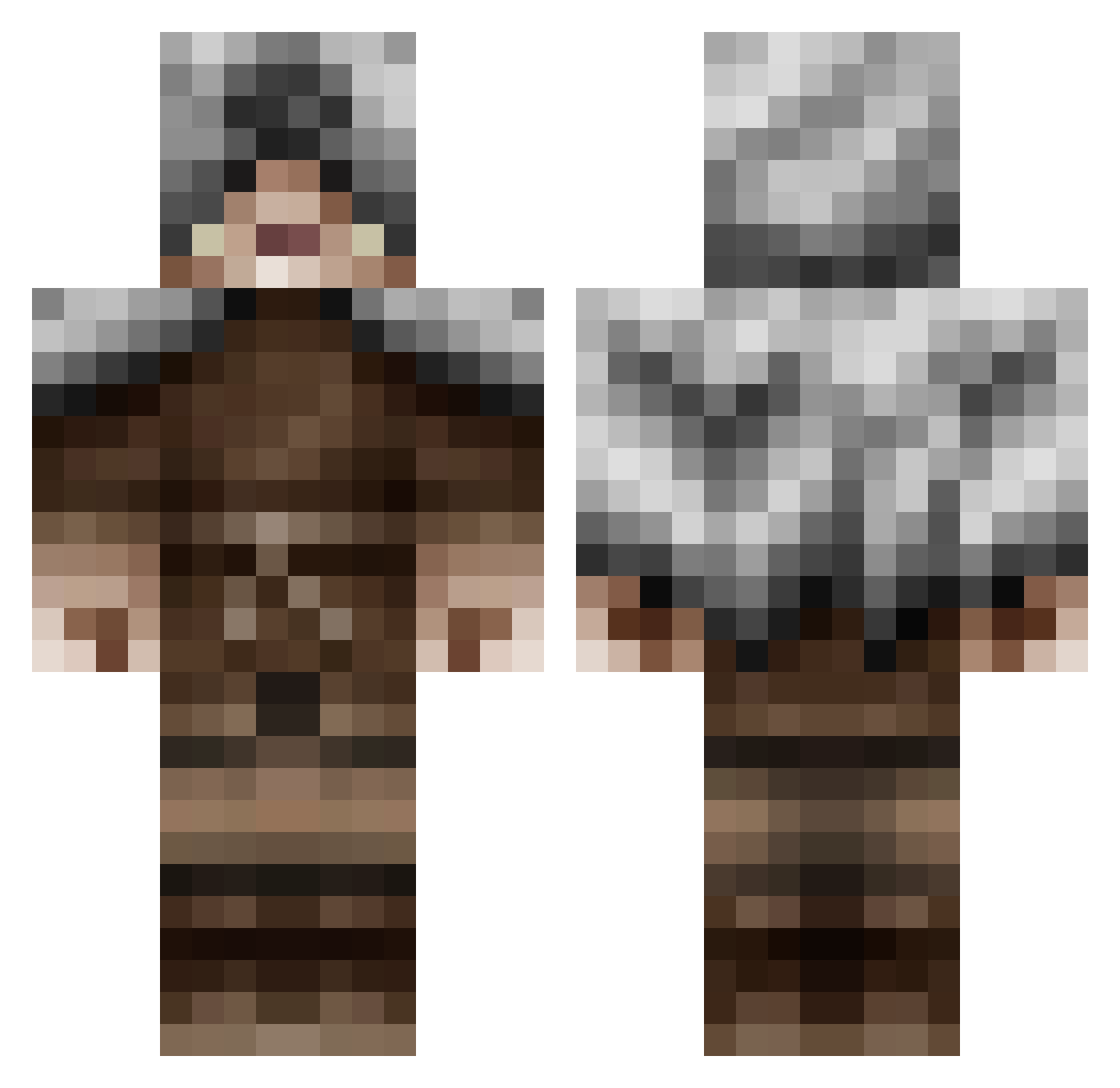
Current Minecraft skin of the player kobinesco, loaded from the official Mojang API. Rotate the 3D model with your mouse or finger, then download the skin as a PNG file and use it in Minecraft: Bedrock Edition or Java Edition for free. When kobinesco changes their skin, this page updates automatically and the old skin stays in the history below.
Other players with this skin (479)
kobinesco was the 294th player we have seen with this skin, first spotted on 27.09.2026. The same skin was seen on these players. Open a nickname to see their current skin and skin history.
 Azab_ DiggerZane Arachnidos gamemaker521 Miller358 Ethikos Saintsman217 Davestopia Issa_Knife TiMaSu Araugo SkittleTrees Tiigon Haessen wasikiro MastorJb ejb10 Iosua icykkoo UsedToothbrush tscottyj Bdabs jazocoti Blakemosis CholoCPC Shinjoheru AyyyyBot5 Elliot_House macchiato T6kh Cornell1998 Under_Lad PreatorAntrax Alpha_Hunter135 LordBarracuda Galactic_Wolf Distrunix klaughlin Solo_Regent Eatin_Salad ethanwhitty00 DankoKhan PanRaf cheeseball_1 CRAZYMONKEY618 Doctor_You_007 BandittenVitten tenshi00134 Volgaz keegans7 xXxTOMDOOMxXx DiosTormenta kokigames evawin Whergs Kristin_3 BeastedBehemoth Ekkostate Gametuska pliskinnet
More Rogue Minecraft skins
How to install the kobinesco skin
- Press the Download button above to save the skin as a PNG file.
- Minecraft: Bedrock Edition (PE): open the Dressing Room from the main menu (or tap your character → Edit Character), go to Classic Skins → Owned, press the + (new skin) button, choose the downloaded PNG and pick the Classic (Steve) model. Works on PC and mobile; consoles cannot import custom skins.
- Minecraft: Java Edition: open the Minecraft Launcher, go to the Skins tab, click New Skin, load the PNG, pick the Classic (Steve) model and press Save & Use. You can also upload it at minecraft.net → Profile → Change Skin.
The skin does not show up after import - what should I do?
Restart Minecraft and open the Dressing Room again - imported skins sometimes appear only after a restart. Also make sure you selected the imported skin and picked the Classic (Steve) model.
Which model should I choose, Classic or Slim?
This skin is designed for the Classic (Steve) model. If you pick the wrong model, the arms of the skin will look stretched or squeezed.
Is the skin of kobinesco free to download?
Yes. Press Download, save the PNG file and use it in Minecraft: Bedrock Edition or Java Edition - no payment or registration needed. The skin also works on multiplayer servers and Realms.
More skins
Looking for more? Go back to all Minecraft skins and check the top skins of the week, month and all time, or find any player's skin by nickname.