
koalabat - Minecraft Skins & Skin History
Current Minecraft skin of the player koalabat, loaded from the official Mojang API. Rotate the 3D model with your mouse or finger, then download the skin as a PNG file and use it in Minecraft: Bedrock Edition or Java Edition for free. When koalabat changes their skin, this page updates automatically and the old skin stays in the history below.
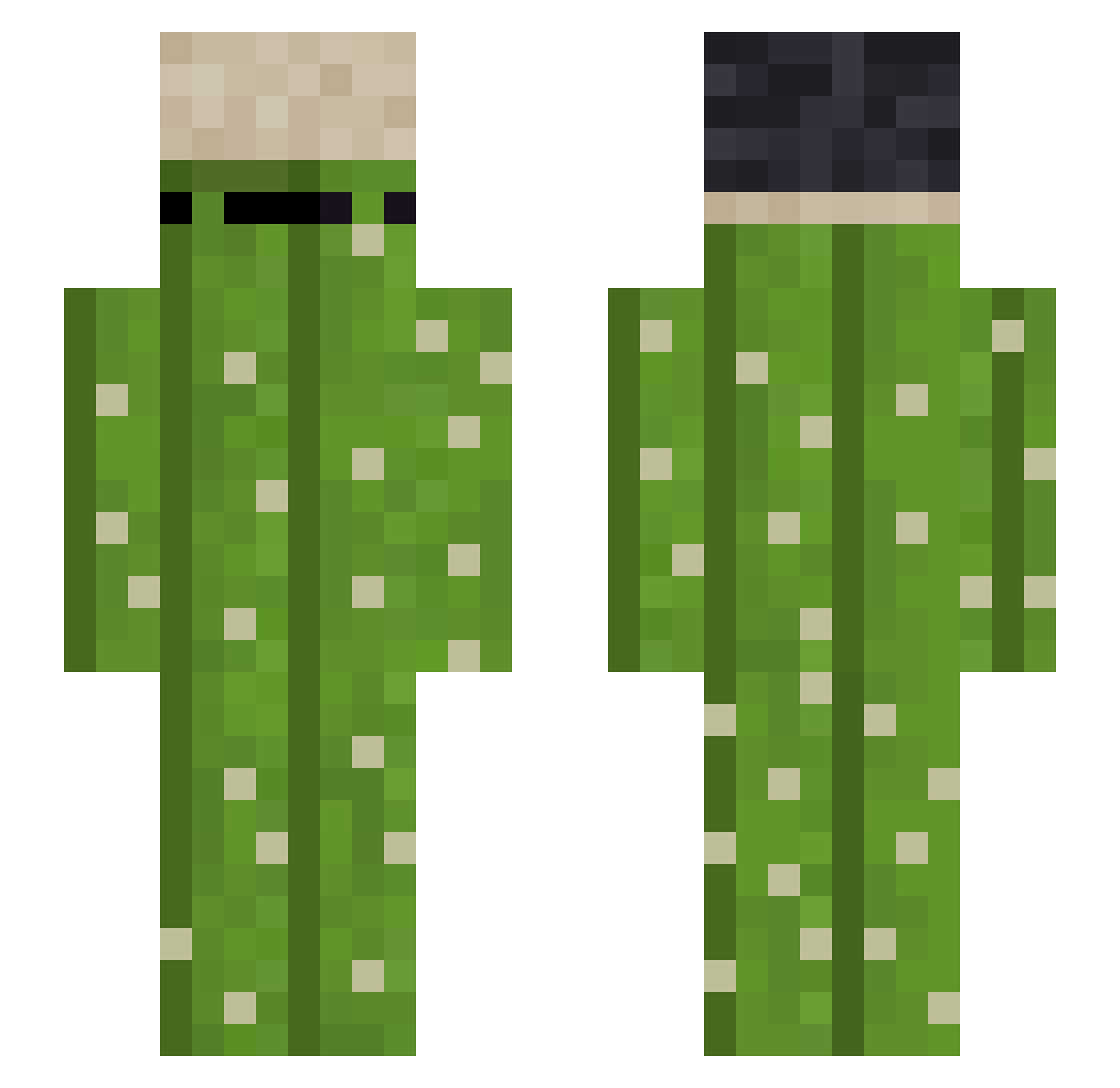
Other players with this skin (184)
koalabat was the 85th player we have seen with this skin, first spotted on 10.09.2026. The same skin was seen on these players. Open a nickname to see their current skin and skin history.
 ChihiroTa eYeek x_teresa_x Splaytext FerretyFrog983 cheesewan7 Kozelator 21V
 S1M0N9 zeyer321 solncev Bezimm NORzfean22 DRGN___ Roccoaaa 0bhi1225 R4bich0 tigranchik0110 Slotmaster_187 Bx11EX Absolutecris BaketOne babapro2525 AymanAlZwahiri xangelo26x YAHOO_694876 _FIK Acsenx n1us rdg_zx Drwal___ StgMC Komis_ Tekonoris 777Nomad Allart_vl Reakttive PAKOBIHA YUNAeated35 Konnos0 Dream_ba77 Spatzerich KingKOng2154 FedUp123 MRtomatos123 Neeneez teemulikonen Bars_Mars_ dubcio_67 dmscks2522 Paul8790 ElBedo_Sama Phado_ Razmoooo Playeryolo20 Lenin2509 JoyTheCreeper GlxDragon thib45 IWasMadeInChina
More Plant Minecraft skins
How to install the koalabat skin
- Press the Download button above to save the skin as a PNG file.
- Minecraft: Bedrock Edition (PE): open the Dressing Room from the main menu (or tap your character → Edit Character), go to Classic Skins → Owned, press the + (new skin) button, choose the downloaded PNG and pick the Slim (Alex) model. Works on PC and mobile; consoles cannot import custom skins.
- Minecraft: Java Edition: open the Minecraft Launcher, go to the Skins tab, click New Skin, load the PNG, pick the Slim (Alex) model and press Save & Use. You can also upload it at minecraft.net → Profile → Change Skin.
The skin does not show up after import - what should I do?
Restart Minecraft and open the Dressing Room again - imported skins sometimes appear only after a restart. Also make sure you selected the imported skin and picked the Slim (Alex) model.
Which model should I choose, Classic or Slim?
This skin is designed for the Slim (Alex) model. If you pick the wrong model, the arms of the skin will look stretched or squeezed.
Is the skin of koalabat free to download?
Yes. Press Download, save the PNG file and use it in Minecraft: Bedrock Edition or Java Edition - no payment or registration needed. The skin also works on multiplayer servers and Realms.
More skins
Looking for more? Go back to all Minecraft skins and check the top skins of the week, month and all time, or find any player's skin by nickname.