
Current Minecraft skin of the player kkakkajulkka, loaded from the official Mojang API. Rotate the 3D model with your mouse or finger, then download the skin as a PNG file and use it in Minecraft: Bedrock Edition or Java Edition for free. When kkakkajulkka changes their skin, this page updates automatically and the old skin stays in the history below.
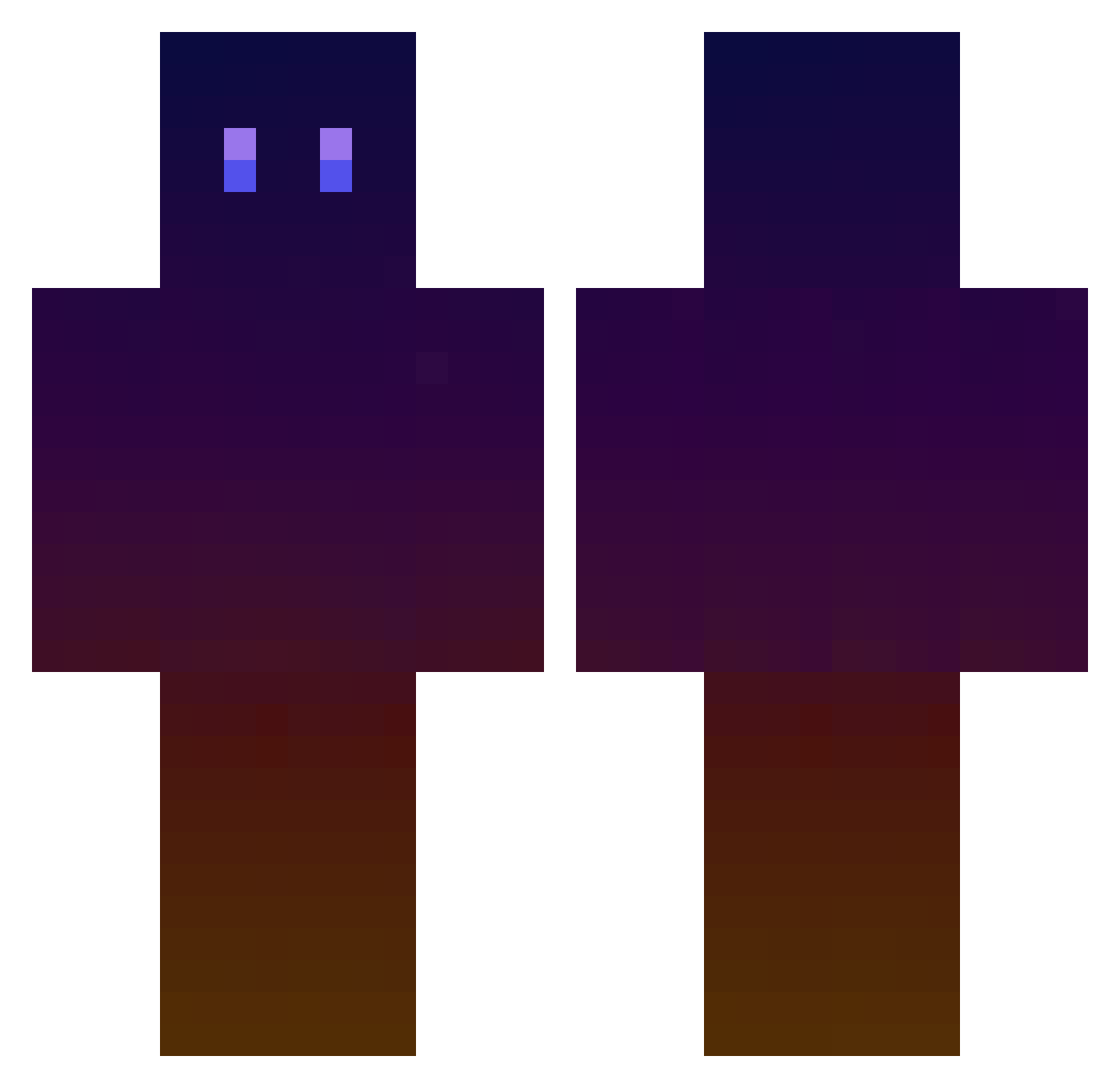
Other players with this skin (241)
The same skin was seen on these players. Open a nickname to see their current skin and skin history.
 You_cantseeme takakou1227 Xeeds12 Skr3ws OrranStar Antelox PanQbica Alecric kite106 Faunn 9rhm peachpeel kuroc33 XzoneRevelationZ Mani1596 MrFinessery Uminis kgw770 Slocik KarumaTv Boa97 nasrsan kjhkjh2004 guchil01 FlappyHands whx99222 YogiB3ar16 VeloursRouge Octave38 ReaperKHXD D_D_wow YuYuYaaaa _kk666 B3stio MenVsWild A_Niya Euphorbius SuperZetro Hong16888 Saucissesage SkinniMiner JackPS12345 HamwiseTheBrave ProdWolf Rambol7 DOYOUTASTE kou_koh Comet_Kim mechaFX Tyler1359 NoRealityy ToasterMan987 kenzy959 TheKing4815 lucastrx Talio_mianbao Tezzex Estallpk unCome Smither160
How to install the kkakkajulkka skin
- Press the Download button above to save the skin as a PNG file.
- Minecraft: Bedrock Edition (PE): open the Dressing Room from the main menu (or tap your character → Edit Character), go to Classic Skins → Owned, press the + (new skin) button, choose the downloaded PNG and pick the Classic (Steve) model. Works on PC and mobile; consoles cannot import custom skins.
- Minecraft: Java Edition: open the Minecraft Launcher, go to the Skins tab, click New Skin, load the PNG, pick the Classic (Steve) model and press Save & Use. You can also upload it at minecraft.net → Profile → Change Skin.
The skin does not show up after import - what should I do?
Restart Minecraft and open the Dressing Room again - imported skins sometimes appear only after a restart. Also make sure you selected the imported skin and picked the Classic (Steve) model.
Which model should I choose, Classic or Slim?
This skin is designed for the Classic (Steve) model. If you pick the wrong model, the arms of the skin will look stretched or squeezed.
Is the skin of kkakkajulkka free to download?
Yes. Press Download, save the PNG file and use it in Minecraft: Bedrock Edition or Java Edition - no payment or registration needed. The skin also works on multiplayer servers and Realms.
More skins
Looking for more? Go back to all Minecraft skins and check the top skins of the week, month and all time, or find any player's skin by nickname.