
kingjungzz - Minecraft Skins & Skin History
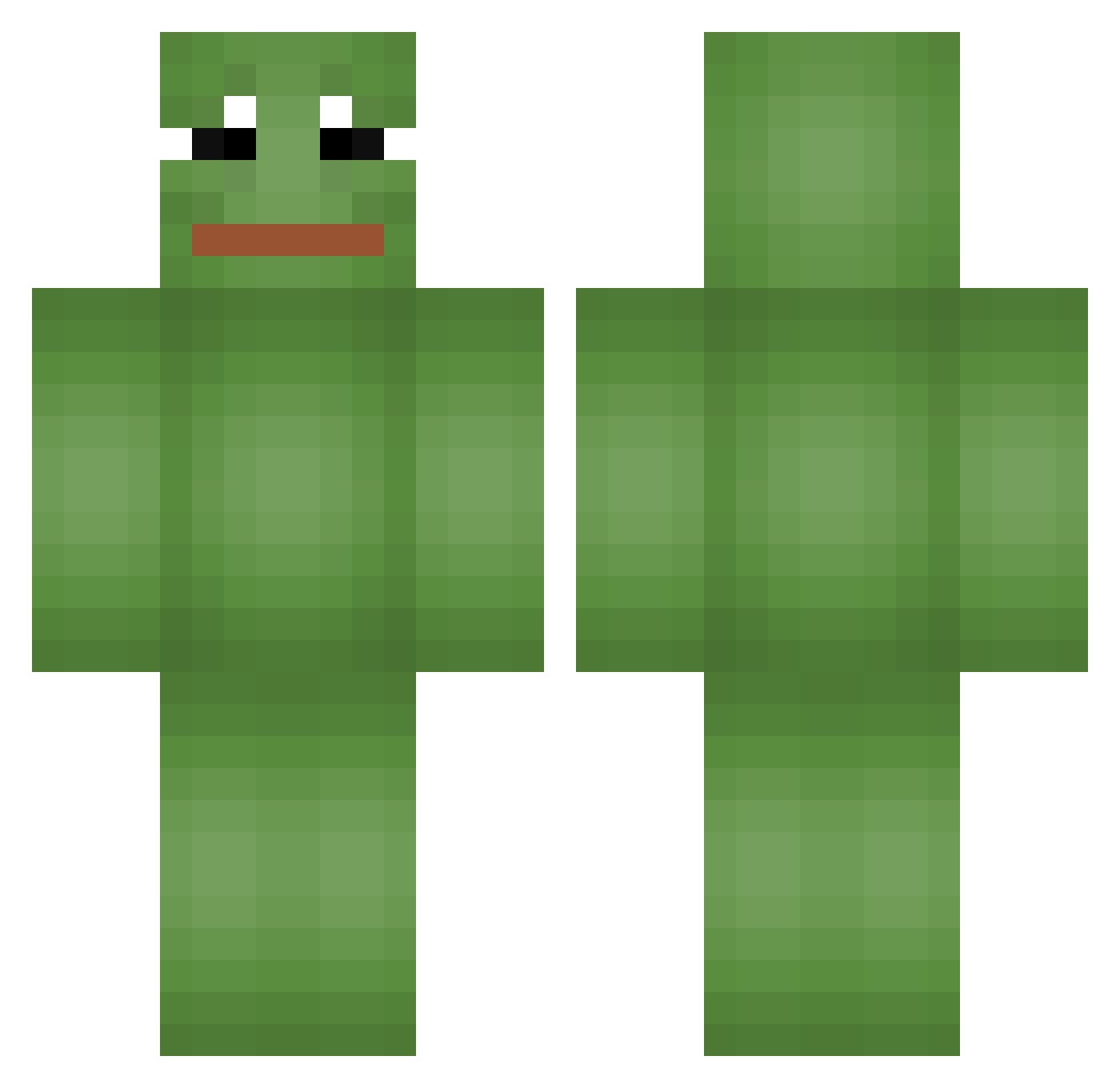
Current Minecraft skin of the player kingjungzz, loaded from the official Mojang API. Rotate the 3D model with your mouse or finger, then download the skin as a PNG file and use it in Minecraft: Bedrock Edition or Java Edition for free. When kingjungzz changes their skin, this page updates automatically and the old skin stays in the history below.
Other players with this skin (667)
kingjungzz was the 402nd player we have seen with this skin, first spotted on 02.10.2026. The same skin was seen on these players. Open a nickname to see their current skin and skin history.
 garvey334 SpeedFactions fuclcer 0Alucard0 Rud0lfek Jarl_Cha H3adHunt3r98 Cartman1837 RainDrop27 soysimba Rikkz31 Micky_CR Deepborn Tenilla TMD_DOG susa10 UtzLutz hollythegamer Q7000 Kappakeisari Kable26 EliteshrimpL1 BIBSB Melsok yufalyyyyy Mathymoo aloeverally loyal_psycho Martiannn ADN2002 khankyul2 cocoloco45 mwopash g3ckoh ymother Mr_BGG WONBINGOD NotShelbyGT frog1113 jurizzang JAMJAM_01 Apocalypse77 arek1425 _Millo jaehar99 Narypotatohead KarimLeVrai ploypcr Clearblank mang_gu_ Blackcow999 rorolx Kartoffelnase86 mirindapipinda lubekin tourbo411 RefoxPNTK qudi_1337 Rotteronaldo Hedongi
More Pepe Minecraft skins
How to install the kingjungzz skin
- Press the Download button above to save the skin as a PNG file.
- Minecraft: Bedrock Edition (PE): open the Dressing Room from the main menu (or tap your character → Edit Character), go to Classic Skins → Owned, press the + (new skin) button, choose the downloaded PNG and pick the Classic (Steve) model. Works on PC and mobile; consoles cannot import custom skins.
- Minecraft: Java Edition: open the Minecraft Launcher, go to the Skins tab, click New Skin, load the PNG, pick the Classic (Steve) model and press Save & Use. You can also upload it at minecraft.net → Profile → Change Skin.
The skin does not show up after import - what should I do?
Restart Minecraft and open the Dressing Room again - imported skins sometimes appear only after a restart. Also make sure you selected the imported skin and picked the Classic (Steve) model.
Which model should I choose, Classic or Slim?
This skin is designed for the Classic (Steve) model. If you pick the wrong model, the arms of the skin will look stretched or squeezed.
Is the skin of kingjungzz free to download?
Yes. Press Download, save the PNG file and use it in Minecraft: Bedrock Edition or Java Edition - no payment or registration needed. The skin also works on multiplayer servers and Realms.
More skins
Looking for more? Go back to all Minecraft skins and check the top skins of the week, month and all time, or find any player's skin by nickname.