
kimdictor - Minecraft Skins & Skin History
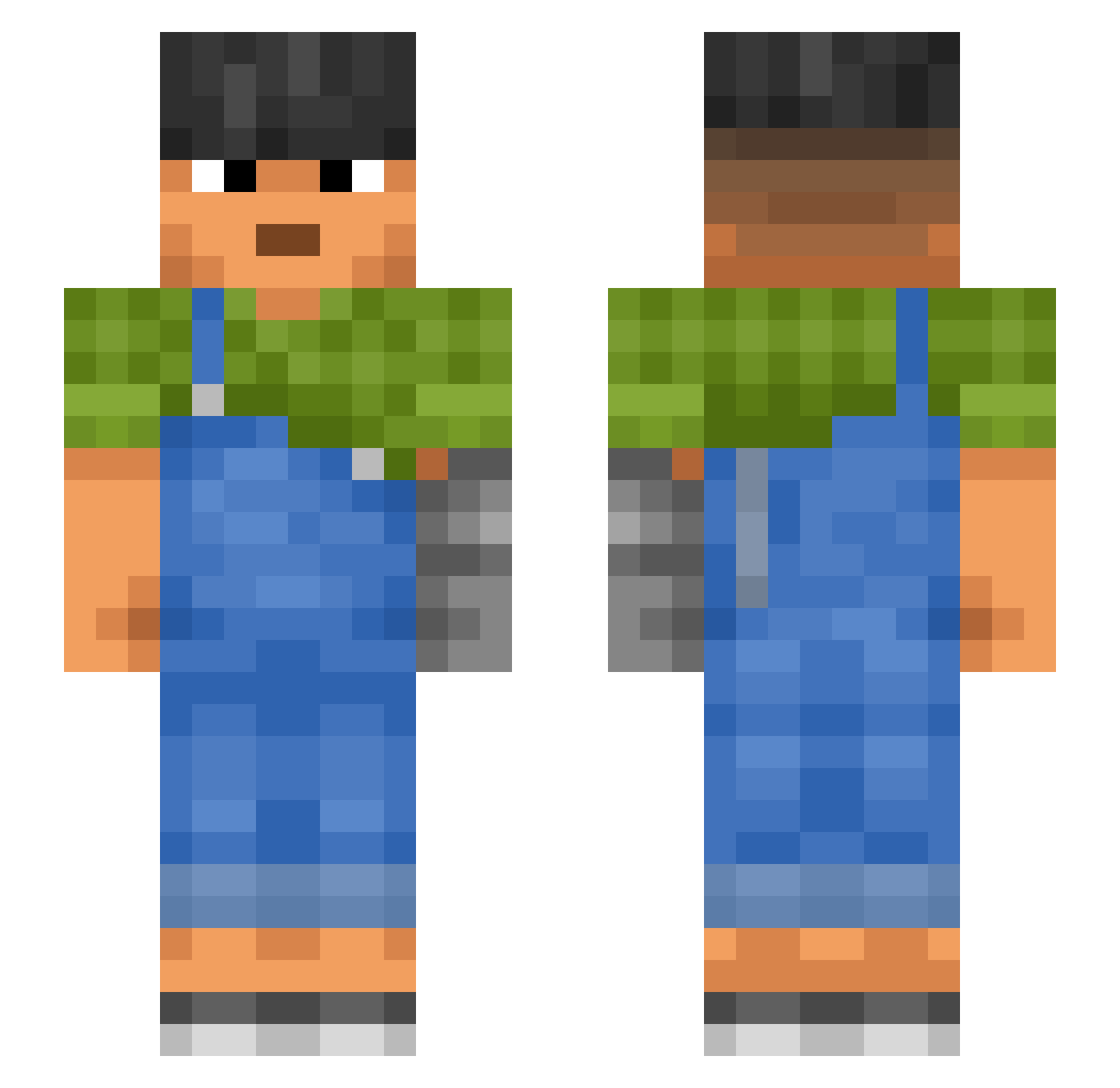
Current Minecraft skin of the player kimdictor, loaded from the official Mojang API. Rotate the 3D model with your mouse or finger, then download the skin as a PNG file and use it in Minecraft: Bedrock Edition or Java Edition for free. When kimdictor changes their skin, this page updates automatically and the old skin stays in the history below.
Other players with this skin (987)
kimdictor was the 740th player we have seen with this skin, first spotted on 11.10.2026. The same skin was seen on these players. Open a nickname to see their current skin and skin history.
 deciphered 1SWASP MalmOOO Zonesex apeling CobaltBeast shootzu sabatons unwarlike Aurumai Calenda Undershorts Arbored xFiiji Saiid_263 LocoMotor goat_buster bluebannanna M5naceFan1 KitchenWoman2008 associativity CastBound_ Marnandus _adp bleeds exterminators lualous _Carrack_ Huop holomorphism TeddyBearU3 acetous lungan aroninja414 Cs_20 EzPrey Outbidder jiffy_tv orx_Epstein_xhh paytoniscloth sora14 JakFruit bigdaniel9 tranka DUCKWEEDS Poyasek dubjam noakpvp Cuuchie_man_ Bangster Commentators Axolotl310 unstirred aquamanryu OR0CHIMARU Unfaced Clasped Gerard_999 snowdaymiso levehehe
More Prosthetic Arm Minecraft skins
See all 71 Prosthetic Arm skins
How to install the kimdictor skin
- Press the Download button above to save the skin as a PNG file.
- Minecraft: Bedrock Edition (PE): open the Dressing Room from the main menu (or tap your character → Edit Character), go to Classic Skins → Owned, press the + (new skin) button, choose the downloaded PNG and pick the Slim (Alex) model. Works on PC and mobile; consoles cannot import custom skins.
- Minecraft: Java Edition: open the Minecraft Launcher, go to the Skins tab, click New Skin, load the PNG, pick the Slim (Alex) model and press Save & Use. You can also upload it at minecraft.net → Profile → Change Skin.
The skin does not show up after import - what should I do?
Restart Minecraft and open the Dressing Room again - imported skins sometimes appear only after a restart. Also make sure you selected the imported skin and picked the Slim (Alex) model.
Which model should I choose, Classic or Slim?
This skin is designed for the Slim (Alex) model. If you pick the wrong model, the arms of the skin will look stretched or squeezed.
Is the skin of kimdictor free to download?
Yes. Press Download, save the PNG file and use it in Minecraft: Bedrock Edition or Java Edition - no payment or registration needed. The skin also works on multiplayer servers and Realms.
More skins
Looking for more? Go back to all Minecraft skins and check the top skins of the week, month and all time, or find any player's skin by nickname.