
killermikelover - Minecraft Skins & Skin History
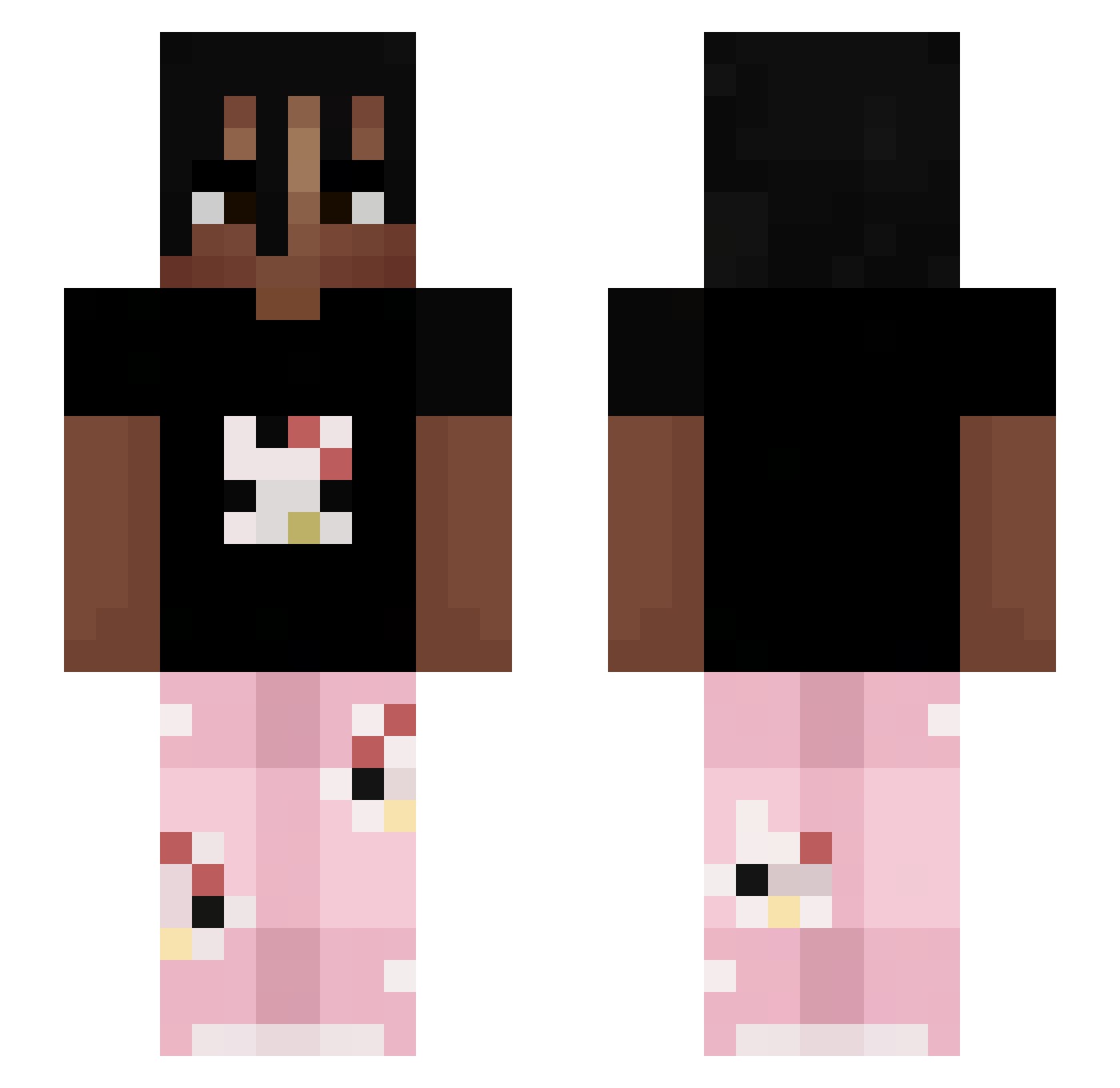
Current Minecraft skin of the player killermikelover, loaded from the official Mojang API. Rotate the 3D model with your mouse or finger, then download the skin as a PNG file and use it in Minecraft: Bedrock Edition or Java Edition for free. When killermikelover changes their skin, this page updates automatically and the old skin stays in the history below.
Other players with this skin (263)
killermikelover was the 34th player we have seen with this skin, first spotted on 10.08.2026. The same skin was seen on these players. Open a nickname to see their current skin and skin history.
 iSouuL_ 2tnfu st4vrsl Kryx112 Hcshcs BeingWatched jeremixdninja LuaSucc Suuguruu Invislol Hkriu LukiLukaszek Livixium RoseFromDark EmBe33 Tysill1 VictorXZy Ksawerek120Hz SMaLLt1b MathisJoestar rascal_2 kc_kotel YOUNGMACHINEBOY yanthecrtor Kuma877 KhaDior Kejwiorek Dutzz1 Funisac GreEeN91 MosiU_U
 Roggini2012 YigitSM Fiaskoooo BreyydIsAlive iwantcookiess WirujacaSzmata69 hhhh0213 FW_Lottery Kamao_O sleyyx Rayik1 leopt44 Nemzz09 Syuurix playboycartiii Empty_Spacess wprmh Mr_Melo101 Cardoso04k Minecrart ChristosMC7 Victor142 IBlameSebas Tannenbaumni Fisch_nass Frotz2 Keirnotfound SKY0NIK t531
More Juice WRLD Minecraft skins
How to install the killermikelover skin
- Press the Download button above to save the skin as a PNG file.
- Minecraft: Bedrock Edition (PE): open the Dressing Room from the main menu (or tap your character → Edit Character), go to Classic Skins → Owned, press the + (new skin) button, choose the downloaded PNG and pick the Slim (Alex) model. Works on PC and mobile; consoles cannot import custom skins.
- Minecraft: Java Edition: open the Minecraft Launcher, go to the Skins tab, click New Skin, load the PNG, pick the Slim (Alex) model and press Save & Use. You can also upload it at minecraft.net → Profile → Change Skin.
The skin does not show up after import - what should I do?
Restart Minecraft and open the Dressing Room again - imported skins sometimes appear only after a restart. Also make sure you selected the imported skin and picked the Slim (Alex) model.
Which model should I choose, Classic or Slim?
This skin is designed for the Slim (Alex) model. If you pick the wrong model, the arms of the skin will look stretched or squeezed.
Is the skin of killermikelover free to download?
Yes. Press Download, save the PNG file and use it in Minecraft: Bedrock Edition or Java Edition - no payment or registration needed. The skin also works on multiplayer servers and Realms.
More skins
Looking for more? Go back to all Minecraft skins and check the top skins of the week, month and all time, or find any player's skin by nickname.