
kid69 - Minecraft Skins & Skin History
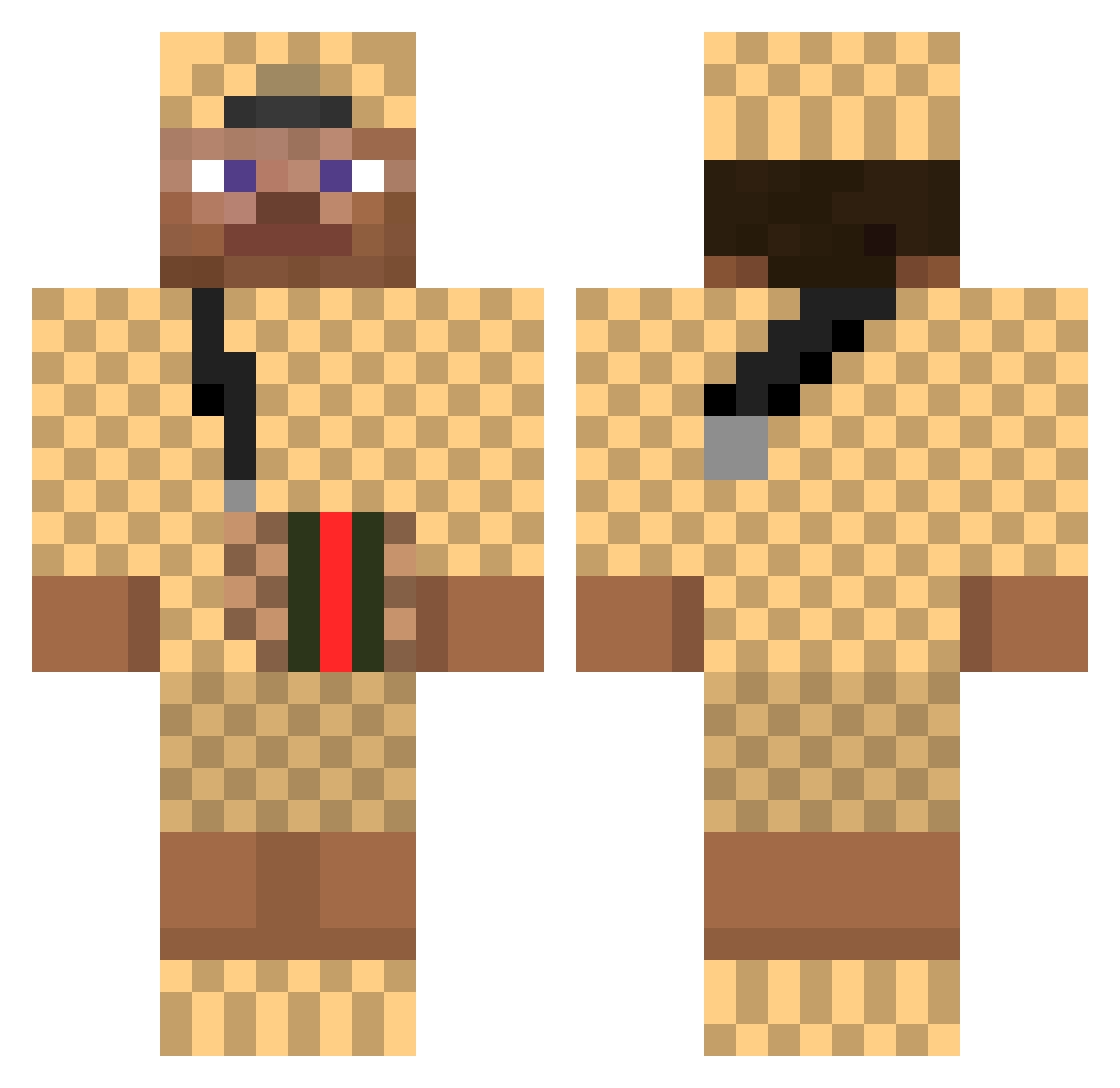
Current Minecraft skin of the player kid69, loaded from the official Mojang API. Rotate the 3D model with your mouse or finger, then download the skin as a PNG file and use it in Minecraft: Bedrock Edition or Java Edition for free. When kid69 changes their skin, this page updates automatically and the old skin stays in the history below.
Other players with this skin (376)
kid69 was the 213th player we have seen with this skin, first spotted on 23.09.2026. The same skin was seen on these players. Open a nickname to see their current skin and skin history.
 Patty__P KevinPro2008 Maneather_ knzo 1Mq_ OPERATOR_0618 Manaami xBatuwu GoatBrady12 CrystalAndy2103 WahedCitroen Itzrealme_givnyh OffaDoor Jermoo_ xXMc_ARCOXx NurSnipen Mariothazine popo27 Plakkieplak 22Duka TeamTacoLovers VeltArcher Seymo07 DoctorMammoth Kendrick5702 R__G Luckas213 Ikazeta MrPac7 Richardson1132 ImPablo18 EFNF Heckeness skysheap heenryk mvz1995 BrownFirDauusx46 Alexander_Foss FlapTrap SiNaY2103 Michaelskuxswag AehhJaa KupsztelanBoiii Verronice BARANYNA jiwon9740 UnserAnup1 Cafardo_69 PannoTHE1st LiljeeG JIIVIJ Kaionusu quagga_builds Ehyeet sssssssg Nardou Kevinho2002 MollyStewart NebinMKII spamdog1
More Gucci Minecraft skins
How to install the kid69 skin
- Press the Download button above to save the skin as a PNG file.
- Minecraft: Bedrock Edition (PE): open the Dressing Room from the main menu (or tap your character → Edit Character), go to Classic Skins → Owned, press the + (new skin) button, choose the downloaded PNG and pick the Classic (Steve) model. Works on PC and mobile; consoles cannot import custom skins.
- Minecraft: Java Edition: open the Minecraft Launcher, go to the Skins tab, click New Skin, load the PNG, pick the Classic (Steve) model and press Save & Use. You can also upload it at minecraft.net → Profile → Change Skin.
The skin does not show up after import - what should I do?
Restart Minecraft and open the Dressing Room again - imported skins sometimes appear only after a restart. Also make sure you selected the imported skin and picked the Classic (Steve) model.
Which model should I choose, Classic or Slim?
This skin is designed for the Classic (Steve) model. If you pick the wrong model, the arms of the skin will look stretched or squeezed.
Is the skin of kid69 free to download?
Yes. Press Download, save the PNG file and use it in Minecraft: Bedrock Edition or Java Edition - no payment or registration needed. The skin also works on multiplayer servers and Realms.
More skins
Looking for more? Go back to all Minecraft skins and check the top skins of the week, month and all time, or find any player's skin by nickname.