
kgsx - Minecraft Skins & Skin History
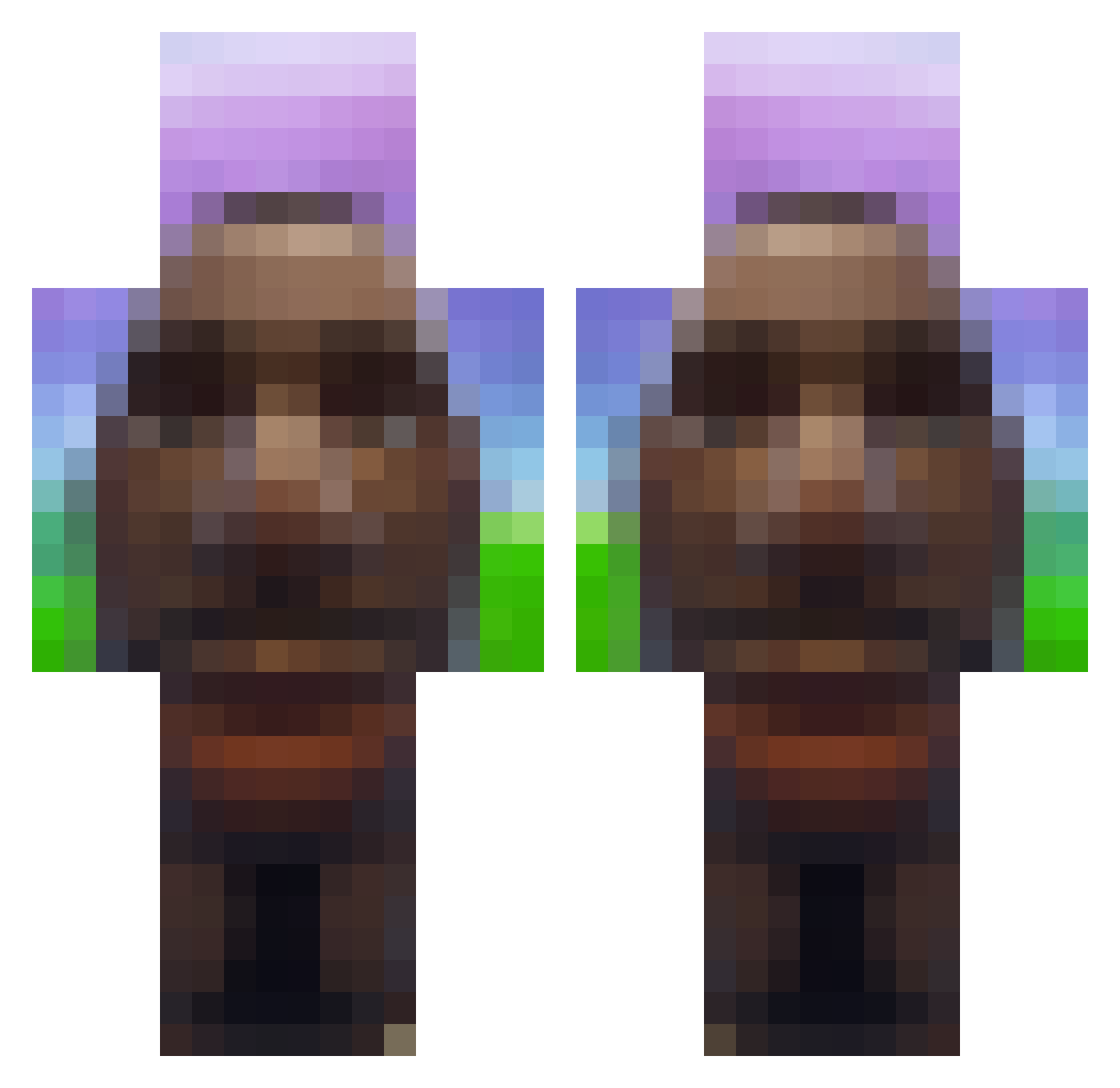
Current Minecraft skin of the player kgsx, loaded from the official Mojang API. Rotate the 3D model with your mouse or finger, then download the skin as a PNG file and use it in Minecraft: Bedrock Edition or Java Edition for free. When kgsx changes their skin, this page updates automatically and the old skin stays in the history below.
Other players with this skin (718)
kgsx was the 163rd player we have seen with this skin, first spotted on 17.08.2026. The same skin was seen on these players. Open a nickname to see their current skin and skin history.
 zackrrs eisbaaerr JuicySizzle mrs_williams Ton_oder_so Editor_Billy DuoGamerLucas
 Khodin1 ogkarp _redocs_ KorS0511 bozydar8913 1CO_ JackEChav Braun_Fireman IMPOLA21 DaA4ron Mxeroxy Wiska1 demlikaby Rauf9949 carlopollo
 _stoens_ IceMage2 Coleta_Fumeta
 Carl6890
 lechuszum escrevido barrom kyoruger
 Sclix_ strooooooooooom_ stopmecant
 w1llis_ Hoffendalen BlubbityBlub Tillinator210 IgiFigi2 Yekinox GoatBoul5 Jayd_n YellowSnow69420 Fifa_zak BeerCats elio2k Davgox Justeunnom yreyas Nut11a ingenSerMeg
 Ethen_Myzs Killervorhees febreeze_air sf_flash VSMGOLD3N Anato_hehe SharpShooterok Yerrrrrrr10 XandBacon Unkzxzx
More Moai Minecraft skins
How to install the kgsx skin
- Press the Download button above to save the skin as a PNG file.
- Minecraft: Bedrock Edition (PE): open the Dressing Room from the main menu (or tap your character → Edit Character), go to Classic Skins → Owned, press the + (new skin) button, choose the downloaded PNG and pick the Classic (Steve) model. Works on PC and mobile; consoles cannot import custom skins.
- Minecraft: Java Edition: open the Minecraft Launcher, go to the Skins tab, click New Skin, load the PNG, pick the Classic (Steve) model and press Save & Use. You can also upload it at minecraft.net → Profile → Change Skin.
The skin does not show up after import - what should I do?
Restart Minecraft and open the Dressing Room again - imported skins sometimes appear only after a restart. Also make sure you selected the imported skin and picked the Classic (Steve) model.
Which model should I choose, Classic or Slim?
This skin is designed for the Classic (Steve) model. If you pick the wrong model, the arms of the skin will look stretched or squeezed.
Is the skin of kgsx free to download?
Yes. Press Download, save the PNG file and use it in Minecraft: Bedrock Edition or Java Edition - no payment or registration needed. The skin also works on multiplayer servers and Realms.
More skins
Looking for more? Go back to all Minecraft skins and check the top skins of the week, month and all time, or find any player's skin by nickname.