
kevywevy567 - Minecraft Skins & Skin History
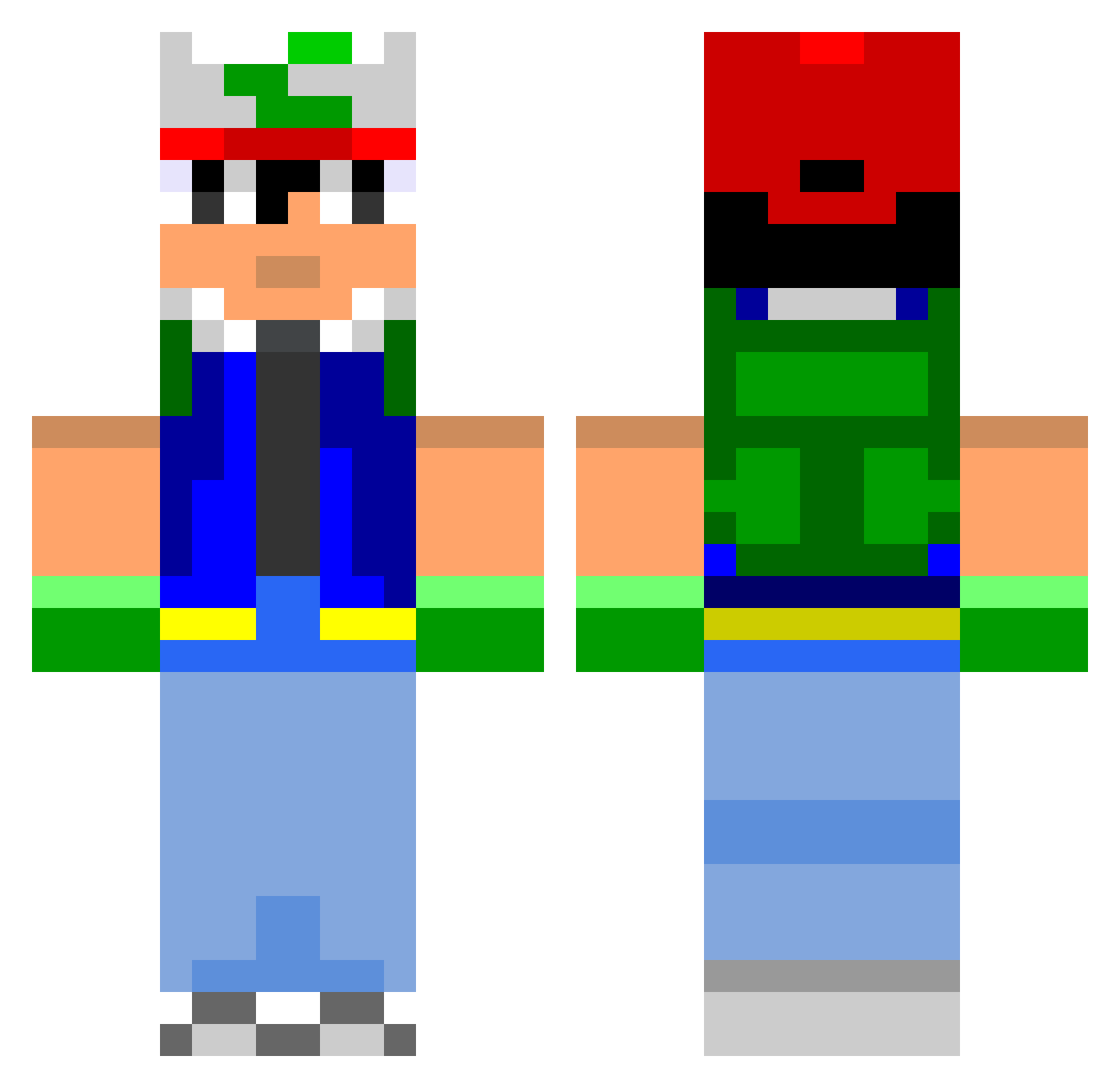
Current Minecraft skin of the player kevywevy567, loaded from the official Mojang API. Rotate the 3D model with your mouse or finger, then download the skin as a PNG file and use it in Minecraft: Bedrock Edition or Java Edition for free. When kevywevy567 changes their skin, this page updates automatically and the old skin stays in the history below.
Other players with this skin (801)
kevywevy567 was the 34th player we have seen with this skin, first spotted on 30.07.2026. The same skin was seen on these players. Open a nickname to see their current skin and skin history.
 bRuM_au Jgrasp CatsAss Slavick13 Kingcrafter33 Teddes11 BigPooPooHead Snick95 Roxetto morovache Duccii skittlesgreen shichifukujin thomasagostini liliREN bobthedinosaur sessi123 edsck sosolala Avvo Gyneee The3Dragon magickadehex Indigocello Icehook pwin cod7expert My_Last_Duchess Rusticles EnchantEmerald loliconmax gougoux DeanoBean0 vindictivegnome Seshiro95 UofMwolverines NitroAce9 knxy SamMully14 kjokis Dhenay ChriSpartan Charlosme DJNizzle ExT_R3C0V3RY xHavano plastik2k10 Marcus1409 Iceyblade96 elvin360 Tinofan emydecroquette MrExcellent Rikaktus DeniseDenise kiddycuddles KelseyKaye Tlewis2311 light_switch Jansens
More Ash Ketchum Minecraft skins
How to install the kevywevy567 skin
- Press the Download button above to save the skin as a PNG file.
- Minecraft: Bedrock Edition (PE): open the Dressing Room from the main menu (or tap your character → Edit Character), go to Classic Skins → Owned, press the + (new skin) button, choose the downloaded PNG and pick the Classic (Steve) model. Works on PC and mobile; consoles cannot import custom skins.
- Minecraft: Java Edition: open the Minecraft Launcher, go to the Skins tab, click New Skin, load the PNG, pick the Classic (Steve) model and press Save & Use. You can also upload it at minecraft.net → Profile → Change Skin.
The skin does not show up after import - what should I do?
Restart Minecraft and open the Dressing Room again - imported skins sometimes appear only after a restart. Also make sure you selected the imported skin and picked the Classic (Steve) model.
Which model should I choose, Classic or Slim?
This skin is designed for the Classic (Steve) model. If you pick the wrong model, the arms of the skin will look stretched or squeezed.
Is the skin of kevywevy567 free to download?
Yes. Press Download, save the PNG file and use it in Minecraft: Bedrock Edition or Java Edition - no payment or registration needed. The skin also works on multiplayer servers and Realms.
More skins
Looking for more? Go back to all Minecraft skins and check the top skins of the week, month and all time, or find any player's skin by nickname.