
kevuwu_ - Minecraft Skins & Skin History
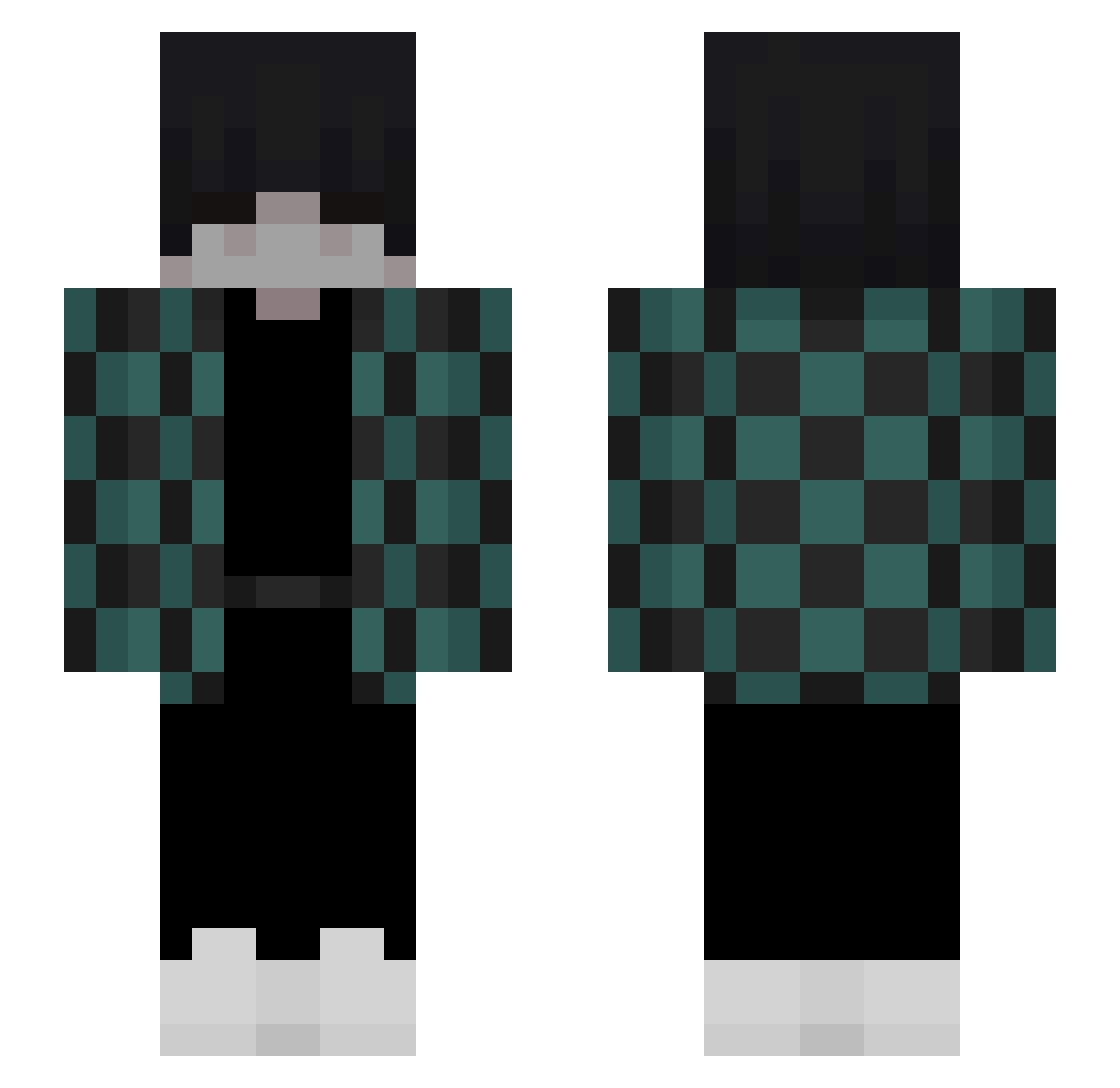
Current Minecraft skin of the player kevuwu_, loaded from the official Mojang API. Rotate the 3D model with your mouse or finger, then download the skin as a PNG file and use it in Minecraft: Bedrock Edition or Java Edition for free. When kevuwu_ changes their skin, this page updates automatically and the old skin stays in the history below.
Other players with this skin (142)
kevuwu_ was the 111th player we have seen with this skin, first spotted on 29.10.2026. The same skin was seen on these players. Open a nickname to see their current skin and skin history.
 down_D_stairs Naruto_Flaffy TanjiroOop IamHomeLander ElMalardo RX6650XT RezTycx 60g_ DeltaLOL88 ERROR_404_ERROR Withins LucasDK2901 fantaz Vitin_l Aep_ Garuvan Blond_HurtPL DepreMC Wesam666 pumkinhanya yZeent Luposolitario182 NotADoctor42 il4an LiboRom GeranSilvermane v4mpchrvs _zercio_ youTfl_kaBachek loisker fantomorg 1Zyrox_ Miku_Matsurai psychozombi EduuLM DieDonauwelle mini_doctor Nohxnd Wiggle987 MuRdeRx0v eightgangbest AlexEMC CaptainCarter45 Teki_of_faith Emmykate C4azyy KrispyKslave49 SaulPerez345 Dedeaux MidoWeirdo py_snou _Mlkxn_ iceflame404java ISpeakSk8 marcokini BISKITTT Insyn1ty Kamileqq_ julypog CryptedJay
More Tanjiro Kamado Minecraft skins
See all 492 Tanjiro Kamado skins
How to install the kevuwu_ skin
- Press the Download button above to save the skin as a PNG file.
- Minecraft: Bedrock Edition (PE): open the Dressing Room from the main menu (or tap your character → Edit Character), go to Classic Skins → Owned, press the + (new skin) button, choose the downloaded PNG and pick the Slim (Alex) model. Works on PC and mobile; consoles cannot import custom skins.
- Minecraft: Java Edition: open the Minecraft Launcher, go to the Skins tab, click New Skin, load the PNG, pick the Slim (Alex) model and press Save & Use. You can also upload it at minecraft.net → Profile → Change Skin.
The skin does not show up after import - what should I do?
Restart Minecraft and open the Dressing Room again - imported skins sometimes appear only after a restart. Also make sure you selected the imported skin and picked the Slim (Alex) model.
Which model should I choose, Classic or Slim?
This skin is designed for the Slim (Alex) model. If you pick the wrong model, the arms of the skin will look stretched or squeezed.
Is the skin of kevuwu_ free to download?
Yes. Press Download, save the PNG file and use it in Minecraft: Bedrock Edition or Java Edition - no payment or registration needed. The skin also works on multiplayer servers and Realms.
More skins
Looking for more? Go back to all Minecraft skins and check the top skins of the week, month and all time, or find any player's skin by nickname.