
kevinc123 - Minecraft Skins & Skin History
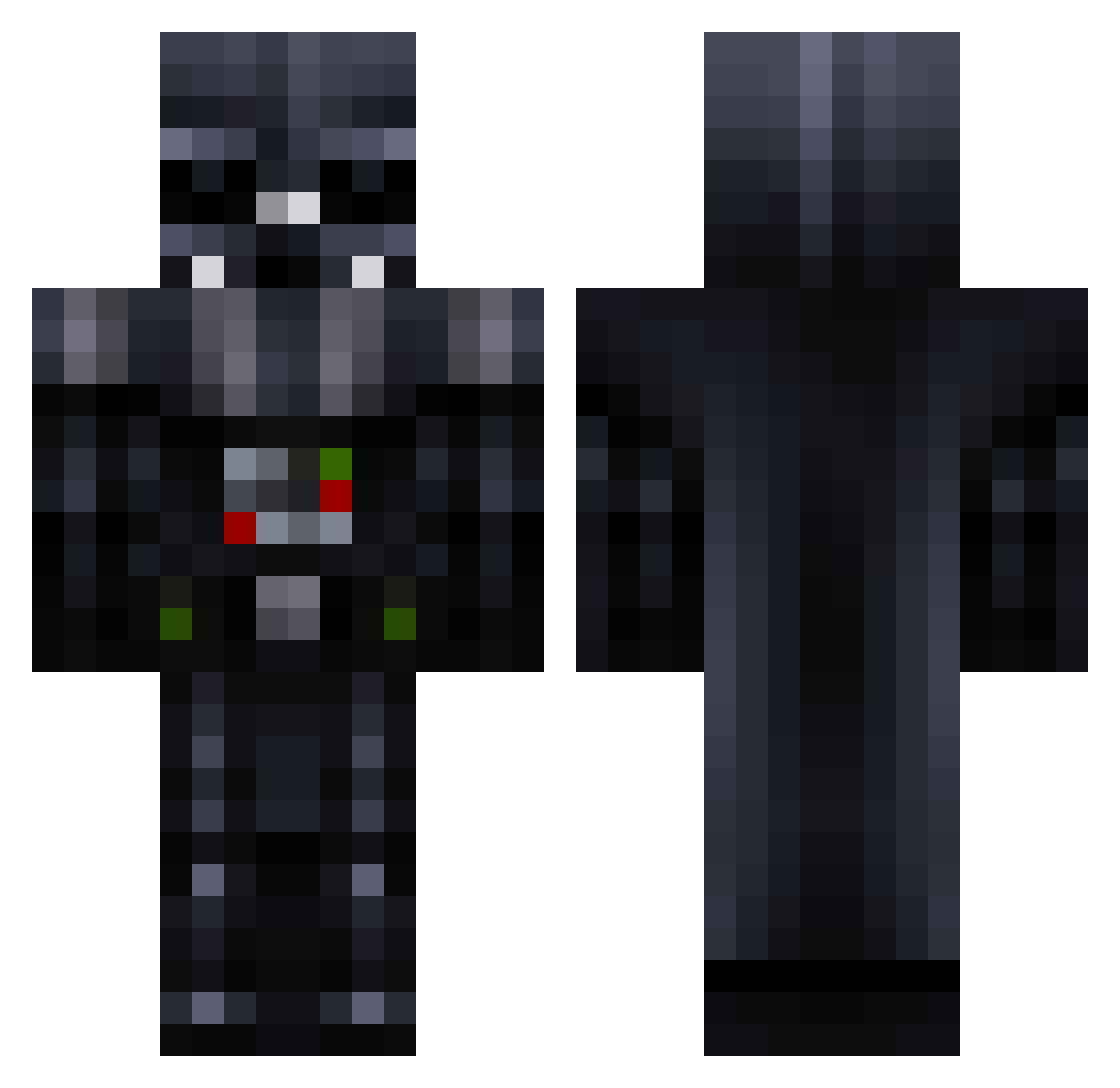
Current Minecraft skin of the player kevinc123, loaded from the official Mojang API. Rotate the 3D model with your mouse or finger, then download the skin as a PNG file and use it in Minecraft: Bedrock Edition or Java Edition for free. When kevinc123 changes their skin, this page updates automatically and the old skin stays in the history below.
Other players with this skin (257)
kevinc123 was the 219th player we have seen with this skin, first spotted on 18.10.2026. The same skin was seen on these players. Open a nickname to see their current skin and skin history.
 kerrgo99 Marcek000 Vadah_ MightyDestroyer8 CodeVader DaMincraftPro _DartVeader_ FirstActionHero Cyberiyus _lilg69 Keytroble_1 Frankeinstein98 ASAABDUDE xBreacher lamper326 liuyi2008 AlphaWolf_Me Nippin_Peaches PapaSmerf Ivanyshkaivan Kallelle BeethovenRad Norman860 Snoke21 dasiweida Andottaa Darthgabe15 ctang0 xOGCeramicx Markshark70 tdi07 Sila1256 Jtwrig Dete2004 Kramix Flying_Sasquatch H3nta1S3npa1 VardyAli Cyanide2026 heiyi86 El_Teclas iiitsbacon Tb__ Gobo1982 yepong123 minrul09 CBDNB StigmaGates CHARLO06 DuckDemon1 trueflameXP vomop1 Ab00dBwZ DrPancake2004 Thadue wzq_wow mIneCrAftPixton SaadiBear LuckyVader supersmashoe
More Darth Vader Minecraft skins
How to install the kevinc123 skin
- Press the Download button above to save the skin as a PNG file.
- Minecraft: Bedrock Edition (PE): open the Dressing Room from the main menu (or tap your character → Edit Character), go to Classic Skins → Owned, press the + (new skin) button, choose the downloaded PNG and pick the Classic (Steve) model. Works on PC and mobile; consoles cannot import custom skins.
- Minecraft: Java Edition: open the Minecraft Launcher, go to the Skins tab, click New Skin, load the PNG, pick the Classic (Steve) model and press Save & Use. You can also upload it at minecraft.net → Profile → Change Skin.
The skin does not show up after import - what should I do?
Restart Minecraft and open the Dressing Room again - imported skins sometimes appear only after a restart. Also make sure you selected the imported skin and picked the Classic (Steve) model.
Which model should I choose, Classic or Slim?
This skin is designed for the Classic (Steve) model. If you pick the wrong model, the arms of the skin will look stretched or squeezed.
Is the skin of kevinc123 free to download?
Yes. Press Download, save the PNG file and use it in Minecraft: Bedrock Edition or Java Edition - no payment or registration needed. The skin also works on multiplayer servers and Realms.
More skins
Looking for more? Go back to all Minecraft skins and check the top skins of the week, month and all time, or find any player's skin by nickname.