
keuin_ - Minecraft Skins & Skin History
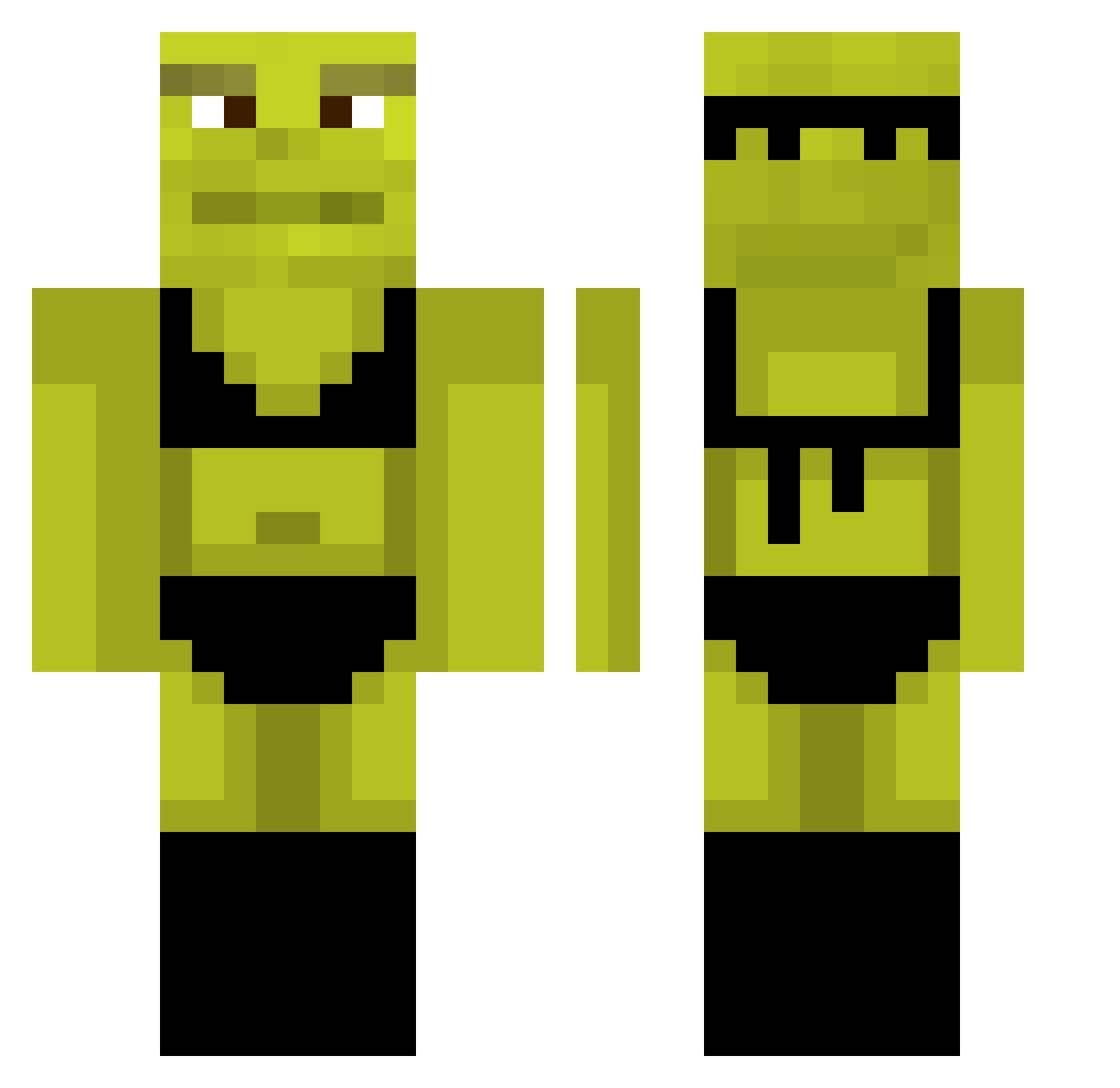
Current Minecraft skin of the player keuin_, loaded from the official Mojang API. Rotate the 3D model with your mouse or finger, then download the skin as a PNG file and use it in Minecraft: Bedrock Edition or Java Edition for free. When keuin_ changes their skin, this page updates automatically and the old skin stays in the history below.
Other players with this skin (880)
keuin_ was the 585th player we have seen with this skin, first spotted on 02.10.2026. The same skin was seen on these players. Open a nickname to see their current skin and skin history.
 misterr_john Balex94 BeautifulHuman Cyr_Crypte orrehaver Juskozz tayyipsevdalisi theonewholoses cammythiccc lilmorgs prale01 jjsnr patricko1203 eLauti1 GuilliGGa MarleeWoolz wildmary kratt2003 ShrekMijao meylihn13 DeadAss__ kingofcarsmc nikitapro123 derdriphengst Scordis2 Reflane _macch Emilitis42 lleiksaheyks Crinklefried Elbow140 nerdBoyz stripedupjay myqqq Sanguchitoo23 Itznobb1 Tomstar3412 Carla1408 laumt drprinterink _Noelys_ Ravens59 LucasTheSlug monkatsu Koriev kpVic vergasotoxico badben69 yusiiik Torukx michelleews Dannydevito1221 Shmishe haaaann wwuckyy bailey_parky zero5508 leaf124 AroaKilljoy Vazonyayi
More Shrek Minecraft skins
How to install the keuin_ skin
- Press the Download button above to save the skin as a PNG file.
- Minecraft: Bedrock Edition (PE): open the Dressing Room from the main menu (or tap your character → Edit Character), go to Classic Skins → Owned, press the + (new skin) button, choose the downloaded PNG and pick the Classic (Steve) model. Works on PC and mobile; consoles cannot import custom skins.
- Minecraft: Java Edition: open the Minecraft Launcher, go to the Skins tab, click New Skin, load the PNG, pick the Classic (Steve) model and press Save & Use. You can also upload it at minecraft.net → Profile → Change Skin.
The skin does not show up after import - what should I do?
Restart Minecraft and open the Dressing Room again - imported skins sometimes appear only after a restart. Also make sure you selected the imported skin and picked the Classic (Steve) model.
Which model should I choose, Classic or Slim?
This skin is designed for the Classic (Steve) model. If you pick the wrong model, the arms of the skin will look stretched or squeezed.
Is the skin of keuin_ free to download?
Yes. Press Download, save the PNG file and use it in Minecraft: Bedrock Edition or Java Edition - no payment or registration needed. The skin also works on multiplayer servers and Realms.
More skins
Looking for more? Go back to all Minecraft skins and check the top skins of the week, month and all time, or find any player's skin by nickname.