
kervinwo - Minecraft Skins & Skin History
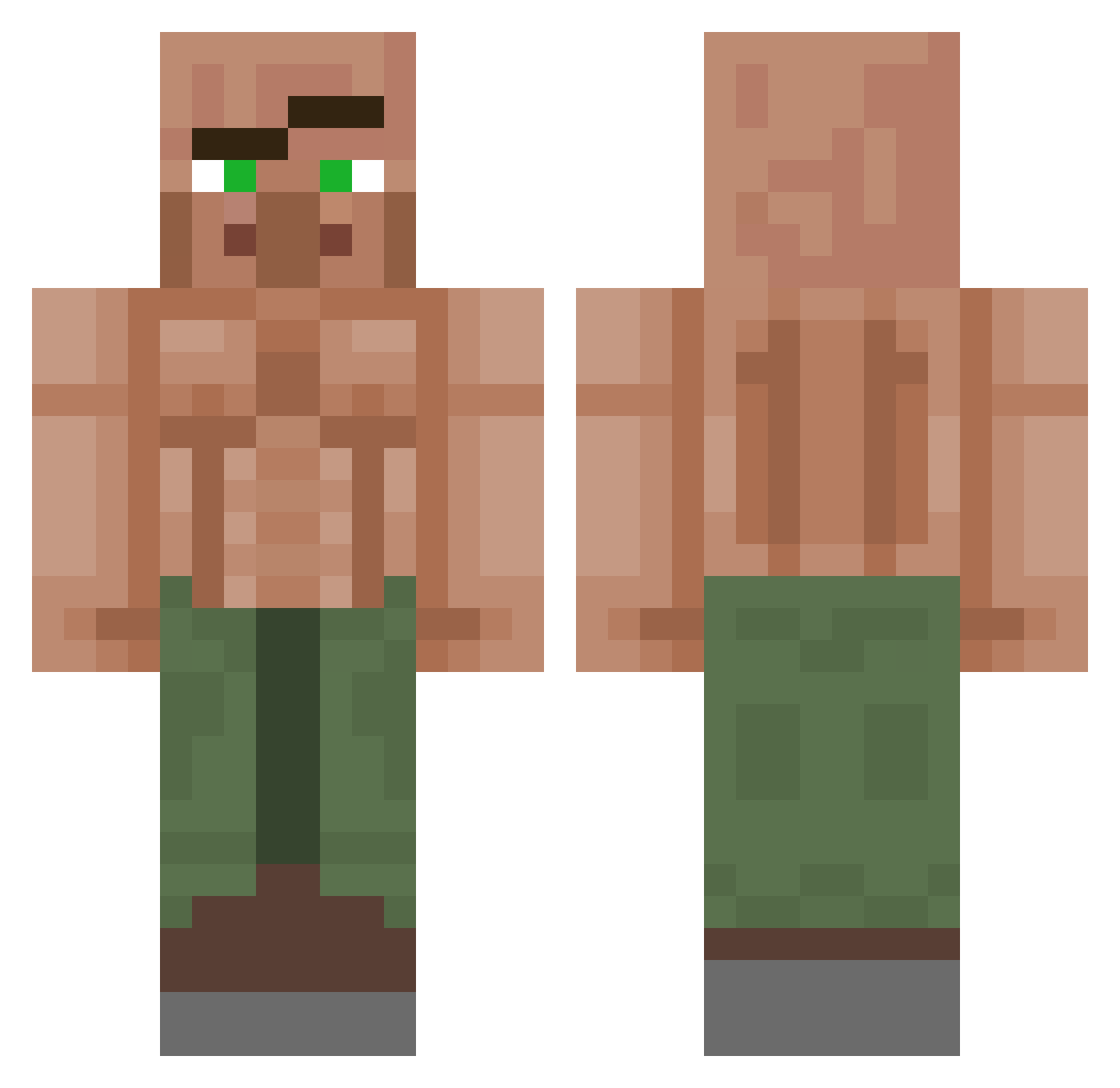
Current Minecraft skin of the player kervinwo, loaded from the official Mojang API. Rotate the 3D model with your mouse or finger, then download the skin as a PNG file and use it in Minecraft: Bedrock Edition or Java Edition for free. When kervinwo changes their skin, this page updates automatically and the old skin stays in the history below.
Other players with this skin (1151)
kervinwo was the 276th player we have seen with this skin, first spotted on 22.08.2026. The same skin was seen on these players. Open a nickname to see their current skin and skin history.
 ErykUSA CarsickTea Exertivy ItsMeFren dadlucom Mugiwara3743 Dodo_DAL AspectOV BearHit820 noobsmilly Tante_Britt Mobaujo Gokash1 Nekcless SevereGhost44 Asadoolah kamychsTroubles gamr_galsuzy3 glmmus Luke_Bacz factualping mw9978 Bubby45 VitorTheWolf Sandwich007 xXMaggi1602Xx Nayne0 Kainoe HerraPerunaPro the_best_skib Vilmos891 Mud_consumer2373 Yigitgamer KDHUIU spyhawk55 Wittwer2 Martingls TragaBalas ProVokeHR ThePolishPerson kebab_payants MrBlocklie GGkomp Tete2Pioche Ryleyisnutz4 Jankdotnet ElChaposs Flapper007 z3r0lho2 nokiaorzech DeLuIce Enderboi21 ChingoCast StrawHelmet Deadlypanda9175 FunkMasterDirt Casasola_ zadarack08 fartypooppantsXD Vickytowa
More Buff Villager Minecraft skins
See all 40 Buff Villager skins
How to install the kervinwo skin
- Press the Download button above to save the skin as a PNG file.
- Minecraft: Bedrock Edition (PE): open the Dressing Room from the main menu (or tap your character → Edit Character), go to Classic Skins → Owned, press the + (new skin) button, choose the downloaded PNG and pick the Classic (Steve) model. Works on PC and mobile; consoles cannot import custom skins.
- Minecraft: Java Edition: open the Minecraft Launcher, go to the Skins tab, click New Skin, load the PNG, pick the Classic (Steve) model and press Save & Use. You can also upload it at minecraft.net → Profile → Change Skin.
The skin does not show up after import - what should I do?
Restart Minecraft and open the Dressing Room again - imported skins sometimes appear only after a restart. Also make sure you selected the imported skin and picked the Classic (Steve) model.
Which model should I choose, Classic or Slim?
This skin is designed for the Classic (Steve) model. If you pick the wrong model, the arms of the skin will look stretched or squeezed.
Is the skin of kervinwo free to download?
Yes. Press Download, save the PNG file and use it in Minecraft: Bedrock Edition or Java Edition - no payment or registration needed. The skin also works on multiplayer servers and Realms.
More skins
Looking for more? Go back to all Minecraft skins and check the top skins of the week, month and all time, or find any player's skin by nickname.