
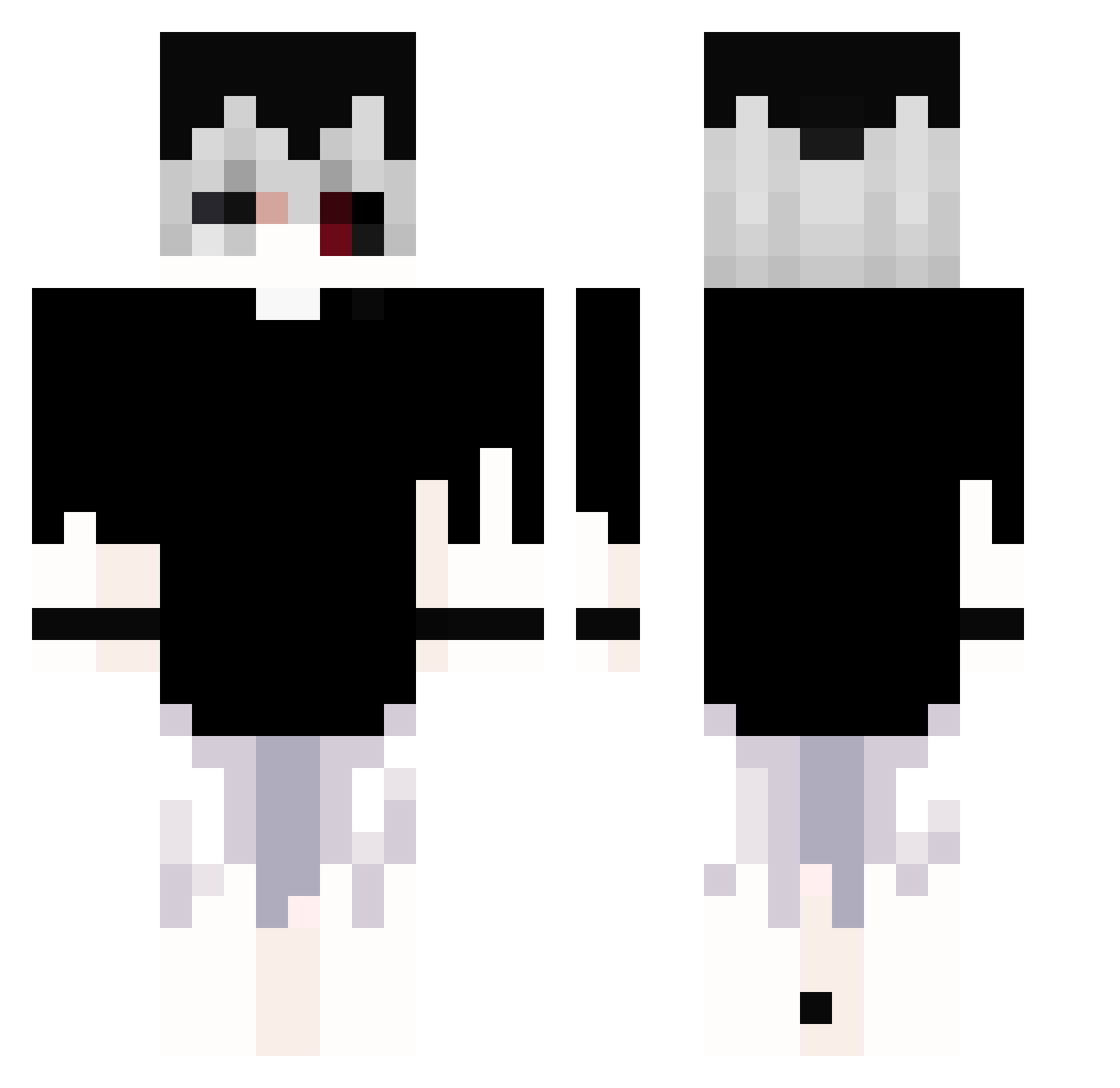
Current Minecraft skin of the player keroro323, loaded from the official Mojang API. Rotate the 3D model with your mouse or finger, then download the skin as a PNG file and use it in Minecraft: Bedrock Edition or Java Edition for free. When keroro323 changes their skin, this page updates automatically and the old skin stays in the history below.
Other players with this skin (267)
keroro323 was the 17th player we have seen with this skin, first spotted on 29.07.2026. The same skin was seen on these players. Open a nickname to see their current skin and skin history.
 Dream43765 Jackcku playlocked exort1zm siaoic donthate666 BuBleBeez baaeer danya10let sudasekiuploads volcanicreturn Moxofon jason_0111 riyocalypse Grillerr __Kama__ BobbyBriefcase Rip_1nox HiDekuuu Hanielzin kamilxd1221 internetneet Hydrava o1nstagram kouaki0911 ajingajing fwlahhh johcraft02 crspy_r paul0070 baked7 xloveless ShaFlipp ShaveGhoste zedku Santiagxrr At0m000 NicoHelp xinlinya Eucliwoodd tfisken fish111509 chhao27 FleeZy03 mustafacvbs
 Alberttsai0831 xhalek Agent4647 skullNight1100
 Jahmatier Click_Bomb mKaarr KInure zxcrayzed Tsun_3 Emot1ona_ puminsho foxyrite theblesseddark kaneki221
More Monochrome Minecraft skins
How to install the keroro323 skin
- Press the Download button above to save the skin as a PNG file.
- Minecraft: Bedrock Edition (PE): open the Dressing Room from the main menu (or tap your character → Edit Character), go to Classic Skins → Owned, press the + (new skin) button, choose the downloaded PNG and pick the Classic (Steve) model. Works on PC and mobile; consoles cannot import custom skins.
- Minecraft: Java Edition: open the Minecraft Launcher, go to the Skins tab, click New Skin, load the PNG, pick the Classic (Steve) model and press Save & Use. You can also upload it at minecraft.net → Profile → Change Skin.
The skin does not show up after import - what should I do?
Restart Minecraft and open the Dressing Room again - imported skins sometimes appear only after a restart. Also make sure you selected the imported skin and picked the Classic (Steve) model.
Which model should I choose, Classic or Slim?
This skin is designed for the Classic (Steve) model. If you pick the wrong model, the arms of the skin will look stretched or squeezed.
Is the skin of keroro323 free to download?
Yes. Press Download, save the PNG file and use it in Minecraft: Bedrock Edition or Java Edition - no payment or registration needed. The skin also works on multiplayer servers and Realms.
More skins
Looking for more? Go back to all Minecraft skins and check the top skins of the week, month and all time, or find any player's skin by nickname.