
keny085 - Minecraft Skins & Skin History
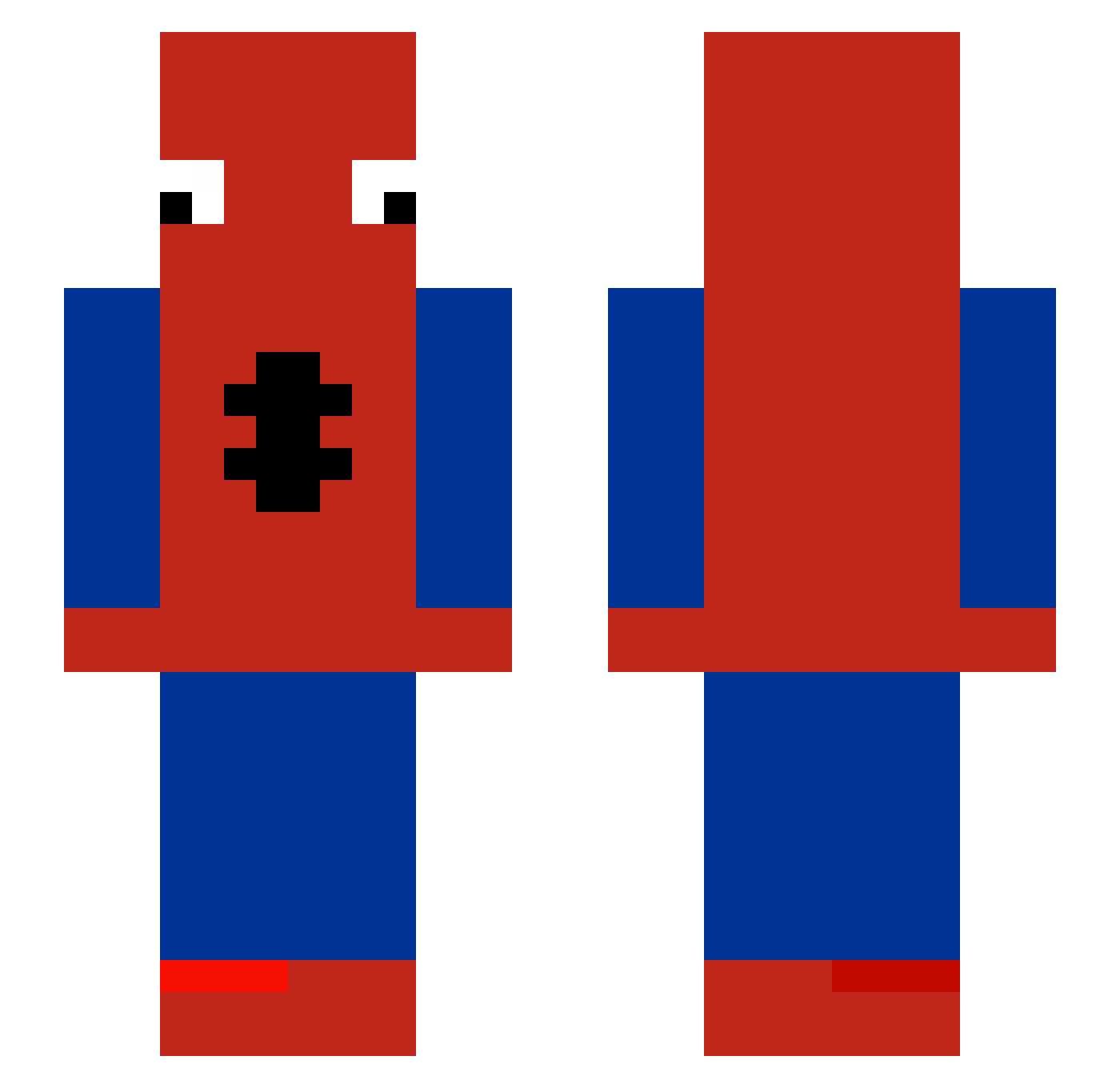
Current Minecraft skin of the player keny085, loaded from the official Mojang API. Rotate the 3D model with your mouse or finger, then download the skin as a PNG file and use it in Minecraft: Bedrock Edition or Java Edition for free. When keny085 changes their skin, this page updates automatically and the old skin stays in the history below.
Other players with this skin (483)
keny085 was the 237th player we have seen with this skin, first spotted on 17.09.2026. The same skin was seen on these players. Open a nickname to see their current skin and skin history.
 2sbn Alex030910 WraxpsHas0Gyaat SmasherStella ISYAlex_ nvym Floyg T7TK jiwon_77 Goldenriri _wafle ZachAttack2705 GetSlap3dUp StudentOP nohavhp FoNcH0o fazebau PMTSantoss MoonyisValid envycr0nix jy4kito Omikr0n Beatsbyjaviii P0MMES69 Ice0320 yanis7410 RUAS14 osko7933 Mustiss FantasyFlame micahlegit LegionBasto Il_Povero Daniryukc Cargaass slowpillow TrobenTissemand The8estOfAllTime lpqds jingleA ImJesus74 embwr _DraJoN_2137_ Mundis12 LeToto0 Sejfurd NarutoUchiha3000 _apathy__ ThePath12 Nozu1610 Axlalx knekten_12 kenji3813 Jslopz BrendaLopes Wigo14 GGAiden976 arepita6996 qr9d TranKhangg
More Spider-Man Minecraft skins
How to install the keny085 skin
- Press the Download button above to save the skin as a PNG file.
- Minecraft: Bedrock Edition (PE): open the Dressing Room from the main menu (or tap your character → Edit Character), go to Classic Skins → Owned, press the + (new skin) button, choose the downloaded PNG and pick the Slim (Alex) model. Works on PC and mobile; consoles cannot import custom skins.
- Minecraft: Java Edition: open the Minecraft Launcher, go to the Skins tab, click New Skin, load the PNG, pick the Slim (Alex) model and press Save & Use. You can also upload it at minecraft.net → Profile → Change Skin.
The skin does not show up after import - what should I do?
Restart Minecraft and open the Dressing Room again - imported skins sometimes appear only after a restart. Also make sure you selected the imported skin and picked the Slim (Alex) model.
Which model should I choose, Classic or Slim?
This skin is designed for the Slim (Alex) model. If you pick the wrong model, the arms of the skin will look stretched or squeezed.
Is the skin of keny085 free to download?
Yes. Press Download, save the PNG file and use it in Minecraft: Bedrock Edition or Java Edition - no payment or registration needed. The skin also works on multiplayer servers and Realms.
More skins
Looking for more? Go back to all Minecraft skins and check the top skins of the week, month and all time, or find any player's skin by nickname.