
kele409 - Minecraft Skins & Skin History
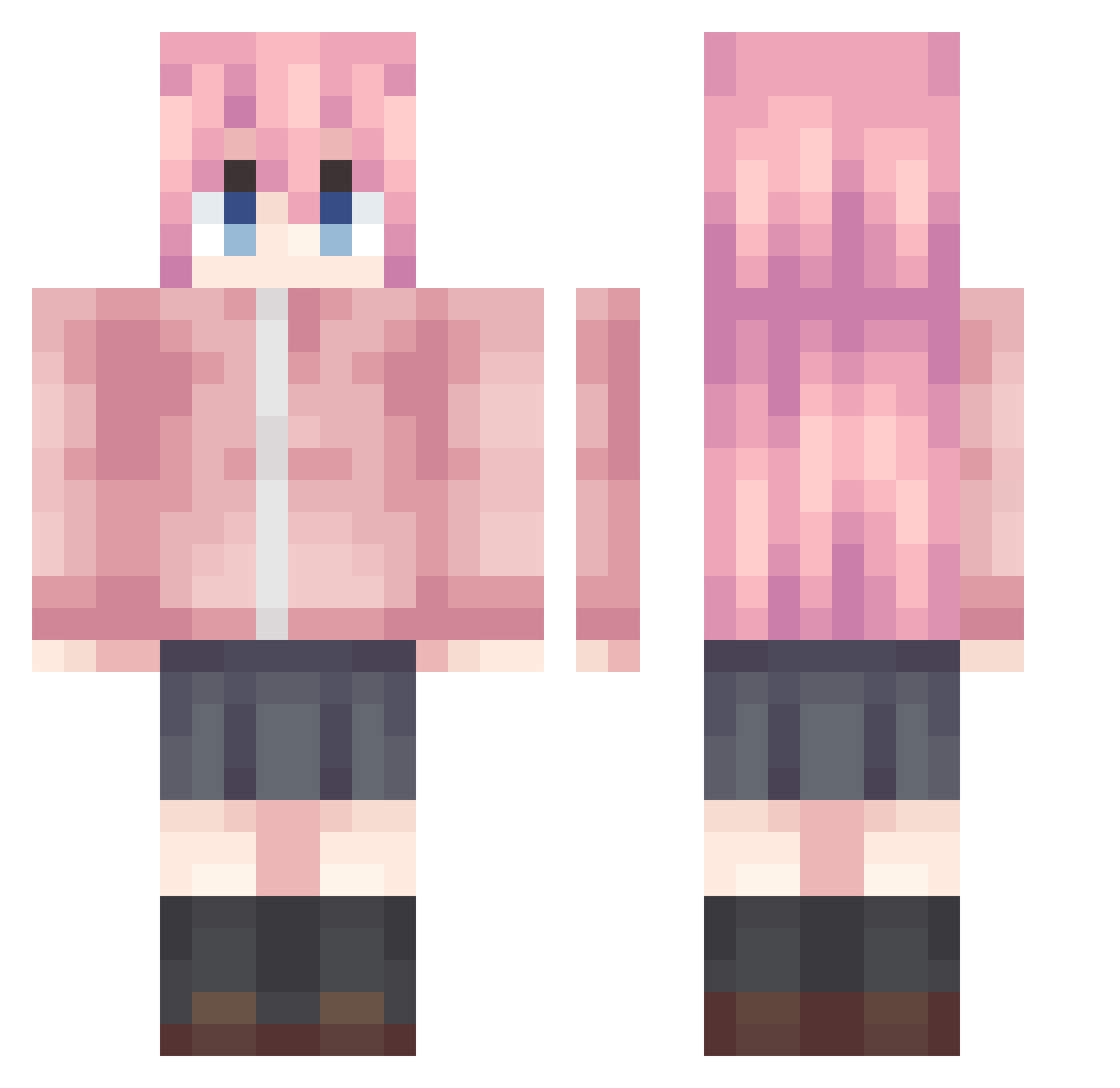
Current Minecraft skin of the player kele409, loaded from the official Mojang API. Rotate the 3D model with your mouse or finger, then download the skin as a PNG file and use it in Minecraft: Bedrock Edition or Java Edition for free. When kele409 changes their skin, this page updates automatically and the old skin stays in the history below.
Other players with this skin (1222)
kele409 was the 1003rd player we have seen with this skin, first spotted on 02.11.2026. The same skin was seen on these players. Open a nickname to see their current skin and skin history.
 muemsot Gutsinrage skaiMC Meiji_milk_choco INPOW xingyeaiya bocccci CaesarYe bkmt rtyup Halladay HHWYYY mask596 Ink_Zero J1nai Excmelaffy GoldNK Elgranmago The_Boshy yanamikayayi stupidmelon0726 GotohHitori11451 ningmengzhi Dodogama147 xyz6868 LEGNEran qsja shenmegui12 HPZMWZ AkemiC Lqt2022 sus12ww laosijia flamingo0106 PloyKingDom Colin_0236 Shrileee chenkanglin uchikomin Swarm4529 kaneki321 GTHMKH ouakai GALILEO1707 zhang7710 Hannical LHLLDY Demisu_ zmylsfake fox_party milk_eee Time_Division Yuruwu Fande Xya111 qianmokano bushi_17 maqiyuan520 Blingerly xinjin233
More Bocchi Minecraft skins
How to install the kele409 skin
- Press the Download button above to save the skin as a PNG file.
- Minecraft: Bedrock Edition (PE): open the Dressing Room from the main menu (or tap your character → Edit Character), go to Classic Skins → Owned, press the + (new skin) button, choose the downloaded PNG and pick the Classic (Steve) model. Works on PC and mobile; consoles cannot import custom skins.
- Minecraft: Java Edition: open the Minecraft Launcher, go to the Skins tab, click New Skin, load the PNG, pick the Classic (Steve) model and press Save & Use. You can also upload it at minecraft.net → Profile → Change Skin.
The skin does not show up after import - what should I do?
Restart Minecraft and open the Dressing Room again - imported skins sometimes appear only after a restart. Also make sure you selected the imported skin and picked the Classic (Steve) model.
Which model should I choose, Classic or Slim?
This skin is designed for the Classic (Steve) model. If you pick the wrong model, the arms of the skin will look stretched or squeezed.
Is the skin of kele409 free to download?
Yes. Press Download, save the PNG file and use it in Minecraft: Bedrock Edition or Java Edition - no payment or registration needed. The skin also works on multiplayer servers and Realms.
More skins
Looking for more? Go back to all Minecraft skins and check the top skins of the week, month and all time, or find any player's skin by nickname.