
kedikumu - Minecraft Skins & Skin History
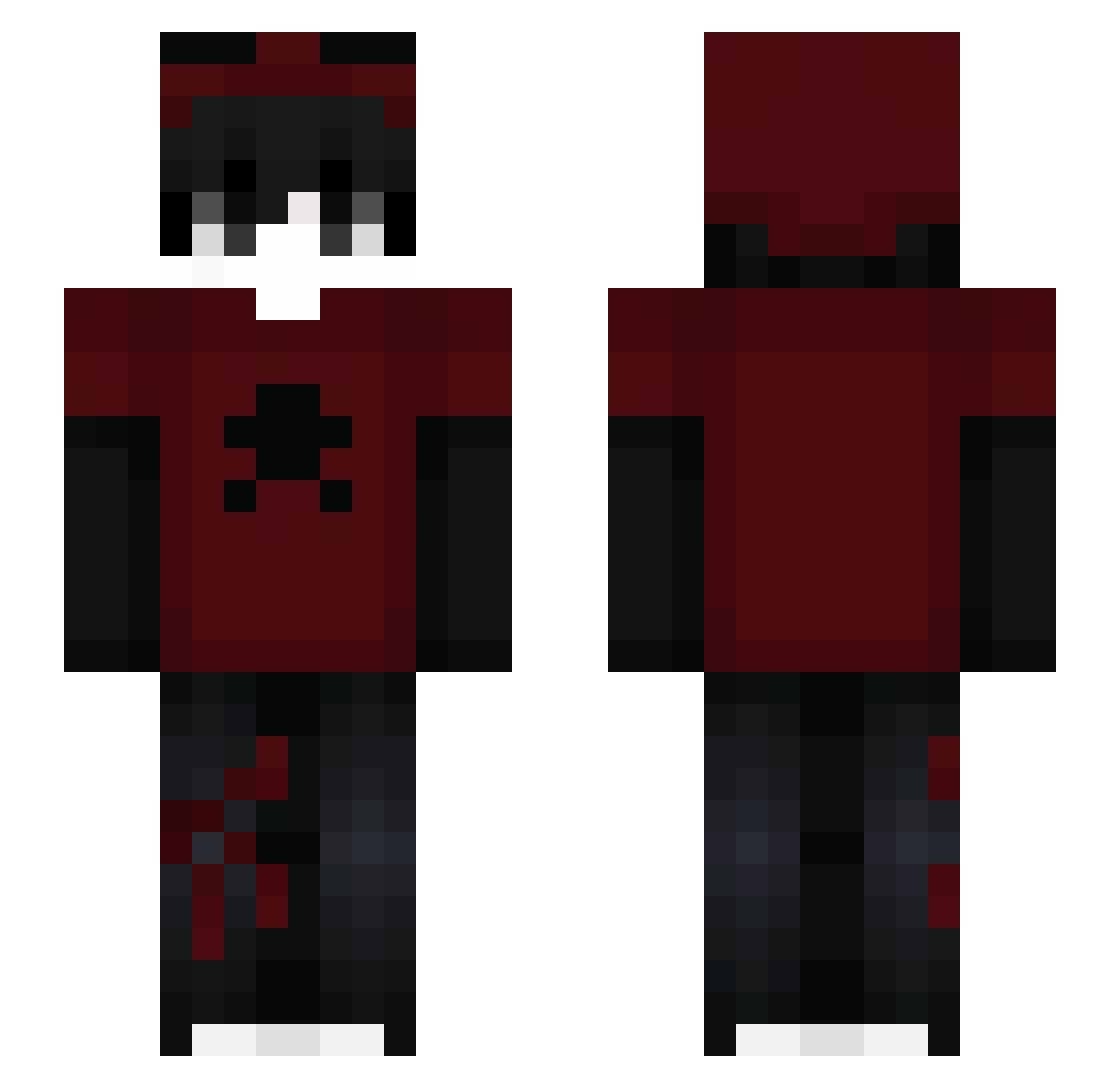
Current Minecraft skin of the player kedikumu, loaded from the official Mojang API. Rotate the 3D model with your mouse or finger, then download the skin as a PNG file and use it in Minecraft: Bedrock Edition or Java Edition for free. When kedikumu changes their skin, this page updates automatically and the old skin stays in the history below.
Other players with this skin (154)
kedikumu was the 102nd player we have seen with this skin, first spotted on 25.09.2026. The same skin was seen on these players. Open a nickname to see their current skin and skin history.
 MauroOsimhen1905 ParlePasDeMessi JairooPD Speed_1587 Tewaynn sunfluways luvthrax Birkan6lm Dziadek_Karol Aspis16 Nail2112 Pawa39 AllReady666 LESNOIRSANSEAU He_MRSN123 Ferdl3214 TristanGood Desenhando fleqss Niideaqponer_ X4MA1T5 MOOZEESOUNG FZN7 moto_ruger Toenay Natyax SchoolboyD Seolh_ Hellrack A3_atthetop MinecraftPro1113 Stevenx03 AlbertzZz17 Pan_con_Ella26 ITZCALEB05 1tztrstn Emertowany_Stary BryanJM SillyJelly00 DARK3005 Mitrox_ttv INVISABLE_ ranteistaken Tal000 KoxekXD NoahPual Geek_Tracker oJakO0 wxter2138 _aMCH_ Sweezey_ Fabry010 BasiaSus Sanztxz Plipluwu Allsaw Bellion_J fishadow_ imloak TA_gamer14
More Skull Minecraft skins
How to install the kedikumu skin
- Press the Download button above to save the skin as a PNG file.
- Minecraft: Bedrock Edition (PE): open the Dressing Room from the main menu (or tap your character → Edit Character), go to Classic Skins → Owned, press the + (new skin) button, choose the downloaded PNG and pick the Slim (Alex) model. Works on PC and mobile; consoles cannot import custom skins.
- Minecraft: Java Edition: open the Minecraft Launcher, go to the Skins tab, click New Skin, load the PNG, pick the Slim (Alex) model and press Save & Use. You can also upload it at minecraft.net → Profile → Change Skin.
The skin does not show up after import - what should I do?
Restart Minecraft and open the Dressing Room again - imported skins sometimes appear only after a restart. Also make sure you selected the imported skin and picked the Slim (Alex) model.
Which model should I choose, Classic or Slim?
This skin is designed for the Slim (Alex) model. If you pick the wrong model, the arms of the skin will look stretched or squeezed.
Is the skin of kedikumu free to download?
Yes. Press Download, save the PNG file and use it in Minecraft: Bedrock Edition or Java Edition - no payment or registration needed. The skin also works on multiplayer servers and Realms.
More skins
Looking for more? Go back to all Minecraft skins and check the top skins of the week, month and all time, or find any player's skin by nickname.