
kdhid - Minecraft Skins & Skin History
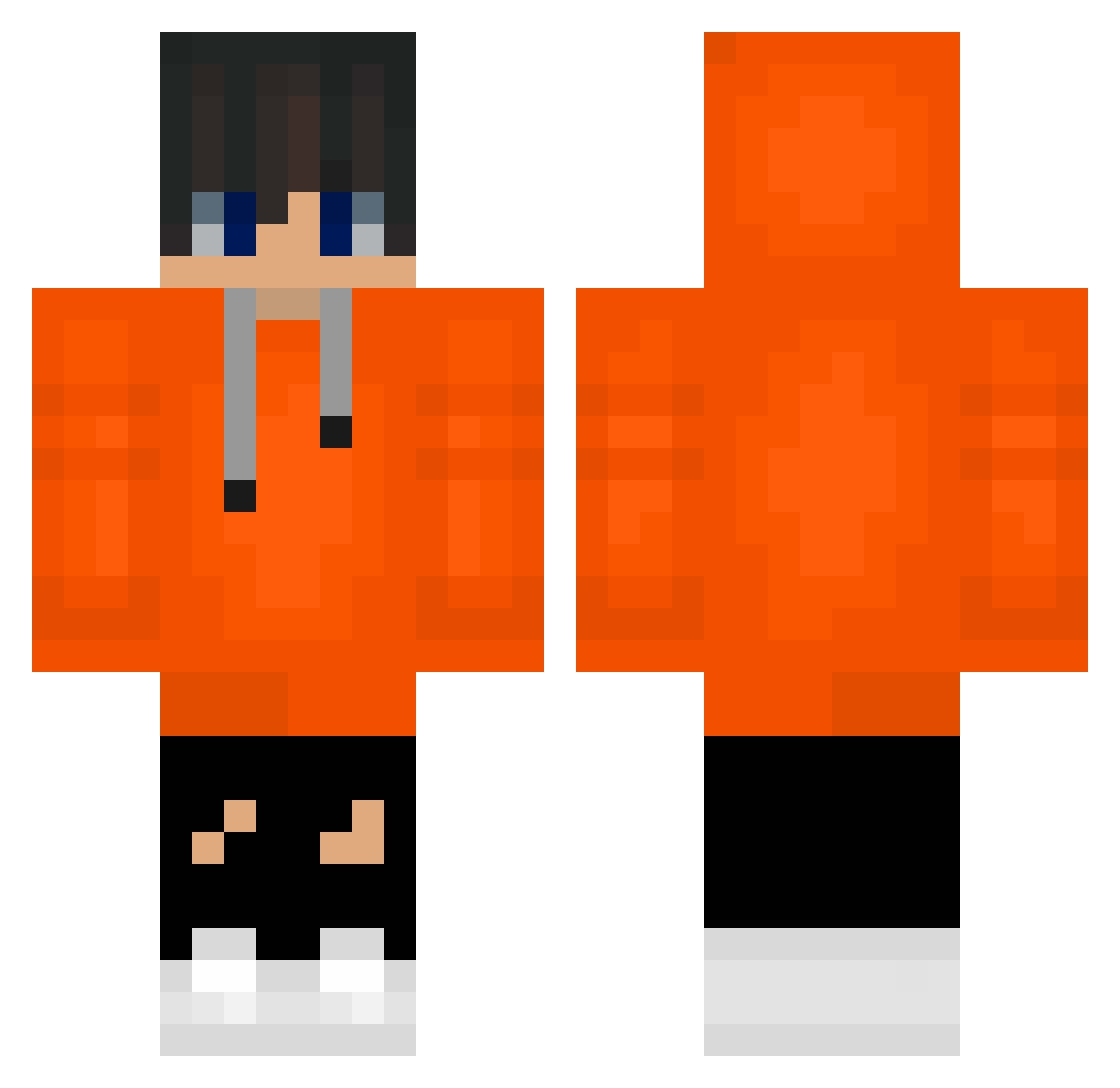
Current Minecraft skin of the player kdhid, loaded from the official Mojang API. Rotate the 3D model with your mouse or finger, then download the skin as a PNG file and use it in Minecraft: Bedrock Edition or Java Edition for free. When kdhid changes their skin, this page updates automatically and the old skin stays in the history below.
Other players with this skin (488)
kdhid was the 434th player we have seen with this skin, first spotted on 23.10.2026. The same skin was seen on these players. Open a nickname to see their current skin and skin history.
 20150816 23Gab_ N1KKOP SI5O sunding1004 JH21004 Benny1702 KIngtocrazy kkamang11 alessandro202 Poofin19 iamcoming1106 theleet zerus_kr Eliah08 KUN6830 komq_0 LeeChan1223 LIfEI_TING hohyun1045 IRI16 komq11_ LightFLash18 ChillCraftYT LIMITms koreamomo Aleea09 hanbyul0330 byunhyuntyler koma_L Karollo_27 NotBlackNico __more RhyRhyGames HOBY1027 yxcp geniusham dksruddnjs ChromeBalanche _comq XsL42 DPomps_ WigglyScarab602 Tony1004 bobbyb1100 uwaheihye Riley2324 Darioazaza kaluch12342 FenyXO jeonyoohyeon doyeon2012 starrysky3 _komq_ sta222 Midd4y zio2023 kommq EEEEEEE_han masonliam
How to install the kdhid skin
- Press the Download button above to save the skin as a PNG file.
- Minecraft: Bedrock Edition (PE): open the Dressing Room from the main menu (or tap your character → Edit Character), go to Classic Skins → Owned, press the + (new skin) button, choose the downloaded PNG and pick the Classic (Steve) model. Works on PC and mobile; consoles cannot import custom skins.
- Minecraft: Java Edition: open the Minecraft Launcher, go to the Skins tab, click New Skin, load the PNG, pick the Classic (Steve) model and press Save & Use. You can also upload it at minecraft.net → Profile → Change Skin.
The skin does not show up after import - what should I do?
Restart Minecraft and open the Dressing Room again - imported skins sometimes appear only after a restart. Also make sure you selected the imported skin and picked the Classic (Steve) model.
Which model should I choose, Classic or Slim?
This skin is designed for the Classic (Steve) model. If you pick the wrong model, the arms of the skin will look stretched or squeezed.
Is the skin of kdhid free to download?
Yes. Press Download, save the PNG file and use it in Minecraft: Bedrock Edition or Java Edition - no payment or registration needed. The skin also works on multiplayer servers and Realms.
More skins
Looking for more? Go back to all Minecraft skins and check the top skins of the week, month and all time, or find any player's skin by nickname.