
kazama1006 - Minecraft Skins & Skin History
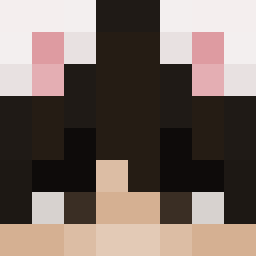
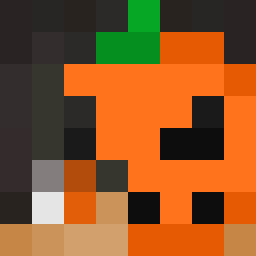
Current Minecraft skin of the player kazama1006, loaded from the official Mojang API. Rotate the 3D model with your mouse or finger, then download the skin as a PNG file and use it in Minecraft: Bedrock Edition or Java Edition for free. When kazama1006 changes their skin, this page updates automatically and the old skin stays in the history below.

Other players with this skin (4011)
kazama1006 was the 834th player we have seen with this skin, first spotted on 14.08.2026. The same skin was seen on these players. Open a nickname to see their current skin and skin history.
 Electrox6 dtallllll 194O chelsea_1
 Wither piton 55555__55555 TheFastMan3
 velldc osMani4c_ friendlygamer62 williamb61 cabn_ karuru3321 SteveFounder coffee_sword da_sasa Angi2203 JaisonX12 Feurstein UnfairBH Roshni Teddy_562 Luxids
 davelit0 0Bionic Augustneustrup THEonlyFEAR OLIPASTY NiCe_HaX Upupidae Brasserie
 oiivu JonasMagPizza Teuyu Dorsteinn Doreeka branperez05 74sh darful nathandragons NotAndy39 jericho_smericho semosnapshot CJJ01 5ppai Camern ReafCruz 61PineGroveLn Amstelbiertjes ReapexPlayzz TrippieReed Alitegamer11 KHD8 Collin916 The_Cheezy_Brit Brilson Recordr unexpressiveness SGU__
How to install the kazama1006 skin
- Press the Download button above to save the skin as a PNG file.
- Minecraft: Bedrock Edition (PE): open the Dressing Room from the main menu (or tap your character → Edit Character), go to Classic Skins → Owned, press the + (new skin) button, choose the downloaded PNG and pick the Classic (Steve) model. Works on PC and mobile; consoles cannot import custom skins.
- Minecraft: Java Edition: open the Minecraft Launcher, go to the Skins tab, click New Skin, load the PNG, pick the Classic (Steve) model and press Save & Use. You can also upload it at minecraft.net → Profile → Change Skin.
The skin does not show up after import - what should I do?
Restart Minecraft and open the Dressing Room again - imported skins sometimes appear only after a restart. Also make sure you selected the imported skin and picked the Classic (Steve) model.
Which model should I choose, Classic or Slim?
This skin is designed for the Classic (Steve) model. If you pick the wrong model, the arms of the skin will look stretched or squeezed.
Is the skin of kazama1006 free to download?
Yes. Press Download, save the PNG file and use it in Minecraft: Bedrock Edition or Java Edition - no payment or registration needed. The skin also works on multiplayer servers and Realms.
More skins
Looking for more? Go back to all Minecraft skins and check the top skins of the week, month and all time, or find any player's skin by nickname.