
kaver_time - Minecraft Skins & Skin History
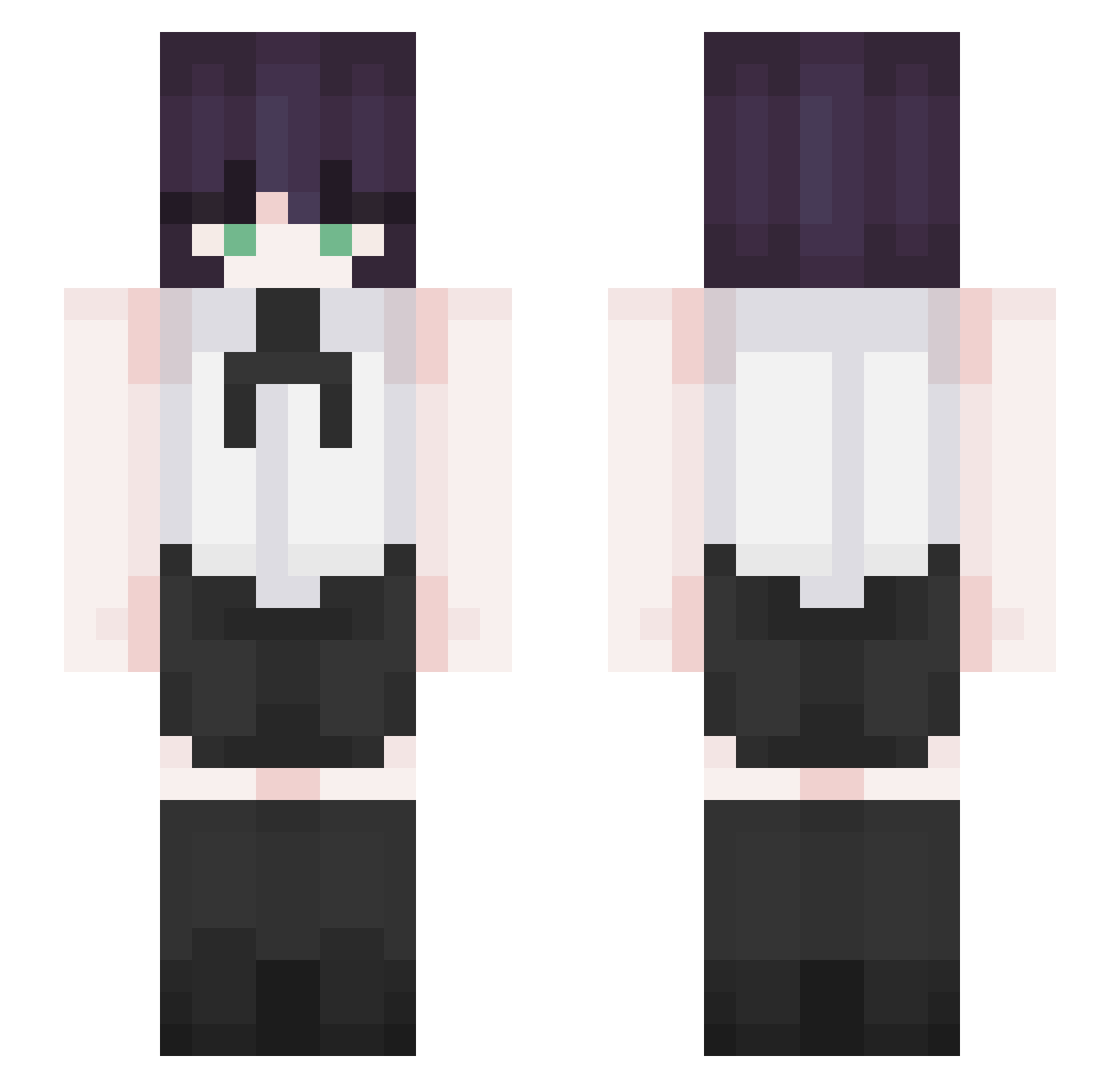
Current Minecraft skin of the player kaver_time, loaded from the official Mojang API. Rotate the 3D model with your mouse or finger, then download the skin as a PNG file and use it in Minecraft: Bedrock Edition or Java Edition for free. When kaver_time changes their skin, this page updates automatically and the old skin stays in the history below.
Other players with this skin (280)
kaver_time was the 139th player we have seen with this skin, first spotted on 08.09.2026. The same skin was seen on these players. Open a nickname to see their current skin and skin history.
 iwasamistake12 racgooner froggystylee RGTEDSEA Alebinjaa Rick344 knsts NotSpeedRun TD06 shadow87475 Yong_421 devilhoo OREO0857 kaosx Mirihh Notcoolman12 lyy666666 Tovbesteysin cmh11137 Aku_14 komxetumare Zanezhji Brogner Rola4ever Hatimador k4bir Infurnessfr P_jm cafeziinha andydergg Moonthia
 xyubxn tanmoon Singhho angehyun Augustxz LafufuSenpai IronDari777 cutesegu ShuijingAI Firebird754 Kyr4i hozooo arivlla SS_Aspect XeroZH _bxi CendreHuitre465 Neo_Uranium alidrip Alexdel_15 minchae020318 oaph Rezeblume RUK_Reze Deymreze Hyp3rLe denjilvr Acrux__ KorSoccer
More Makima Minecraft skins
How to install the kaver_time skin
- Press the Download button above to save the skin as a PNG file.
- Minecraft: Bedrock Edition (PE): open the Dressing Room from the main menu (or tap your character → Edit Character), go to Classic Skins → Owned, press the + (new skin) button, choose the downloaded PNG and pick the Slim (Alex) model. Works on PC and mobile; consoles cannot import custom skins.
- Minecraft: Java Edition: open the Minecraft Launcher, go to the Skins tab, click New Skin, load the PNG, pick the Slim (Alex) model and press Save & Use. You can also upload it at minecraft.net → Profile → Change Skin.
The skin does not show up after import - what should I do?
Restart Minecraft and open the Dressing Room again - imported skins sometimes appear only after a restart. Also make sure you selected the imported skin and picked the Slim (Alex) model.
Which model should I choose, Classic or Slim?
This skin is designed for the Slim (Alex) model. If you pick the wrong model, the arms of the skin will look stretched or squeezed.
Is the skin of kaver_time free to download?
Yes. Press Download, save the PNG file and use it in Minecraft: Bedrock Edition or Java Edition - no payment or registration needed. The skin also works on multiplayer servers and Realms.
More skins
Looking for more? Go back to all Minecraft skins and check the top skins of the week, month and all time, or find any player's skin by nickname.